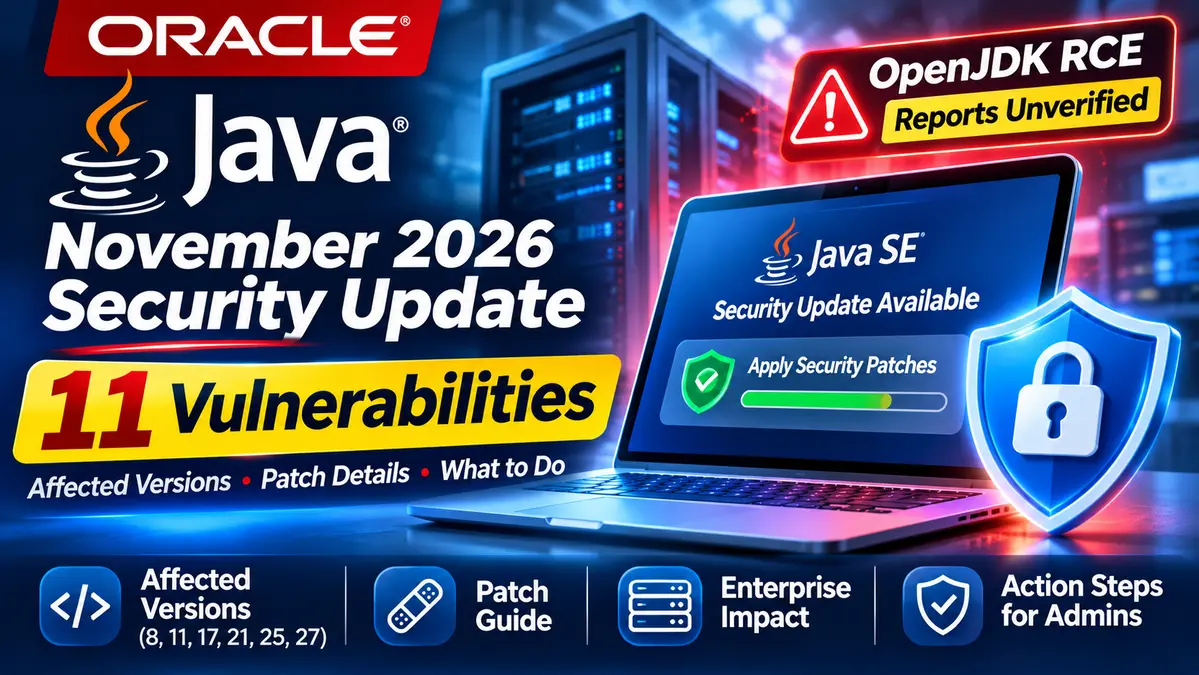
Oracle is preparing a new round of Java security updates addressing 11 vulnerabilities that could potentially be exploited remotely without authentication. The fixes are scheduled for November 17, 2026, and cover Java SE releases used in enterprise applications, backend services and development environments.
According to Oracle’s November security announcement, the most severe Java SE vulnerability carries a CVSS 3.1 score of 8.1. The company has not yet published the complete technical descriptions or individual CVE identifiers in its advance notice.
At the same time, separate reports have raised concerns about a potentially critical OpenJDK 17 remote code execution vulnerability identified as CVE-2026-114938. Its reported severity, affected versions and relationship to Oracle’s November fixes remain unconfirmed by an official vulnerability advisory.
For US businesses running Java applications, the immediate challenge is knowing which runtime versions are installed, where those runtimes operate and which vendor-specific updates are required.
The key distinction: Oracle’s planned 11 Java security fixes are officially documented. The separate OpenJDK RCE claims should not be treated as confirmed technical findings.
Oracle Java Security Update: Key Facts
- Scheduled release date: November 17, 2026.
- Vendor: Oracle.
- Update type: Critical Security Patch Update (CSPU).
- Java SE security patches: 11.
- Potential exploitation: All 11 issues may be remotely exploitable without authentication.
- Highest confirmed Java SE score: CVSS 3.1, 8.1.
- Products covered: Oracle Java SE, JavaFX and specified GraalVM releases.
- Java release lines: 8, 11, 17, 21, 25 and 27.
- Separate reported vulnerability: CVE-2026-114938, with key technical details unverified.
- Immediate recommendation: Inventory Java deployments, verify official releases and prepare supported updates.
Reporting status: November 17, 2026. Oracle’s publicly accessible November advisory was still labeled a pre-release announcement when this article was prepared. Release availability and final CVE details should be rechecked before deployment.
Why Oracle’s 11 Java Vulnerabilities Matter
Java is deeply embedded in enterprise computing. It powers internal applications, customer-facing web services, financial platforms, development tools and software that businesses may not immediately recognize as Java-based.
That makes patching more complicated than updating a single application on an employee’s computer.
Oracle’s advance security announcement identifies 11 Java SE vulnerabilities that may be exploited over a network without requiring user credentials.
This means some attacks could potentially be attempted without an attacker first obtaining a valid account. However, the advisory does not establish that every affected Java installation is directly reachable from the internet.
It also does not mean every vulnerability allows remote code execution.
A network-exploitable vulnerability could affect confidentiality, integrity, availability or another security property. Its practical consequences depend on the affected component and the conditions required for exploitation.
Because individual CVE descriptions were not yet available in the advance notice, administrators should avoid assuming that every Java application faces the same level of exposure.
For broader vulnerability prioritization and verified remediation resources, see CyberUpdates365’s CVE Vulnerabilities 2026 Enterprise Security Hub.
Which Oracle Java Versions Are Affected?
Oracle’s November advisory identifies affected versions across Java SE, JavaFX and GraalVM products.
The following table reproduces the product-version scope identified in the official announcement.
| Oracle product | Versions identified in the advisory |
|---|---|
| Oracle Java SE | 8u511, 8u511-perf, 11.0.33, 17.0.21, 21.0.13, 25.0.5, 27.0.1 |
| Oracle GraalVM for JDK | 17.0.21, 21.0.13 |
| Oracle GraalVM Enterprise Edition | 21.3.20.0.3 |
| Oracle JavaFX | 21.0.13, 25.0.5, 27.0.1 |
These versions are part of Oracle’s affected-product scope. The table does not identify which specific vulnerability affects each product or component.
Unsupported older releases may also require assessment. A Java version should not automatically be considered safe simply because it does not appear in the supported-product list.
Administrators using Oracle JDK should also distinguish it from OpenJDK distributions maintained by other vendors.
Red Hat, Eclipse Temurin and other Java distributors may provide their own builds, fixes and release notes. Organizations should use the security information published for the distribution they actually deploy.
Java 8, 11, 17, 21, 25 and 27: Planned November Patch Versions
The Java release schedule identifies the following builds for the November 17, 2026 security cycle.
| Java release line | Planned security build |
|---|---|
| Java 8 | 8u513 |
| Java 11 | 11.0.33.1 |
| Java 17 | 17.0.21.1 |
| Java 21 | 21.0.13.1 |
| Java 25 | 25.0.5.1 |
| Java 27 | 27.0.1.1 |
Important: These were scheduled build numbers at the time of verification. A release appearing on a schedule does not independently establish that its downloadable package is available or that every advertised security fix has been confirmed.
Before deploying an update, administrators should verify the official download, release notes, build number, licensing requirements and security details.
For systems managed through a Linux distribution or a third-party Java vendor, the equivalent security update may have a different package name or version string.
CVE-2026-114938: Is There a Critical OpenJDK 17 RCE?
Separate security reports have identified CVE-2026-114938 as a possible critical remote code execution vulnerability involving OpenJDK 17.
Some reports claim that the issue affects Java 17 releases beginning with OpenJDK 17.0.6 and assign a CVSS 4.0 score of 9.2.
However, those details have not been independently confirmed through a published Oracle or OpenJDK vulnerability advisory.
The publicly available evidence does not yet establish:
- The exact Java component containing the alleged vulnerability.
- The confirmed versions affected.
- The required exploitation conditions.
- Whether authentication or user interaction is necessary.
- Whether a working exploit is publicly available.
- Which specific Java build fixes the reported issue.
- Whether the vulnerability is included among Oracle’s 11 November patches.
These are not minor details. They determine whether a vulnerability affects a particular Java server and what practical steps administrators should take.
An enterprise should not assume that all Java 17 applications can be remotely compromised based solely on an unverified vulnerability report.
At the same time, administrators should not ignore the officially announced Java security update while waiting for more information about the separate CVE.
Does Remote Exploitation Mean Every Java Server Is Vulnerable?
Not necessarily.
Consider two organizations running the same major Java version.
One operates a customer-facing application that processes information from the internet. Another runs an internal Java utility accessible only to a small group of administrators.
Even if both use an affected runtime, the practical attack surface could be different.
The vulnerability might require a particular library, application function or type of input to reach the vulnerable component.
Until detailed technical advisories become available, defenders should assess exposure based on the applications they run rather than assuming identical risk across every Java installation.
Oracle’s confirmed maximum Java SE CVSS 3.1 score of 8.1 should also not be confused with the unverified 9.2 score circulating for the separate OpenJDK report.
How to Check Java Versions on Windows, Linux and Servers
One of the most useful actions an administrator can take is identifying the Java versions that production applications actually use.
This may sound straightforward, but enterprise systems often contain multiple runtimes.
Step 1: Check the Java Version
On Windows, Linux or macOS, open an appropriate command-line terminal and run:
java -version
The output normally identifies the Java version, runtime implementation and vendor.
However, the command reports the Java executable resolved through the current command-line environment. It does not necessarily identify the runtime used by every application on the device.
Step 2: Locate Other Java Installations
On Windows, administrators can use:
where java
On Linux, administrators can inspect the current executable path using:
command -v java
These checks help locate Java installations available through the current environment, but they do not provide a complete inventory of embedded or separately configured runtimes.
Review service configurations and application startup settings to identify other installations.
Step 3: Check Applications Using Their Own JDK
Some enterprise applications use a private Java runtime rather than the system default.
For example, a server might report an updated Java 17 installation while an older application continues running with a bundled Java 11 runtime.
Updating the default installation would not necessarily secure that application.
Administrators should inspect the application’s runtime directory and consult the vendor’s support documentation.
Step 4: Inspect Docker and Kubernetes Workloads
Containerized applications commonly include their own Java runtime within the image.
Updating Java on a Kubernetes worker node does not automatically replace the JDK inside a running application container.
Teams should review container image versions, identify the Java distribution in each image and rebuild affected application images when supported fixes are available.
Production redeployments should be validated against application health checks and rollback procedures.
Step 5: Record Exact Builds
For every important Java workload, record the runtime vendor, exact build, application owner, environment, external exposure and remediation status.
This provides a more reliable basis for vulnerability management than a simple inventory stating that Java is installed.
How US Enterprises Should Prioritize the Java Security Update
The right response is not necessarily to restart every Java workload immediately without checking compatibility.
Organizations should use a risk-based deployment process.
1. Identify Internet-Facing Java Applications
Start with applications that receive untrusted network traffic, especially customer-facing services and critical business systems.
Assess which Java runtimes and components those applications use.
2. Confirm the Official Patch Release
Check Oracle’s final security advisory or the relevant Java distribution’s official security bulletin.
Verify the affected versions and supported replacement builds before downloading packages.
3. Test Business-Critical Applications
Java updates can affect application behavior, dependencies or supported runtime configurations.
Test important workloads in a representative environment before broad deployment whenever operationally possible.
4. Patch Embedded Runtimes and Containers
Include packaged Java runtimes, application servers and container images in the update plan.
A host-level update alone may leave a vulnerable application runtime unchanged.
5. Validate After Deployment
After installing the approved update, verify the version used by the running application, not only the version available in an administrator’s shell.
Confirm that business services have restarted successfully and that monitoring shows expected application behavior.
6. Document Exceptions
If an application cannot immediately be updated, document the reason, its exposure, temporary risk-reduction measures and the planned remediation date.
Restrictions on network access may reduce exposure in some scenarios, but they should not be presented as a verified workaround for a specific vulnerability without official supporting guidance.
Why the November Java Update Is Different From the October Patches
Oracle traditionally issues quarterly Critical Patch Updates in January, April, July and October.
In 2026, Oracle began moving toward more frequent security servicing through targeted Critical Security Patch Updates.
The company published additional Java security releases in August and scheduled another update for November 17.
This shorter servicing cycle means organizations may need to evaluate important Java fixes between the traditional quarterly patch dates.
For example, Oracle’s October 21 emergency Java alert addressed a different vulnerability, CVE-2026-91403, involving certificate-trust handling.
CyberUpdates365 examined that issue in its Oracle emergency Java update and CVE-2026-91403 analysis.
The emergency certificate-trust fix was separate from Oracle’s regular October 20 patch release.
Our earlier Oracle October 2026 Critical Patch Update report also covers the broader enterprise security release affecting numerous Oracle product families.
These earlier advisories should not be confused with the 11 Java SE vulnerabilities announced for November.
For IT teams, the lesson is that passing a quarterly patch compliance check may not be sufficient when additional security releases appear between the scheduled cycles.
Why Java Patch Management Needs Better Visibility
Software inventory is often treated as an administrative task, but this update highlights its direct connection to security.
An organization may have well-maintained operating systems while still running older Java versions inside application containers or vendor-supplied software.
Those hidden runtimes can complicate patching because they are not always managed by the same team responsible for operating-system updates.
Development teams, infrastructure engineers and security operations staff should therefore share a clear view of Java runtime versions across important services.
That includes knowing who owns an application, how it receives security updates and what evidence confirms the new runtime is actually in use.
Accurate inventory, controlled deployment and post-patch validation can reduce the gap between a vendor releasing a fix and an organization receiving its protection.
Confirmed Facts and Remaining Unknowns
Confirmed by Official Oracle Sources
- Oracle scheduled a November 17, 2026 Critical Security Patch Update.
- The advance announcement identifies 11 new Java SE security patches.
- All 11 Java SE issues may be remotely exploitable without authentication.
- The highest published Java SE CVSS 3.1 score in the advance notice is 8.1.
- Specified Java SE, JavaFX and GraalVM versions are included in the affected-product list.
- The Java release schedule identifies planned security builds for Java 8, 11, 17, 21, 25 and 27.
Not Yet Independently Confirmed
- The individual CVE identifiers and technical descriptions for all 11 Java issues.
- That every issue allows remote code execution.
- That CVE-2026-114938 has the reported 9.2 severity score.
- The precise affected OpenJDK versions for that reported vulnerability.
- That CVE-2026-114938 is included in Oracle’s November update.
- Confirmed active exploitation of the newly announced Java vulnerabilities.
- The final availability of all planned security packages at the time this article was prepared.
CyberUpdates365 Analysis
Oracle’s November security announcement creates an immediate patch-planning requirement, even before every individual vulnerability description becomes public.
The 11 confirmed Java security issues deserve attention because the vendor identifies potential network exploitation without authentication.
However, administrators should distinguish that confirmed warning from the separate, unverified OpenJDK RCE reports.
For US organizations, the strongest response is to identify business-critical Java deployments, confirm which runtimes are actually used and prepare distribution-specific updates.
This also provides an opportunity to improve long-term patch management. Java environments are often spread across traditional servers, cloud workloads, containers and commercial applications.
A reliable inventory and testing process can make future security updates easier to prioritize and deploy.
The goal should be verified remediation, not simply recording that a Java package was downloaded or installed.
Frequently Asked Questions
How many Java vulnerabilities are in Oracle’s November 2026 update?
Oracle’s advance announcement identifies 11 new Java SE security patches. The company states that the vulnerabilities may be remotely exploited without authentication.
What is the highest severity score?
The maximum Java SE CVSS 3.1 score in Oracle’s advance notice is 8.1. This should not be confused with unverified severity reports involving a separate OpenJDK CVE.
Which Java versions should administrators check?
Oracle’s advisory covers specified releases of Java 8, 11, 17, 21, 25 and 27, alongside JavaFX and GraalVM versions. Administrators should verify the exact installed build and vendor.
Is CVE-2026-114938 a confirmed remote code execution vulnerability?
Secondary reports describe it as a potentially critical OpenJDK 17 issue, but its technical details, affected versions and confirmed remediation were not established by the official sources reviewed for this article.
Does every Java server need the same patch?
No. The correct update depends on the runtime distribution, installed version, application dependencies and vendor support requirements.
Can a Java update be installed without restarting applications?
Installing an updated runtime does not necessarily replace the Java process already running in memory. Applications typically need to restart or be redeployed using the updated runtime, following appropriate operational procedures.
Where can administrators find the official updates?
Start with Oracle’s security advisories and Java release documentation, or consult the security bulletin for the Java distribution used by the application.
Final Takeaway
Oracle’s November 2026 Java security update targets 11 vulnerabilities that may be remotely exploited without authentication. The advance advisory identifies affected Java products and a maximum Java SE CVSS 3.1 score of 8.1.
Separate reports about CVE-2026-114938 remain unverified in important technical respects and should not be confused with the official Java patch announcement.
For organizations running Java, the next steps are to verify the final security release, inventory deployed runtimes, prioritize exposed services and install the appropriate vendor-supported updates.
Keeping Java secure requires more than checking a major version number. Teams must confirm that the applications they operate are actually using updated, supported runtime builds.