
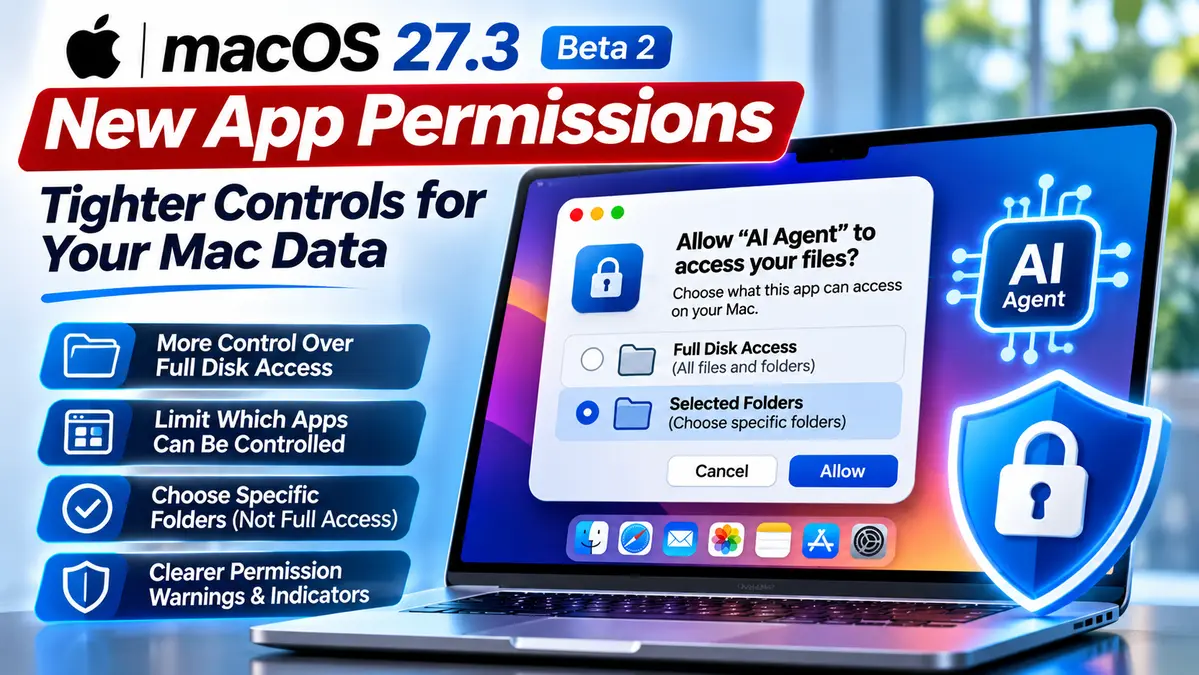
Apple is tightening app permissions in macOS 27.3, introducing new controls designed to prevent applications from receiving unnecessary access to sensitive files and other software on a Mac.
The changes, announced on November 16, 2026, are available for testing in macOS 27.3 beta 2. They introduce more granular options for Full Disk Access and app-control permissions, including the ability to limit access to specific folders or applications rather than broadly overriding system protections.
The update comes as AI coding assistants, autonomous agents and other powerful desktop tools increasingly request access to files, applications and operating-system functions.
Apple says users should better understand the consequences before granting extensive permissions that could expose private information such as messages, email, photos and other files.
However, the new controls do not automatically revoke permissions already granted to existing applications. They are being introduced through the beta software and are not a response to a newly disclosed macOS CVE.
Key Facts About macOS 27.3 App Permissions
- Announcement date: November 16, 2026.
- Software version: macOS 27.3 beta 2.
- Main purpose: Greater transparency and more granular control over sensitive application permissions.
- Full Disk Access: Users can choose specific protected folders instead of granting unrestricted file access where supported.
- App control: Users can limit which applications another app is permitted to control.
- New settings: Device Control and Data Access is separated into System & App Protection Override and Accessibility.
- Additional protection: An option to require permission each time certain app-control actions occur.
- Transparency: A visual indicator when an app controls another app through System & App Protection Override.
- Previously approved permissions: Existing grants remain in effect.
Why Apple Is Changing macOS Application Permissions
Modern macOS applications sometimes need additional privileges to perform legitimate tasks.
Backup software may need extensive file access. Accessibility applications may need to interact with other software. Automation tools and AI assistants may need to examine documents, execute workflows or control supported applications.
These capabilities can be useful, but they also create security risks when an application receives more access than it actually needs.
For example, granting unrestricted Full Disk Access can allow an app to reach information that macOS would otherwise protect. Apple’s support documentation warns that broad access can expose messages, email, photos, videos and information belonging to other user accounts.
An application with broad control over the Mac may also interact with other applications and observe sensitive activity.
Apple first outlined its concerns about Full Disk Access on October 2, 2026, highlighting the growing risks associated with increasingly capable AI agents.
The November update moves that earlier policy direction into specific permission controls that users and developers can test.
What Changes in macOS 27.3?
Apple is introducing several changes intended to make permissions more understandable and easier to restrict.
| Permission area | New behavior | Security benefit |
|---|---|---|
| Full Disk Access | Choose specific protected folders where supported. | Reduces unnecessary exposure of unrelated files. |
| System & App Protection Override | Choose specific applications another app can control. | Limits broader application-control privileges. |
| Accessibility | Separated from the broader Device Control and Data Access setting. | Clarifies permission purposes. |
| Permission requests | A more consistent approval workflow using an app list. | Helps users identify the requesting application. |
| Repeat approval | Option to require permission each time certain app-control actions occur. | Provides additional user oversight. |
| Visual transparency | Indicator when one app controls another through System & App Protection Override. | Makes sensitive application interaction more visible. |
The controls are designed to offer more precise choices. They do not mean that every application will receive exactly the same permission prompt or that all existing software will immediately operate under the new restrictions.
Full Disk Access: Why Limited Folder Permissions Matter
Full Disk Access is one of the most sensitive permissions available to macOS software.
When an application receives unrestricted access, it can bypass certain protections that normally restrict access to private information.
Apple’s updated support documentation explains that such access can allow an application to read, change, delete and export files across the Mac without requesting permission for each file.
Starting with macOS 27.3, supported permission requests can offer a narrower alternative.
Instead of giving an application unrestricted access to protected files, users can select the particular folders the application needs.
For example, a file-processing utility that only needs access to one project folder may not require permission to read unrelated personal documents, email or photos.
This approach follows the principle of least privilege: software should receive only the access necessary for its intended function.
Not every application can operate using limited folder access, however. Legitimate backup and security software may require broader permissions for particular functions.
System & App Protection Override Gives Users More Control
Another important change involves applications that need to control or interact with other software.
Apple is splitting the previous Device Control and Data Access permission area into two settings:
- System & App Protection Override: For applications requiring control over other apps or protected system interactions.
- Accessibility: For accessibility tools and related features that help users interact with their Mac.
Under the updated controls, users can select which applications a requesting tool is allowed to control rather than granting broad control across the entire system.
For supported app-control permissions, users can also configure an application to ask before controlling another app or permit the interaction without asking each time.
Apple is introducing a transparency indicator when an application controls another application through System & App Protection Override.
This additional visibility can help users recognize when powerful automation software is interacting with other applications.
The indicator does not independently determine whether the action is malicious. It provides information that users can consider when reviewing application behavior.
Why AI Agents Make These Permission Changes Important
AI agents can perform multi-step tasks that go beyond generating text.
Depending on the product and permissions, an AI assistant may inspect project files, interact with development environments, operate applications or automate repetitive tasks.
These capabilities create security considerations that are different from those associated with a simple application that performs one predefined function.
For example, an AI tool granted access to an entire disk could potentially encounter confidential documents unrelated to the user’s original task.
An agent allowed to control multiple applications might also carry out unintended actions if it misunderstands an instruction or responds to malicious content.
Apple’s new controls are intended to reduce unnecessary access while preserving legitimate workflows.
CyberUpdates365 previously examined a separate case in which Claude Code reportedly helped identify a hidden cryptocurrency miner on a Mac. That incident highlighted how capable AI tools can interact with local system information, although it was not identified by Apple as the cause of these permission changes.
The broader concern is ensuring that powerful software operates within clearly defined security boundaries.
How to Review Mac App Permissions in macOS 27.3
Apple’s updated support instructions describe how users can review and change sensitive permissions.
Step 1: Open Privacy & Security
Open the Apple menu, select System Settings, and choose Privacy & Security.
From there, review the permissions available for installed applications.
Step 2: Check Full Disk Access
Open Full Disk Access and identify applications that already have broad file permissions.
Consider whether each application still needs that access for its intended purpose.
Do not remove permissions indiscriminately, particularly from backup, endpoint security or other essential applications, because doing so may interrupt normal operation.
Step 3: Choose Specific Folders When Available
When macOS 27.3 presents an eligible permission request, select Choose Folder rather than unrestricted access when the application only needs particular protected folders.
Select the folders genuinely required for the task.
Apple recommends contacting the application developer if it is unclear which folders are necessary.
Step 4: Review App-Control Permissions
In System & App Protection Override, inspect which applications are permitted to control other software.
When supported, select specific apps instead of bypassing system protections.
Users may see options named Ask First or At Any Time for particular application-control permissions.
Choose the setting that provides an appropriate balance between security and the application’s legitimate functionality.
Step 5: Change or Remove Unnecessary Access
Apple says permissions can be reviewed and changed in Privacy & Security.
Depending on the permission, users may remove an application from the allowed list or select its information settings to adjust access.
To replace certain broad grants with limited access, Apple instructs users to remove the existing grant and add the application again, then choose specific folders or apps when prompted.
These instructions describe the new macOS 27.3 behavior. The interface and available options may differ on earlier macOS versions.
Will Existing Mac Applications Lose Their Permissions?
No. Apple explicitly states that previously granted application permissions remain in effect.
The changes apply when users approve new permission requests, rather than automatically removing every previously approved grant.
This distinction matters for businesses and developers who depend on existing automation, backup and accessibility workflows.
Apple also says developers using Full Disk Access for backup software or Accessibility for assistive technologies can request entitlements to preserve certain onboarding experiences for new installations.
Currently known applications are not affected and retain the same experience without those entitlements, according to Apple’s announcement.
Additional entitlement details are expected later.
What Developers Need to Prepare For
Software developers should not assume their applications will always receive unrestricted access after requesting a sensitive permission.
Apple is encouraging developers to support workflows in which users approve only selected folders or applications.
That means software should clearly explain why permissions are needed and behave appropriately when users decline broader access.
Applications may also need to handle repeated approval requests if users configure access to require permission each time.
For business software, developers should test which features depend on specific permissions and provide understandable instructions without pressuring users to bypass all protections unnecessarily.
Because macOS 27.3 is currently in beta, organizations should validate their applications before relying on the new permission behavior in production.
Can These Changes Stop Mac Malware?
The permission changes can reduce unnecessary access, but they should not be described as a complete malware prevention system.
A malicious application could still attempt to deceive a user into granting excessive access. Other attacks may exploit separate weaknesses or operate without needing the particular permissions addressed by this update.
For example, CyberUpdates365 previously reported on the MacSync macOS information-stealing campaign that used fake Claude-related instructions to encourage dangerous actions.
That campaign is separate from Apple’s latest announcement. It illustrates why users should carefully evaluate software, security prompts and instructions from untrusted sources.
Apple’s broader macOS security architecture includes additional protections such as application verification and controls over access to sensitive information.
Mac users should continue installing security updates, obtaining software from trustworthy sources and reviewing unexpected permission requests.
For broader guidance on securing personal and enterprise devices, see CyberUpdates365’s Device Security Audit and Endpoint Protection Guide.
Confirmed Changes and What Remains Unknown
Confirmed by Apple
- The new controls were announced on November 16, 2026.
- They are being introduced in macOS 27.3 beta 2.
- Users receive more granular options for Full Disk Access and application control.
- Device Control and Data Access is being separated into two settings.
- Applications can be restricted to selected folders or apps where the new workflow supports it.
- Users can configure repeated approval for supported application-control operations.
- An indicator can show when one app controls another using System & App Protection Override.
- Previously granted permissions remain valid.
Not Established by the Announcement
- That every existing Mac immediately receives the new controls.
- That the changes automatically revoke broad permissions already granted.
- That Apple is fixing a specific newly disclosed CVE through this permission redesign.
- That every Mac application can function using only limited-folder access.
- That the new controls eliminate all AI agent or malware-related risks.
- The complete requirements for future developer entitlements.
CyberUpdates365 Analysis
Apple’s macOS 27.3 permission changes reflect a broader security challenge as desktop applications become increasingly capable.
Traditional permission systems can create difficult choices: an application either receives powerful access or cannot perform its intended function.
Giving users the ability to select specific folders and applications creates a more precise security boundary.
For US businesses using Macs for development, design, administration and AI-assisted work, these changes could help reduce the exposure created by unnecessarily broad app permissions.
However, their effectiveness will depend on how developers implement limited-access workflows and how carefully users evaluate permission requests.
Organizations should also review previously approved permissions instead of assuming that installing the update will automatically reduce historical access.
Frequently Asked Questions
What are the new macOS 27.3 app permissions?
They are updated privacy controls that allow users to grant selected folders or applications to eligible software instead of always providing broad Full Disk Access or application-control privileges.
Is macOS 27.3 available to everyone?
As of November 17, 2026, Apple has introduced these permission changes in macOS 27.3 beta 2. The announcement does not establish that the updated controls have reached every stable macOS installation.
What is Full Disk Access on a Mac?
Full Disk Access is a powerful permission that allows an application to bypass certain file protections and access sensitive information across the Mac.
Will macOS 27.3 remove existing app permissions?
No. Apple says permissions previously granted by users remain in effect.
Can users allow access to only one folder?
When the new macOS 27.3 permission workflow supports limited access, users can select specific protected folders instead of granting unrestricted file access.
Why are AI agents relevant to the update?
AI agents may interact with sensitive files, applications and automation features. More granular permissions can help limit the information and capabilities available to such tools.
Does the update prevent all Mac malware?
No. It improves user control over certain sensitive permissions but does not replace software updates, malware defenses or careful handling of untrusted applications.
Final Takeaway
Apple is introducing more granular application permissions in macOS 27.3 beta 2, allowing users to make better-informed decisions about Full Disk Access and application-control privileges.
The changes are especially relevant as AI assistants and automation software become more capable of interacting with local files and applications.
Users should review which applications have broad access, prefer limited permissions when practical and understand that previously approved grants will remain in place unless changed.