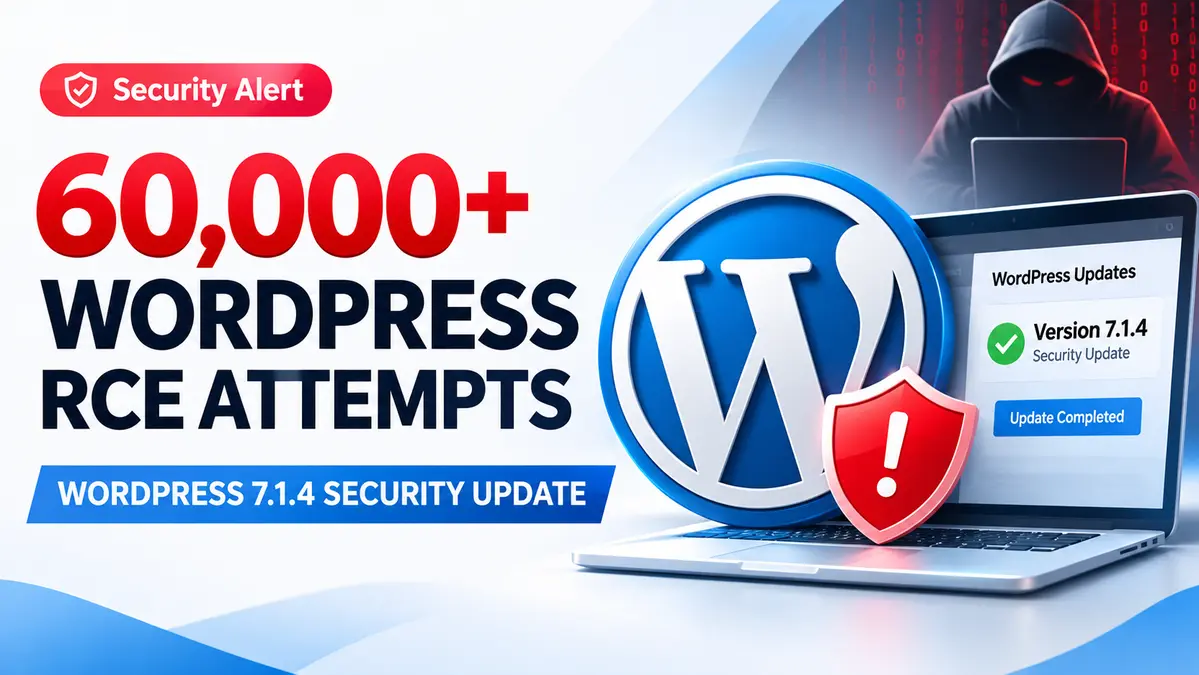
WordPress RCE attacks have surged past 60,000 blocked attempts in 24 hours, with hackers targeting a remote code execution vulnerability in the WordPress Core update process.
Wordfence recorded 60,471 attempts in a 24-hour threat intelligence snapshot cited by Cybersecurity News on October 31, 2026. Other reporting cited a later snapshot of 62,969 blocked attempts, confirming substantial automated activity against the same weakness.
The attacks followed the release of WordPress 7.1.4 on October 28, 2026, which addressed 22 security vulnerabilities, including a high-severity race condition that could allow attackers to execute server-side code without logging in.
The most concerning detail is where the vulnerability exists. It is not in an optional WordPress plugin or theme. The weakness affects the way WordPress temporarily handles files while installing a complete Core update.
However, the attack requires precise timing. The vulnerable installation window generally lasts only seconds, and blocked requests do not prove that 60,000 websites were compromised.
What should administrators do now? Confirm that WordPress 7.1.4 or the corresponding patched release is installed, investigate suspicious upgrade-directory requests, and review server configuration for unnecessary public access to temporary installation files.
For additional WordPress and enterprise patch-management coverage, explore our CVE and Vulnerability Security Hub.
Key Findings: WordPress RCE Attacks and Emergency Security Update
- Attack activity: A reported Wordfence snapshot recorded 60,471 blocked attempts over 24 hours, while another snapshot cited 62,969.
- Release date: WordPress 7.1.4 was released on October 28, 2026.
- Security fixes: The release addresses 22 vulnerabilities across affected WordPress components.
- Vulnerability: An unauthenticated race condition during complete WordPress Core upgrades can permit remote code execution.
- Affected releases: WordPress Core 4.7 through 7.1.3, according to Wordfence reporting.
- Severity: CVSS 8.1, rated High in Wordfence’s assessment; no confirmed CVE identifier was available in the reviewed disclosures.
- Recommended action: Install WordPress 7.1.4 or the corresponding security backport, and review suspicious server activity.
Why Hackers Are Targeting WordPress Core Updates
Most WordPress security incidents involve vulnerable plugins, compromised administrator accounts, malicious themes, or outdated server software.
This incident is different because attackers are targeting a temporary condition created during a WordPress Core upgrade.
When WordPress installs a complete update package, it extracts files into a staging directory beneath wp-content/upgrade/.
On affected installations, the temporary files can include components of the WordPress installer.
Before the patch, predictable directory names could make those staged files easier for an attacker to locate.
If the web server also permits public access and PHP execution in the temporary directory, an attacker may be able to reach the installer while the upgrade is running.
Successfully reaching the installer under the necessary conditions could expose an unauthorized installation flow, potentially allowing the attacker to execute PHP code with the privileges of the web server.
This is why the flaw is classified as a remote code execution risk rather than a simple information disclosure issue.
Security researcher Umut Bayram reported the vulnerability, and the WordPress Security Team coordinated the fix.
How the WordPress Upgrade Race Condition Works
The vulnerability is known as a race condition because successful exploitation depends on an attacker reaching the vulnerable application state at exactly the right moment.
The relevant state exists only while WordPress is unpacking and processing a complete Core update.
Conditions Required for Exploitation
Wordfence’s technical assessment identifies four important conditions:
- Complete Core package: The update must contain the relevant installer files.
- Accessible staging directory: The server must allow access to temporary files beneath the upgrade directory.
- Discoverable installation path: The attacker must identify the temporary location while it exists.
- Successful timing: The malicious interaction must finish before WordPress removes the staged files.
In laboratory testing, the vulnerable window typically lasted only seconds.
That makes exploitation difficult, but it does not eliminate the risk.
An attacker can repeatedly request possible installation paths while waiting for a targeted website to begin an update.
The observed traffic suggests that attackers were attempting exactly this kind of timing-based probing.
Important: A normal visit to a WordPress website is not sufficient to trigger this vulnerability. The risk depends on the Core upgrade process and the server’s handling of staged files.
Wordfence Records More Than 60,000 Attack Attempts
Wordfence deployed a firewall rule shortly after the WordPress 7.1.4 security release.
According to reporting on the investigation, the first matching malicious request appeared just nine minutes after the rule became available.
Wordfence also observed more than 18,500 relevant requests during the initial 21-hour monitoring period.
Subsequent reporting described 60,471 blocked attempts in one 24-hour snapshot, while another report cited 62,969 blocked attacks over a 24-hour period.
These figures should be interpreted as separately reported monitoring snapshots, not automatically added together.
The activity included repeated requests against temporary installation paths, with some sources checking small sets of websites for approximately 14.5 hours.
This behavior is consistent with automated attempts to catch the short period when a vulnerable upgrade directory might be exposed.
Other requests tested different installation layouts, staging-directory names, and version patterns.
Do 60,000 Attempts Mean 60,000 WordPress Sites Were Hacked?
No. The figure measures blocked requests or attack attempts observed by Wordfence.
One attacker can send many requests against the same website. A single targeted server can therefore account for a large number of recorded attempts.
The reported count does not establish how many distinct websites were targeted or how many were successfully compromised.
At the time of the reviewed disclosures, the available evidence did not confirm widespread successful exploitation.
Nevertheless, the sustained requests demonstrate that attackers are actively investigating and attempting to abuse the upgrade-time weakness.
Which WordPress Versions Are Vulnerable?
Wordfence reporting identifies WordPress Core versions 4.7 through 7.1.3 as affected by the upgrade-window remote code execution vulnerability.
The WordPress project released version 7.1.4 and security backports for older branches.
| WordPress Branch | Security-Fixed Release |
|---|---|
| 7.1 | 7.1.4 |
| 7.0 | 7.0.8 |
| 6.9 | 6.9.11 |
| 6.8 | 6.8.12 |
| 6.7 | 6.7.11 |
| 6.6 | 6.6.11 |
| 4.7 | 4.7.39 |
Additional older branches also received eligible security backports. Administrators should consult the official WordPress release archive for the exact fixed version matching their branch.
WordPress 4.6 and earlier no longer receive security releases and should be migrated to a maintained version.
Recommendation: Use the latest WordPress release whenever compatibility permits. A security backport helps reduce immediate exposure but is not a substitute for maintaining a supported platform.
This is not the first serious WordPress Core security issue reported in 2026. An earlier WordPress pre-authentication XSS vulnerability, CVE-2026-64638, also exposed administrators to security risks, although its attack method and exploitation conditions were different.
How WordPress 7.1.4 Fixes the Upgrade Vulnerability
The security update modifies how WordPress handles temporary files created during the Core installation process.
According to the published technical analysis, the patch introduces three important safeguards.
Randomized Temporary Directory Names
The updated process adds 16 random characters to staging-directory names.
This reduces the predictability of temporary installation paths, making it harder for attackers to locate the staged installer during the brief upgrade window.
Additional Directory Protection
The fix restores protective handling involving an index.php guard in the staging process.
This provides another layer of protection against unwanted direct access.
Safer Configuration Handling
The update also prevents unsafe copying of wp-config.php from the working directory into the temporary installation process.
These changes address the underlying staging behavior rather than relying only on blocking individual suspicious requests.
The WordPress 7.1.4 release additionally fixes other reported issues involving stored cross-site scripting, information disclosure, authorization controls, and related security behavior.
How to Check and Update a WordPress Website
Website owners should verify their installation instead of assuming that automatic background updates completed successfully.
Step 1: Check the Installed WordPress Version
Log in to the WordPress administrator dashboard.
Open Dashboard > Updates and inspect the installed WordPress version.
For the current 7.1 branch, the installation should report version 7.1.4 or a later security-maintained release.
For older branches, compare the installed version with the corresponding release in the official WordPress archive.
Step 2: Back Up the Site
Before manually updating, create or verify a recent backup covering the website’s files and database.
Ensure that the backup can be restored and that its storage location is not exposed through the public website.
Step 3: Install the Security Update
Use the WordPress dashboard’s official update process or your managed hosting provider’s supported update mechanism.
If automatic updates are enabled, verify their final status rather than assuming the patch has already been installed.
Step 4: Check WordPress Health
After the update, verify that the homepage, administrator dashboard, essential plugins, themes, and critical website functions work correctly.
Also review update errors and server logs if the installation did not complete normally.
Step 5: Review Suspicious Activity
Administrators should investigate unexpected requests to PHP files within temporary WordPress upgrade locations.
Pay particular attention to unusual requests involving installer components during the time a Core update was running.
Look for unfamiliar administrator accounts, unexpected plugins, newly modified PHP files, and unauthorized configuration changes.
These indicators require investigation, but they should not be treated as proof of compromise without supporting evidence.
Wordfence Firewall Protection: Premium vs Free Users
Wordfence reported deploying a firewall rule on October 28, 2026, approximately three hours after the WordPress security release.
Wordfence Premium, Care, and Response customers received the rule immediately.
The vendor’s standard 30-day delay means Wordfence Free users are scheduled to receive the corresponding rule on November 27, 2026.
However, a firewall rule does not replace the WordPress Core update.
This distinction is particularly important because the vulnerable installer can be requested directly from a temporary directory, potentially outside the normal WordPress application-loading path.
Wordfence recommends using Extended Protection where applicable so firewall protection loads earlier in the request lifecycle.
Even with that protection, administrators should still install the patched WordPress release.
Additional Protection for WordPress Hosting and DevOps Teams
Beyond updating WordPress, hosting providers and infrastructure teams can strengthen server configuration to reduce exposure.
Restrict Public Access to Upgrade Directories
Where technically appropriate, prevent public web requests from reaching sensitive temporary files beneath wp-content/upgrade/.
The exact implementation depends on the web server, hosting provider, and WordPress installation method.
Test access restrictions carefully to ensure they do not interrupt normal site administration or updates.
Review PHP Execution Controls
Evaluate whether public file-storage or temporary directories unnecessarily allow PHP execution.
Restricting execution in untrusted directories can reduce the impact of several classes of web application vulnerabilities.
However, configuration changes should be tested against the site’s legitimate functionality.
Protect Administrator Access
Use strong unique passwords, multi-factor authentication where supported, and least-privilege accounts.
Although this specific flaw does not require administrator credentials, account security helps reduce additional attack paths.
Maintain Useful Server Logs
Retain sufficient web server, WAF, authentication, and file-integrity logs to investigate suspicious activity.
Record update times so security teams can correlate unusual upgrade-directory requests with maintenance events.
Review Existing Compromise Indicators
If the website was exposed during a vulnerable Core update, inspect for unauthorized administrator accounts, unexpected PHP files, and unfamiliar plugins.
Installing the patch prevents the documented vulnerability from recurring but does not automatically remove a backdoor installed during a previous compromise.
WordPress RCE Attacks: Confirmed vs Unknown
Confirmed by Official Sources and Security Reporting
- WordPress 7.1.4 was released on October 28, 2026.
- The release addresses an upgrade-process weakness that can lead to remote code execution.
- The vulnerability was reported by security researcher Umut Bayram.
- Wordfence observed active attempts targeting temporary WordPress installer paths.
- More than 60,000 blocked attempts were cited in 24-hour reporting snapshots.
- The vulnerability requires a narrow timing window during a complete Core update.
- WordPress security releases and eligible backports are available.
Not Established by the Available Evidence
- That 60,000 individual websites were compromised.
- That each blocked request represented a different attacker or website.
- That every unpatched WordPress installation can be exploited at any moment.
- That attackers can exploit the issue without the required temporary installation conditions.
- That every suspicious staging-directory request resulted in successful code execution.
- That installing a WAF plugin alone permanently fixes the underlying WordPress vulnerability.
CyberUpdates365 Analysis: Why This WordPress Flaw Is Unusual
The most important lesson from this campaign is that even a software update can temporarily create an attack surface when installation files are not adequately isolated.
Normally, administrators install security updates to close vulnerabilities.
In this case, the vulnerable behavior existed during the installation process itself, creating a brief opportunity for attackers to reach temporary components.
That explains why attackers repeatedly probed selected websites instead of relying on a single request.
For hosting providers, this incident highlights the importance of securing staging directories and reviewing which file locations are publicly accessible.
For WordPress administrators, the immediate priority is installing the fixed release and verifying that the update completed successfully.
For security teams, the attack count provides evidence of active interest, but it should not be converted into an unsupported claim of thousands of confirmed breaches.
CyberUpdates365’s takeaway: Patch promptly, verify the installed version, protect temporary application files, and investigate abnormal update-window traffic without confusing scanning activity with confirmed compromise.
Research Evidence
- Product: WordPress Core.
- Security release: WordPress 7.1.4.
- Release date: October 28, 2026.
- Attack reporting: October 30–31, 2026.
- Attack count: More than 60,000 blocked attempts in reported 24-hour snapshots.
- Vulnerability class: Unauthenticated upgrade-window race condition leading to possible remote code execution.
- Severity: CVSS 8.1, High, according to Wordfence reporting.
- CVE identifier: None confirmed in the reviewed disclosures.
- Relevant directory: wp-content/upgrade/.
- Affected releases: WordPress Core 4.7 through 7.1.3.
- Patch: WordPress 7.1.4 or the applicable security backport.
- Research credit: Umut Bayram.
- Sources: WordPress Security Team, Wordfence reporting, and independent security coverage.
Frequently Asked Questions
How many WordPress RCE attacks were reported?
Cybersecurity News cited 60,471 Wordfence-blocked attempts in a 24-hour snapshot. Other reporting cited 62,969 blocked attempts over 24 hours. These are reported request counts, not confirmed compromises.
Which WordPress versions are affected?
Wordfence reporting identifies WordPress Core versions 4.7 through 7.1.3. Version 7.1.4 and corresponding eligible backports contain security fixes.
Does the vulnerability require a WordPress login?
No. The reported race condition may be targeted without authentication, but successful exploitation depends on reaching the temporary installer during a vulnerable Core upgrade.
Is the vulnerability in a WordPress plugin?
No. The weakness exists in the WordPress Core upgrade process, not in a third-party plugin.
Does the flaw have a CVE identifier?
No CVE identifier was confirmed in the reviewed disclosures as of October 31, 2026. Wordfence reporting assigns it a CVSS score of 8.1.
Can Wordfence protect against this vulnerability?
Wordfence published a firewall rule, with rollout timing depending on subscription tier. The rule provides additional protection, but administrators still need the WordPress Core patch.
How can I check whether my website is patched?
Open Dashboard > Updates and confirm the installed WordPress version. On the 7.1 branch, install version 7.1.4 or later.
What should I do if I suspect exploitation?
Preserve relevant server logs, investigate suspicious upgrade-directory requests, review unexpected administrator accounts and PHP files, and follow an established incident-response process.
Final Takeaway
WordPress RCE attacks involving the Core upgrade process generated more than 60,000 blocked requests in a 24-hour reporting window.
The vulnerability is serious because it can permit unauthenticated code execution, but exploitation requires precise timing while a complete Core update is being staged.
WordPress 7.1.4 fixes the reported weakness. Administrators should verify the update, harden temporary file access, and investigate suspicious activity where appropriate.
Want to understand another large-scale WordPress attack campaign? Our earlier investigation covered millions of blocked exploitation attempts targeting vulnerable WordPress plugins through unauthorized installation mechanisms.
Read Next: WordPress Arbitrary Installation Vulnerabilities Exploited in Mass Campaign →