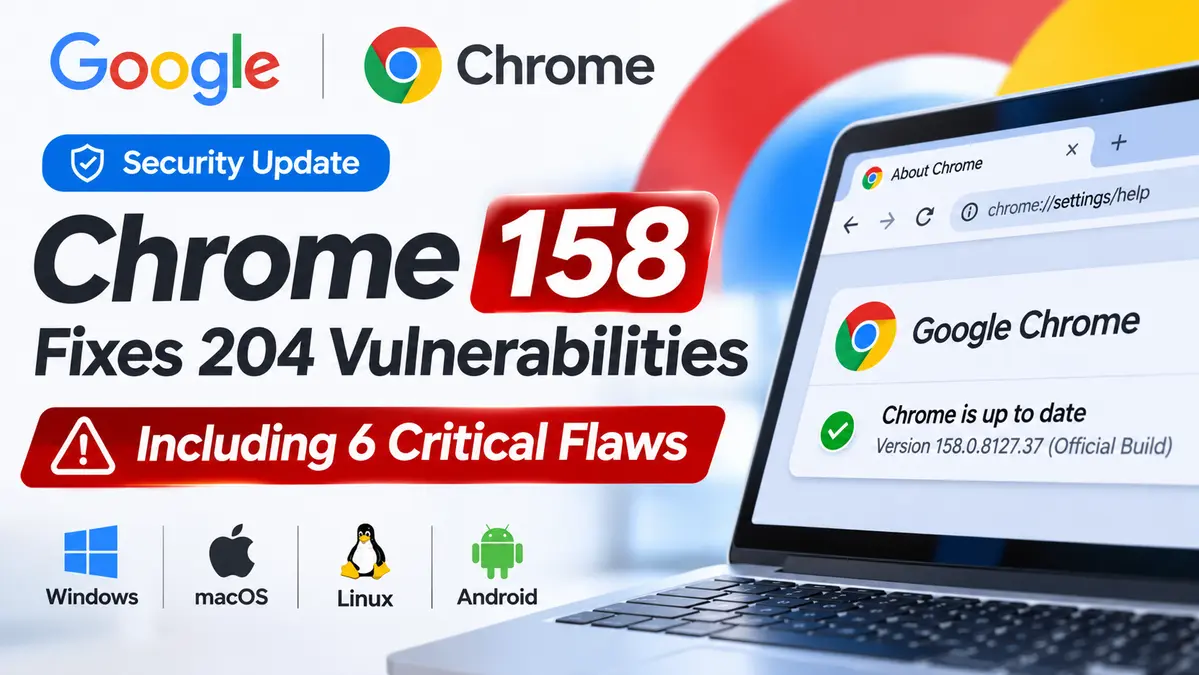
Google has released Chrome 158 with 204 security fixes, including six Critical vulnerabilities affecting browser memory management, graphics processing and media components.
The update began rolling out on November 17, 2026, to Windows, macOS and Linux. Google also released an updated Chrome 158 build for Android.
The six most serious flaws include use-after-free bugs, out-of-bounds writes and a buffer overflow. These types of memory-safety vulnerabilities can potentially lead to crashes or unauthorized code execution under certain conditions.
However, Google has not identified the six Critical issues in this release as actively exploited. That makes this a significant preventive security update, not a confirmed new zero-day attack.
For users and US organizations, the immediate action is straightforward: check the Chrome version installed on each device, apply the available update and relaunch the browser to activate it.
Chrome 158 Security Update: Key Facts
- Release date: November 17, 2026.
- Browser: Google Chrome 158 Stable.
- Total security fixes: 204.
- Critical vulnerabilities: Six.
- Windows and macOS: Chrome 158.0.8127.36 or 158.0.8127.37.
- Linux: Chrome 158.0.8127.36.
- Android: Chrome 158.0.8127.42.
- Critical components: WebView, GPU, Media, GarbageCollection, ANGLE and WebAudio.
- Confirmed active exploitation of these six Critical CVEs: Not disclosed by Google.
- Recommended action: Install the latest available supported Chrome version and restart the browser.
Google says the desktop update will roll out over the coming days and weeks. Users should therefore check their actual installed browser version rather than assume the update is already active.
Why Chrome 158’s 204 Security Fixes Matter
Your browser is one of the few applications that routinely handles information from websites you have never visited before.
Every page can contain scripts, images, video, fonts and other content that Chrome must process while keeping the rest of the device protected.
When vulnerabilities exist in those processing components, a specially crafted page or other malicious input may trigger unintended behavior.
Chrome uses multiple security boundaries, including process isolation and sandboxing, to limit what compromised browser components can access.
Those protections reduce risk, but they do not eliminate the need to fix underlying vulnerabilities.
Google’s November 17 announcement lists 204 security fixes, including six issues classified as Critical. The release covers a broad range of browser functionality rather than one isolated defect.
It would be misleading to assume that all 204 fixes represent identical attack scenarios or that every vulnerability allows an attacker to take over a computer.
The practical impact of each flaw depends on its technical conditions, the affected component and the browser’s remaining security protections.
For organizations tracking software vulnerabilities across different products, CyberUpdates365 maintains a CVE Vulnerabilities and Enterprise Security Hub with additional patching and vulnerability-management coverage.
Six Critical Chrome 158 Vulnerabilities Explained
Google identified six Critical memory-safety issues in its Stable Channel announcement.
Three involve use-after-free behavior, two involve out-of-bounds writes, and one involves a buffer overflow.
| CVE | Component | Vulnerability type | Severity |
|---|---|---|---|
| CVE-2026-130963 | WebView | Use-after-free | Critical |
| CVE-2026-131031 | GPU | Out-of-bounds write | Critical |
| CVE-2026-131060 | Media | Buffer overflow | Critical |
| CVE-2026-131008 | GarbageCollection | Use-after-free | Critical |
| CVE-2026-131054 | ANGLE | Out-of-bounds write | Critical |
| CVE-2026-130975 | WebAudio | Use-after-free | Critical |
These descriptions come from Google’s official November 17 release information. Detailed exploitation conditions may remain restricted while the update is being deployed.
CVE-2026-130963: Use-After-Free in WebView
The first Critical vulnerability affects WebView, a component associated with displaying web content.
A use-after-free vulnerability occurs when software continues using a memory object after that object has been released.
If an attacker can trigger the error under exploitable conditions, the resulting memory corruption may affect browser execution.
The exact attack requirements for this CVE should be taken from Google’s full technical disclosure when available. The vulnerability’s classification alone does not establish a particular public exploit.
CVE-2026-131031: Out-of-Bounds Write in GPU
This Critical flaw affects Chrome’s GPU-related functionality.
An out-of-bounds write occurs when software writes information beyond the memory region allocated for an operation.
Memory corruption in graphics-processing components is important because modern websites rely heavily on hardware-accelerated rendering.
Google credits Xinyang Ge of Anthropic, assisted by Claude, with reporting this vulnerability.
The credit demonstrates AI-assisted vulnerability research, but it does not mean an AI system independently exploited Chrome users.
CVE-2026-131060: Buffer Overflow in Media
Chrome processes audio, video and other media formats that may originate from untrusted websites.
A buffer overflow can occur when software handles more data than a memory buffer can safely accommodate.
Under certain conditions, that can corrupt memory and potentially affect how the application executes instructions.
Google again credits Xinyang Ge of Anthropic, assisted by Claude, for this Critical report.
The published information does not by itself establish that this specific issue has been weaponized in an active campaign.
CVE-2026-131008: Use-After-Free in GarbageCollection
Garbage collection helps software manage memory by identifying and releasing objects that are no longer needed.
A flaw involving the lifecycle of those objects can create memory-safety problems if code later attempts to use invalid references.
Google classified CVE-2026-131008 as Critical and credited Xinyang Ge with its discovery.
Users do not need to adjust browser garbage-collection settings to address the issue. The relevant action is installing the corrected Chrome build.
CVE-2026-131054: Out-of-Bounds Write in ANGLE
ANGLE is a graphics translation layer used within Chromium-based software to work across different graphics APIs and platforms.
Graphics-handling code processes complex instructions and data structures, making memory-safety errors in this area an important security concern.
CVE-2026-131054 is an out-of-bounds write vulnerability that Google rated Critical.
This is not the same vulnerability as CVE-2026-102331, an earlier Critical ANGLE issue fixed in Chrome 154.
CyberUpdates365 previously covered that separate release in its Chrome 154 security update and ANGLE vulnerability analysis.
The recurring appearance of graphics-related vulnerabilities illustrates why browser security maintenance must be continuous rather than limited to occasional emergency updates.
CVE-2026-130975: Use-After-Free in WebAudio
The sixth Critical issue involves WebAudio, browser functionality used to process and manipulate audio content.
Like the other use-after-free vulnerabilities in this release, the underlying problem concerns unsafe memory-object handling.
Google credited Xinyang Ge of Anthropic with reporting CVE-2026-130975.
Detailed exploit requirements were not established by the public release summary reviewed for this article.
What Other Security Issues Does Chrome 158 Fix?
The six Critical flaws are only part of the release.
Google’s update also includes High, Medium and Low severity fixes affecting several browser components.
Examples named in the release include:
- V8 and other execution-related components: Issues that can affect processing of scripts or internal browser operations.
- Extensions: Memory-safety and permission-related problems involving browser add-ons.
- Autofill and Forms: Flaws affecting functionality that processes or manages user-entered information.
- Downloads: Problems involving browser download-handling operations.
- Omnibox: Authorization issues involving Chrome’s combined address and search bar.
- Graphics and WebGL: Additional weaknesses in components involved in rendering web content.
Not all of these vulnerabilities are memory-corruption defects. The update also addresses authorization, validation, information-exposure and interface-related issues.
For example, Google lists CVE-2026-130910 as a High-severity protection mechanism failure in ANGLE. The company identifies a $4,000 reward for its reporter, Arni Hardarson of Neonix Security.
These issues reinforce why users should update even when they do not see visible browser problems.
Chrome 158 Patched Versions for Windows, Mac, Linux and Android
The following versions were identified in Google’s November 17 release announcements.
| Operating system | Chrome 158 build | Availability |
|---|---|---|
| Windows | 158.0.8127.36 / 158.0.8127.37 | Stable rollout |
| macOS | 158.0.8127.36 / 158.0.8127.37 | Stable rollout |
| Linux | 158.0.8127.36 | Stable rollout |
| Android | 158.0.8127.42 | Google Play rollout |
Google says the Android release generally contains the same security fixes as the corresponding desktop release unless the vendor notes an exception.
The Windows, Mac and Linux builds are the relevant desktop Stable Channel versions, while Android has its own version number and release mechanism.
Organizations using Extended Stable or another managed channel should follow the security guidance for that channel rather than assume the Stable Channel build number applies directly.
Chrome on iPhone and iPad is also managed through its own platform distribution process. The desktop version numbers above should not be used to determine the patch status of iOS installations.
How to Update Google Chrome to Version 158
Google Chrome normally checks for updates automatically, but an update can remain pending until the browser is restarted.
Follow the instructions for your operating system.
Windows and macOS: Check the Browser Version
- Open Google Chrome.
- Click the three-dot menu in the upper-right corner.
- Select Help, then About Google Chrome.
- Allow Chrome to check for an available update.
- If an update is installed, click Relaunch.
- Open About Google Chrome again and confirm the installed version.
You can also enter chrome://settings/help in Chrome’s address bar to open the version and update page.
For this release, the expected Windows and macOS Stable Channel versions are 158.0.8127.36 or 158.0.8127.37, or a newer supported build containing the fixes.
If Chrome 158 is not offered immediately, Google’s staged rollout may not yet have reached the device.
Linux: Update Through the Appropriate Package Manager
Linux users should obtain Chrome updates through the package management method used for their installation.
On systems configured with Google’s official Chrome repository, the distribution’s package manager can check for an updated package.
Once the update is installed, close and reopen the browser to load the new executable.
Check About Google Chrome to verify that the intended build is running.
Android: Check Google Play
- Open the Google Play Store.
- Search for Google Chrome.
- Open the browser’s application listing.
- Select Update if an update is available.
- Reopen Chrome after installation.
Google announced Chrome 158.0.8127.42 for Android, with availability expected to expand over the days following November 17.
Why Relaunching Chrome Matters
Many people leave browsers open for days or weeks because they have multiple work tabs, documents and online meetings in progress.
That convenience can create a patching delay.
A browser may download a new version in the background while the older executable continues running.
Google’s update instructions state that users should relaunch Chrome to apply a downloaded update.
For a home user, this usually means saving work, clicking the Relaunch button and allowing the browser to reopen.
For an IT administrator, it means checking more than whether a package was downloaded.
A reliable compliance check should confirm the running version after the browser restarts.
Were Chrome 158’s Critical Vulnerabilities Exploited in the Wild?
Google’s November 17 Chrome 158 Stable Channel announcement does not identify the six Critical vulnerabilities as known to be actively exploited.
That is an important distinction from a confirmed zero-day advisory.
A zero-day incident can involve a vulnerability exploited before a fix is available or before defenders have an opportunity to patch.
A Critical severity rating, however, describes the assessed seriousness of a vulnerability. It does not prove that attackers have used it against real users.
Google separately addressed an actively exploited Chrome vulnerability earlier in November 2026. That earlier security notice should not be confused with the six Critical CVEs in Chrome 158.
For an example of how confirmed exploitation changes the security response, see CyberUpdates365’s Google Chrome zero-day emergency update guide, which covers a separate earlier incident.
The absence of a public exploitation statement for Chrome 158 does not establish that exploitation is impossible or that organizations should delay updating.
Why Some Chrome Vulnerability Details Remain Restricted
Google sometimes delays the public release of detailed bug reports while security updates are rolling out.
The goal is to reduce the risk of exposing technical information before most affected users have received the fix.
Restrictions can also remain in place when a third-party library is shared with other software that has not yet been patched.
For that reason, a short CVE description should not be treated as a complete explanation of exploitability.
Security teams should monitor Google’s official advisories for additional information as disclosure restrictions are lifted.
What US Businesses and IT Administrators Should Do
A browser security update affects more than employees reading news or visiting personal websites.
Enterprise users access customer records, identity systems, cloud dashboards, financial applications and business communication platforms through their browsers.
That makes browser patch status an important part of endpoint security.
1. Inventory Chrome Versions Across Managed Devices
Use approved endpoint-management or browser-management tools to identify installed Chrome versions across Windows, macOS and Linux systems.
Include laptops used by remote employees, shared workstations and devices that have not recently connected to the corporate network.
2. Separate Downloaded Updates From Applied Updates
Determine whether browsers have actually relaunched into the corrected build.
Devices still running an older version should remain visible in compliance reporting until the update is applied.
3. Prioritize High-Risk Workstations
Review patch status for employees who regularly interact with sensitive applications or handle untrusted external content.
This can include administrators, support teams, developers and employees with access to critical internal systems.
Prioritization should complement a fleet-wide rollout, not replace it.
4. Validate Critical Business Applications
Test essential browser-based workflows and internal web applications when a major browser update is deployed through enterprise management.
Use a controlled rollout if compatibility risks justify one, while avoiding unnecessary delays in security patching.
5. Check Other Chromium-Based Browsers Separately
Microsoft Edge, Brave and other Chromium-based browsers share portions of Chromium code, but they maintain their own release schedules.
Security teams should review each browser vendor’s advisory and verify its patched version.
Installing Chrome 158 does not update another browser installed on the same computer.
6. Monitor Official Security Notices
Follow the Google Chrome Releases blog for any additional patches, clarified vulnerability details or newly disclosed exploitation information.
Update internal security guidance if Google publishes material changes to the original advisory.
AI-Assisted Security Research Played a Role
Google’s vulnerability credits show that some of the serious issues in Chrome 158 were reported through research involving Anthropic’s Claude.
For example, the GPU and Media vulnerabilities were credited to Xinyang Ge of Anthropic with assistance from Claude.
Other Critical findings were reported by Google researchers or by Xinyang Ge without that same AI-assistance attribution.
This matters because AI-assisted analysis is becoming part of vulnerability discovery and software assurance workflows.
It does not mean all 204 security issues were discovered autonomously by AI or that an AI system independently conducted attacks against browser users.
The published acknowledgments identify the research contributions; they do not establish a broader exploitation campaign.
CyberUpdates365 Analysis: The Real Risk Is Delayed Browser Patching
The number 204 makes the Chrome 158 announcement notable, but the more useful question for defenders is how quickly the corrected version reaches devices.
Google can publish a security fix, yet users may continue running an older browser until the update is installed and the application restarts.
For enterprises, this creates a difference between update availability and actual protection.
The six Critical memory-safety issues deserve prompt attention because browsers continually process complex, potentially untrusted web content.
At the same time, the lack of a public exploitation warning means the story should not be exaggerated into a confirmed six-flaw attack campaign.
A practical response combines timely updates, verified running versions and awareness of additional vendor advisories.
For individual users, checking the browser’s update page takes only a few steps. For security teams, maintaining accurate browser-version visibility across a managed fleet is a longer-term operational requirement.
Frequently Asked Questions
What is the Chrome 158 security update?
Chrome 158 is Google’s November 17, 2026 Stable Channel release for Windows, macOS and Linux. Google says it includes 204 security fixes, including six Critical vulnerabilities.
How many Critical vulnerabilities did Chrome 158 fix?
Google identified six Critical issues affecting WebView, GPU, Media, GarbageCollection, ANGLE and WebAudio.
Which Chrome 158 version should I install?
The November 17 desktop release lists 158.0.8127.36 or 158.0.8127.37 for Windows and macOS, and 158.0.8127.36 for Linux. Newer supported builds containing the same fixes are also appropriate.
Does Chrome 158 affect Android?
Google also announced Chrome 158.0.8127.42 for Android, with a rollout through Google Play. Android uses a different build number from the desktop release.
Is Chrome 158 fixing an actively exploited zero-day?
Google did not identify the six Critical issues in this release as actively exploited. A separate Chrome zero-day was addressed earlier in November, and the two announcements should not be confused.
Will Chrome update automatically?
Chrome normally checks for updates automatically, but downloaded updates may require a browser relaunch before they take effect.
How do I know whether my browser is protected?
Open Chrome’s three-dot menu, select Help, then About Google Chrome. Allow updates to complete, relaunch if requested and verify the running version.
Should Microsoft Edge users install the Chrome update?
Edge users should follow Microsoft’s own browser security updates. Chrome and Edge have separate installers, build numbers and vendor release processes.
Final Takeaway
Google Chrome 158 addresses 204 security issues, including six Critical vulnerabilities in memory-sensitive browser components.
The November 17 update is rolling out to Windows, macOS, Linux and Android, with platform-specific version numbers.
Although Google has not disclosed active exploitation of the six Critical flaws, users should update promptly rather than assume an older browser is safe.
For businesses, the important task is verifying that managed devices are running the corrected Chrome version, not merely confirming that the update was downloaded.
The simplest action remains the most useful: open About Google Chrome, install the available update, relaunch and check the browser version.