EvilTokens phishing infrastructure continued appearing after Microsoft’s September 22, 2026 takedown, according to new research published by VMRay on November 24. Investigators identified 25 newly observed phishing hosts in October and confirmed that a malicious page examined on October 28 was still generating Microsoft device authentication codes.
The findings show that disrupting a phishing-as-a-service operation does not necessarily eliminate every deployed phishing page or prevent remaining infrastructure from operating.
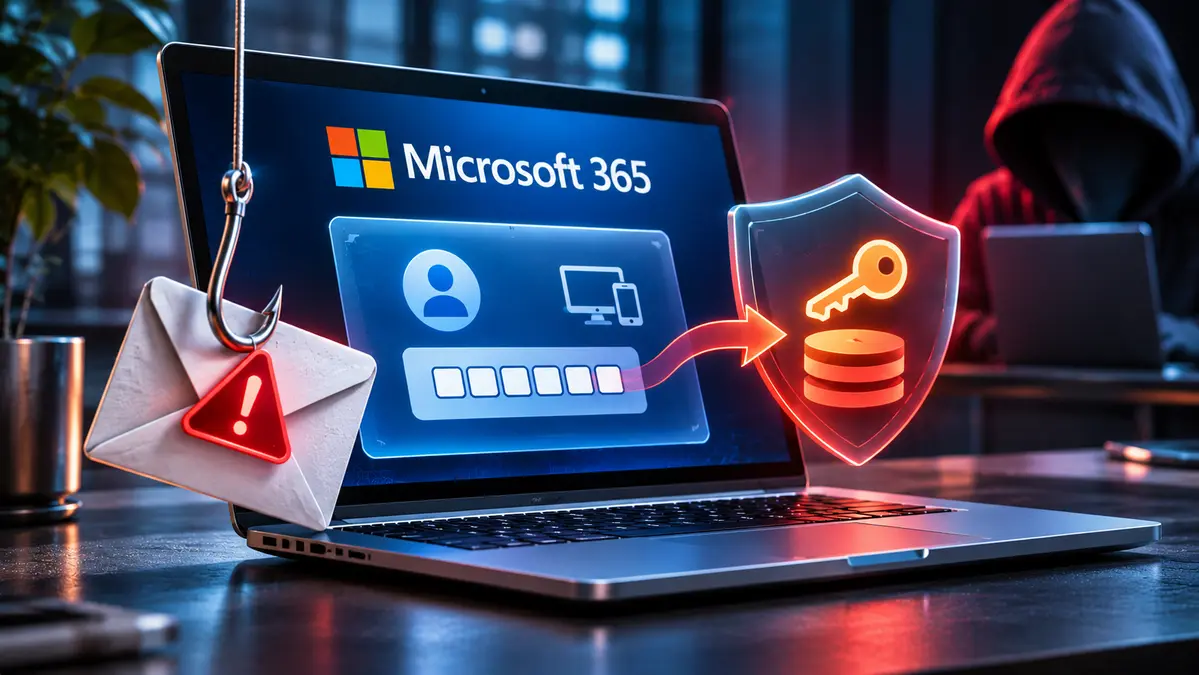
EvilTokens targets Microsoft 365 accounts through OAuth device-code authentication. Instead of asking victims to enter passwords into a counterfeit Microsoft login page, attackers persuade them to approve a code through Microsoft’s legitimate sign-in service.
For businesses using Microsoft 365, the latest findings reinforce an important security priority: review device-code authentication, monitor unexpected sign-ins, and investigate suspicious account sessions even when a phishing service has reportedly been taken down.
What VMRay Discovered About EvilTokens Phishing After the Takedown
In its November 24 investigation into residual EvilTokens activity, VMRay examined phishing infrastructure associated with the operation after Microsoft’s September disruption.
The research began with an EvilTokens indicator identified through VMRay’s UniqueSignal threat intelligence feed on August 25. Investigators then searched historical scanning data and additional infrastructure sources to identify related phishing hosts.
VMRay reported that EvilTokens activity declined substantially from its earlier peaks but did not disappear.
| Period | Newly Observed EvilTokens Hosts |
|---|---|
| March 2026 | 237 |
| April 2026 | 200 |
| September 22–30, 2026 | 4 |
| October 2026 | 25 |
| November 1–5, 2026 | 1 |
These figures represent hosts identified by VMRay’s research process and grouped by when they were first observed. They are not a count of successful attacks, compromised organizations, or every malicious host operating worldwide.
The October findings are especially significant because they occurred after the coordinated takedown.
VMRay also documented a phishing page scanned on October 28 that was still generating device codes, providing evidence of continued operational capability.
Microsoft Took Down EvilTokens in September 2026
Microsoft announced a coordinated disruption of EvilTokens on September 22, 2026, alongside law enforcement and industry partners.
According to Microsoft Threat Intelligence’s original investigation, EvilTokens was a phishing-as-a-service platform operated through a criminal service advertised on Telegram.
Microsoft tracks the developer and support operator as Storm-2992.
The company linked EvilTokens to approximately 12,000 compromised inboxes at more than 10,000 organizations worldwide since its emergence in early 2026.
Those figures describe the broader operation before the November research. They should not be interpreted as newly confirmed compromises occurring after the takedown.
Cloudflare also described its role in the coordinated disruption, including action against infrastructure that abused Cloudflare Workers.
However, VMRay’s later observations demonstrate that the operation’s disruption did not immediately eliminate all associated phishing infrastructure.
How EvilTokens Hijacks Microsoft 365 Accounts Without a Fake Login Page
Traditional credential phishing often relies on imitating a login page and collecting usernames and passwords.
EvilTokens uses a different technique: abuse of Microsoft’s legitimate OAuth 2.0 device authorization flow.
The device-code process was created for devices such as televisions and other hardware that cannot easily display a conventional login screen.
During normal use, a device requests an authentication code. The user enters that code on a separate trusted device to authorize the original application.
In an EvilTokens attack, the original authentication request is initiated by an attacker-controlled client rather than a device the victim intended to authorize.
The EvilTokens Device-Code Phishing Sequence
- Phishing delivery: A victim receives a message impersonating a document-sharing, electronic-signature, or business service.
- Document lure: The linked page displays a Microsoft device authentication code and asks the user to verify access to a supposed file or document.
- Legitimate sign-in: The victim visits Microsoft’s genuine device-login service and enters the supplied code.
- Unexpected authorization: After completing the sign-in and approving the request, the victim authorizes the session initiated by the attacker’s client.
- Token issuance: The attacker-controlled client can receive access and refresh tokens associated with the authorized session.
- Account abuse: Those tokens may be used to access permitted Microsoft 365 resources and support further account compromise.
The important difference is that victims can complete authentication on a genuine Microsoft domain while unknowingly authorizing the wrong session.
Checking the sign-in URL remains a useful general habit, but it does not independently establish whether a device-code request was initiated by a trusted device or application.
Why Multifactor Authentication Does Not Automatically Stop This Attack
EvilTokens does not need to defeat Microsoft’s cryptographic authentication checks to obtain access.
Instead, the attacker uses social engineering to make the victim complete a valid authentication transaction.
The resulting access token belongs to the session that requested authorization.
This means conventional multifactor authentication may be completed successfully without preventing the malicious authorization.
It does not mean that every type of MFA is ineffective, or that EvilTokens can automatically bypass every Microsoft 365 security control.
Organizations must consider both how users authenticate and which authentication flows they are allowed to authorize.
CyberUpdates365 previously compared EvilTokens with Sneaky 2FA and EvilProxy in its Microsoft 365 phishing defense guide. The new VMRay findings concern continued EvilTokens infrastructure after the September disruption, rather than the original discovery of the technique.
Phishing Infrastructure Shifted Beyond Cloudflare Workers
VMRay found that newer EvilTokens hosts increasingly appeared on Bunny CDN infrastructure instead of relying exclusively on Workers.dev hostnames.
In some examined cases, the visible phishing site was hosted through one platform while device-code requests still interacted with backend infrastructure associated with Cloudflare Workers.
Researchers also reported indications that some legitimate domains may have been compromised or repurposed to host phishing content.
This matters because detection rules focused only on older infrastructure names may miss new deployments.
A hosting provider’s domain or CDN address is not inherently malicious. Investigators need to examine the behavior of individual pages and requests before attributing them to a phishing operation.
How VMRay Identified Remaining EvilTokens Hosts
The VMRay investigation combined multiple evidence sources rather than relying on domain names alone.
Researchers examined network behavior associated with EvilTokens device-code authorization and used findings from urlscan.io, VirusTotal, FOFA, and passive DNS.
Several indicators were particularly useful:
- Phishing pages communicating with the device-code authorization service.
- Repeated status checks associated with pending authorization.
- Unusual response headers, including X-Antibot-Token.
- Related hosting patterns and shared phishing destinations.
- Evidence from scanned pages that the device-code workflow was actually present.
VMRay emphasized that a matching page title alone was not enough to confirm a host as EvilTokens.
The investigators evaluated multiple indicators before assigning higher-confidence attribution.
This is useful for defenders because the infrastructure can change more quickly than the underlying authentication-abuse behavior.
What Can Attackers Do With Stolen Microsoft 365 Tokens?
Microsoft’s investigation documented several potential post-compromise activities involving EvilTokens.
| Activity | Potential Consequence |
|---|---|
| Mailbox access | Reading sensitive business email and identifying valuable conversations |
| Email collection | Exposing confidential messages, contacts, and business relationships |
| Inbox-rule manipulation | Automatically forwarding, hiding, or redirecting selected messages |
| AI-assisted reconnaissance | Identifying finance staff, executives, suppliers, and payment workflows |
| Device registration | Potentially supporting longer-term unauthorized access |
| Business email compromise | Using trusted accounts to support invoice fraud and fraudulent payment requests |
Microsoft reported that some operators registered additional devices shortly after obtaining account access.
These capabilities do not establish that every compromised account experienced every listed action.
How AI Features Supported EvilTokens Phishing Operations
Earlier research showed that EvilTokens offered AI-assisted features designed to support account targeting and business email compromise.
According to Microsoft’s investigation, the service could help criminals analyze compromised mailboxes and identify potentially valuable targets.
VMRay’s November research also reviewed previously documented AI features, including capabilities for analyzing financial information and preparing fraudulent email content.
This makes EvilTokens an example of AI-assisted cybercrime, but the core Microsoft 365 account takeover mechanism remains OAuth device-code abuse.
The new November findings concern infrastructure survival and detection after the takedown, not the discovery of a new AI capability.
How Microsoft 365 Administrators Can Block Device-Code Phishing
Microsoft recommends restricting device-code authentication wherever the organization does not have a documented business requirement for it.
For many organizations, this can reduce the attack surface associated with EvilTokens and other device-code phishing campaigns.
Step 1: Review Microsoft Entra Conditional Access
Microsoft’s official Conditional Access documentation provides the procedure for controlling device-code authentication.
- Open the Microsoft Entra admin center using an account with appropriate Conditional Access administration permissions.
- Navigate to Entra ID, then Conditional Access, then Policies.
- Create a new Conditional Access policy.
- Under user assignments, select the required users and exclude designated emergency access accounts.
- Under target resources, choose the appropriate applications or resources.
- Open Conditions, select Authentication Flows, and choose Device code flow.
- Under Grant controls, select Block access.
- Set the policy to Report-only for initial evaluation.
- Review legitimate usage and expected operational impact before enabling enforcement.
Some legitimate applications and Teams devices rely on device-code authentication. Administrators should review these dependencies and scope necessary exceptions carefully.
A broad enforcement policy applied without testing could interrupt legitimate business sign-ins.
Step 2: Review Device-Code Sign-ins
Organizations that cannot fully block the flow should actively monitor device-code authentication events.
Microsoft Entra sign-in logs can be filtered for device-code authentication activity. Security teams should investigate events that cannot be linked to an approved application or legitimate user activity.
For environments using Microsoft Sentinel, the following read-only KQL query provides a starting point:
SigninLogs
| where AuthenticationProtocol == "deviceCode"
| project
    TimeGenerated,
    UserPrincipalName,
    AppDisplayName,
    IPAddress,
    UserAgent,
    Location,
    ResultType
| order by TimeGenerated desc
This query lists recorded device-code sign-ins in the available log retention period. It does not independently prove that each result is malicious.
Field availability and query results depend on the organization’s logging configuration and permissions.
Step 3: Investigate Unexpected Account Access
If a suspicious device-code authorization is identified, administrators should assess both the user account and the associated sessions.
- Investigate the authentication event and determine whether the user intentionally initiated it.
- Revoke relevant active sessions and refresh tokens using supported Microsoft identity controls.
- Review newly registered devices and remove unauthorized registrations.
- Inspect suspicious inbox rules, unexpected forwarding, and unusual mailbox access.
- Examine Microsoft 365 audit logs for activity involving sensitive files and business communications.
- Assess whether the account needs temporary blocking or additional containment.
- Follow the organization’s incident-response process before restoring normal access.
A password reset alone may not immediately invalidate every previously issued access token. Session revocation and containment must follow the organization’s supported Microsoft identity procedures.
What Employees Should Do When Asked to Enter a Microsoft Device Code
Employees should treat unexpected device-code requests as potentially sensitive security events.
A code provided by an email, shared-document notification, or unfamiliar website should not be entered into the Microsoft device-login page unless the employee initiated and recognizes the associated application or device authorization.
If a document-sharing service unexpectedly requires a device code, users should stop and verify the request through a trusted communication channel.
For wider account-security guidance, CyberUpdates365 provides a guide to Microsoft account authentication, passkeys, and two-factor authentication.
Passkeys help resist many credential-phishing attacks, but they do not replace the need to control device-code flows. A user who intentionally approves an attacker-initiated authorization request may still expose access.
CyberUpdates365 Analysis: Why the Takedown Did Not End the Risk
The important lesson from VMRay’s November investigation is that a successful disruption can reduce criminal infrastructure without instantly eliminating all deployed phishing assets.
EvilTokens relied on a distributed service model, reusable phishing templates, hosting accounts, and a legitimate Microsoft authentication process.
Even after the operation’s central infrastructure was targeted, researchers identified residual phishing pages and newly observed hosts.
That distinction matters for U.S. businesses because the underlying device-code authentication technique remains available to other attackers unless organizations restrict its use.
For defenders, blocking specific known domains is useful but incomplete. Conditional Access restrictions, behavioral monitoring, session investigation, and user awareness address the broader attack mechanism.
For additional practical security resources covering phishing and account protection, see CyberUpdates365’s Small Business and Consumer Cybersecurity Defense Hub.
Frequently Asked Questions
Is EvilTokens still active after Microsoft’s takedown?
VMRay identified continued EvilTokens-associated infrastructure after the September 22, 2026 disruption, including 25 newly observed hosts in October and a phishing page capable of generating device codes on October 28. This does not establish the full current scale of the operation.
Does EvilTokens steal Microsoft 365 passwords?
Its documented device-code technique primarily tricks victims into authorizing an attacker-controlled session, enabling token theft without requiring the phishing page to collect the account password.
Can Microsoft Authenticator stop EvilTokens phishing?
Conventional MFA may be completed successfully when a victim approves the attacker-initiated device-code request. Administrators should restrict unnecessary device-code authentication and monitor unexpected authorizations.
What should an organization do after detecting suspicious device-code authentication?
Investigate the authorization, revoke relevant sessions and refresh tokens, examine registered devices and mailbox activity, and contain the account as appropriate under the organization’s incident-response procedures.
Final Takeaway
EvilTokens phishing did not disappear immediately after Microsoft’s September 2026 takedown. VMRay’s November 24 investigation identified continued infrastructure, including new phishing hosts discovered after the disruption.
The campaign’s use of genuine Microsoft device-code authentication makes it different from ordinary fake-login-page phishing.
For Microsoft 365 administrators, the most useful response is to review whether device-code sign-in is necessary, test appropriate Conditional Access restrictions, and monitor unexpected authorization activity.
Organizations should treat the takedown as an important disruption, not as a reason to stop monitoring this authentication-abuse technique.
Original Research and Official Resources
- VMRay — Hunting EvilTokens: Residual Activity After Takedown, November 24, 2026
- Microsoft Threat Intelligence — Unmasking EvilTokens, September 22, 2026
- Microsoft Digital Crimes Unit — EvilTokens Disruption
- Cloudflare — Coordinated EvilTokens Infrastructure Disruption
- Microsoft Learn — Block Device-Code Authentication Using Conditional Access