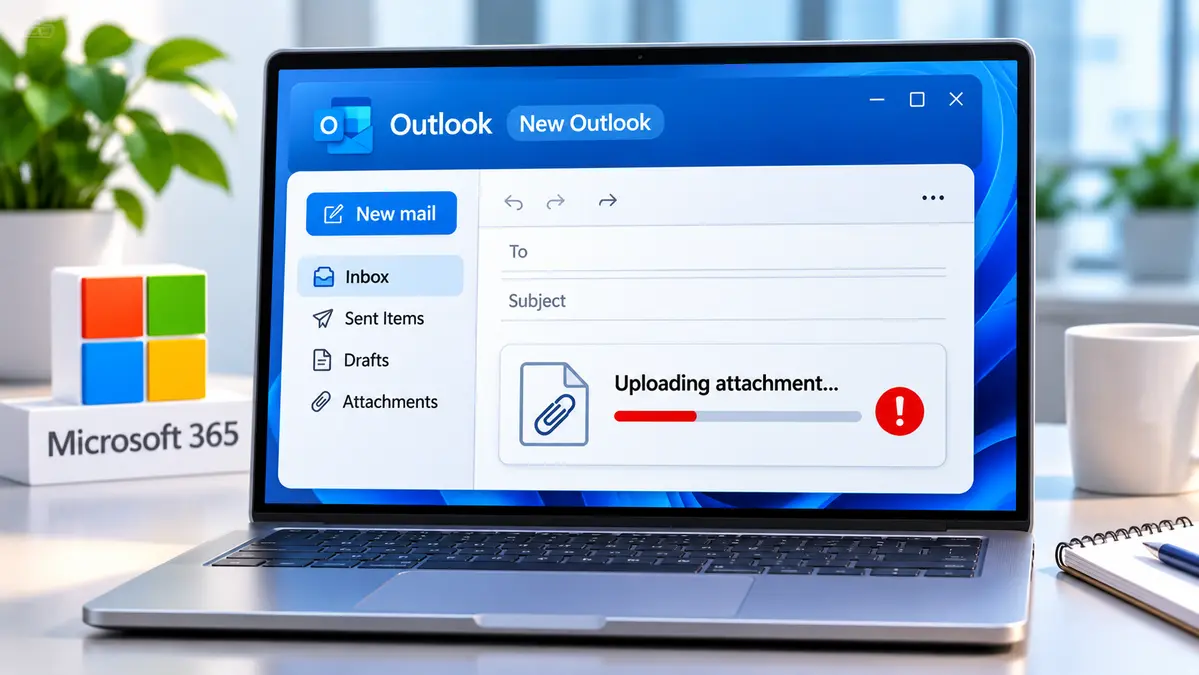
Microsoft is investigating an issue that may prevent some users of the new Outlook client from opening or uploading email attachments. The company acknowledged the problem on November 20, 2026, and is tracking it as Exchange Online incident EX1561765.
Microsoft reproduced the problem during its investigation. In an update issued at 17:03 UTC on November 20, the company reported finding a potential issue involving attachment processing in the new Outlook client, but had not confirmed the underlying cause or announced a permanent fix.
Microsoft said attachment uploads in Outlook on the web and classic Outlook were unaffected by the New Outlook issue. Affected users can try either client, where available, while Microsoft investigates EX1561765. The statement specifically confirms attachment uploads, not that every attachment-opening operation was unaffected.
The incident concerns a specific email-client function. The available service-health information does not establish that all Outlook users are affected or that a cybersecurity attack caused the problem.
What Is Happening to Attachments in New Outlook?
Microsoft’s EX1561765 incident notice describes problems with two email operations: opening existing attachments and uploading files to messages.
The issue was reported on November 20 and classified as an Exchange Online service degradation. Microsoft has not provided a confirmed number of affected users or a complete geographic impact assessment in the updates reviewed for this article.
| Incident detail | Microsoft’s reported information |
|---|---|
| Incident ID | EX1561765 |
| Affected product | New Outlook client |
| Reported problems | Opening or uploading email attachments |
| Incident start | November 20, 2026, at 13:51 UTC |
| Microsoft’s investigation | Problem reproduced internally; possible attachment-processing issue identified |
| Temporary alternatives | Outlook on the web or classic Outlook, where available |
| Confirmed root cause | Not established in the reviewed update |
| Permanent resolution | Not confirmed in the reviewed update |
| Latest update checked | November 20, 2026, at 17:03 UTC |
The information above reflects the incident record available at the stated time, not a guarantee of the service’s present condition. Microsoft 365 administrators should check their organization’s current Service health information before taking further action.
What Microsoft Confirmed During Its Investigation
Microsoft initially acknowledged receiving reports that users were having trouble opening or uploading attachments in the new Outlook client.
We’re investigating reports of issues uploading attachments in New Outlook. Uploading attachments in Outlook on the web and Outlook classic are unaffected. For more information, see EX1561765 in the Microsoft 365 admin center.
— Microsoft 365 Status (@MSFT365Status) November 20, 2026
At 16:19 UTC on November 20, the company reported that its engineers had reproduced the problem internally. That allowed the investigation to move beyond user reports and focus on diagnostic evidence.
In the subsequent 17:03 UTC update, Microsoft said it had identified a potential problem with attachment processing and was examining related dependencies and additional diagnostic information.
Those findings do not establish a final root cause. Microsoft had not attributed the incident to a particular software version, defective update, third-party security product or customer configuration in the update reviewed for this report.
Microsoft also had not confirmed that a repair had been deployed or that affected users had regained normal attachment functionality.
The distinction matters: reproducing a fault is not the same as fixing it.
What to Do if New Outlook Will Not Upload an Attachment
For users who need to send an email with an attachment, Microsoft’s immediate guidance was to try an alternative Outlook client.
Option 1: Try Outlook on the Web
Microsoft listed Outlook on the web as a possible alternative for opening and uploading attachments during EX1561765.
- Open Outlook on the web in a browser.
- Sign in using the work or school account associated with the affected mailbox.
- Create a message or open the draft that needs an attachment.
- Attempt to add the required file through the browser interface.
- Confirm the attachment appears correctly before sending.
Microsoft’s official Outlook on the web sign-in guide explains the supported browser-access process.
This is an alternative method, not a confirmed repair for the new Outlook client. It may not work in every affected environment.
Option 2: Use Classic Outlook if Available
Microsoft also identified classic Outlook for Windows as a possible alternative.
Users who already have classic Outlook installed may be able to switch from the new client using the available Outlook toggle.
Depending on the installation, the interface may offer an option to use classic Outlook for the current session or switch back to the classic application.
The toggle might not appear if classic Outlook is not installed or the organization has restricted the option.
For the supported steps and limitations, read Microsoft’s instructions for switching to classic Outlook.
Neither alternative is evidence that Microsoft has resolved EX1561765. It only provides another way to attempt the affected task.
How Microsoft 365 Administrators Can Check EX1561765
The most useful next step for administrators is to review the incident in the Microsoft 365 admin center rather than rely on an older news report for the current status.
- Sign in to the Microsoft 365 admin center using an authorized administrative account.
- Open Health → Service health.
- Find the Exchange Online incident identified as EX1561765.
- Review the latest update, affected features and any newly recommended actions.
- Check whether the issue is reported as affecting the organization’s tenant.
Microsoft’s Service health documentation explains how administrators can review active incidents and service advisories.
Publicly mirrored incident records can provide a useful reference, but they may reflect a particular Microsoft 365 tenant. Their status should not automatically be treated as proof that every tenant is experiencing the same impact.
What Should a Help Desk Record?
When a user reports an attachment failure, IT support can record enough information to determine whether the behavior matches EX1561765.
- Whether the user is working in new Outlook, classic Outlook or Outlook on the web.
- Whether the problem occurs while uploading an attachment, opening an attachment or both.
- The approximate time of the error and any error text displayed.
- Whether an approved alternative client can complete the same action.
- Whether the organization’s Microsoft 365 Service health dashboard lists the incident.
These checks can help distinguish a reported service issue from a separate mailbox, browser, permissions or local application problem.
They are recommended diagnostic steps, not tests performed by CyberUpdates365 and not evidence that a particular workaround has already succeeded in an affected organization.
If employees cannot use either alternative client, administrators should continue their established support process and follow their organization’s file-sharing and data-protection policies.
Is EX1561765 Related to a Security Breach or Earlier Outage?
The reviewed EX1561765 updates concern attachment functionality in new Outlook. They do not identify a confirmed intrusion, data breach or malicious activity as the cause.
The incident should also be distinguished from other Microsoft 365 service interruptions and earlier Outlook attachment problems that carried different incident identifiers.
Similar symptoms do not prove a shared root cause.
Until Microsoft provides a more detailed technical explanation, it would be premature to attribute this problem to a previously disclosed outage or an unrelated client update.
What Users and Administrators Should Do Next
Users who cannot upload or open attachments in new Outlook can try Outlook on the web or classic Outlook, where available, as Microsoft suggested.
Administrators should follow EX1561765 in their tenant’s Microsoft 365 Service health dashboard and check for a confirmed fix, restoration notice or updated instructions.
As of the November 20, 2026, 17:03 UTC update reviewed for this report, Microsoft was still investigating the underlying issue. The record did not establish that the service had been restored.
Sources and Official Documentation
- Microsoft EX1561765 Incident Updates — Publicly Mirrored Service Health Record
- Microsoft 365 Service Status — Microsoft Graph Service Communications Feed
- Microsoft Learn — How to Check Microsoft 365 Service Health
- Microsoft Support — Sign In to Outlook on the Web
- Microsoft Support — Switch Back to Classic Outlook