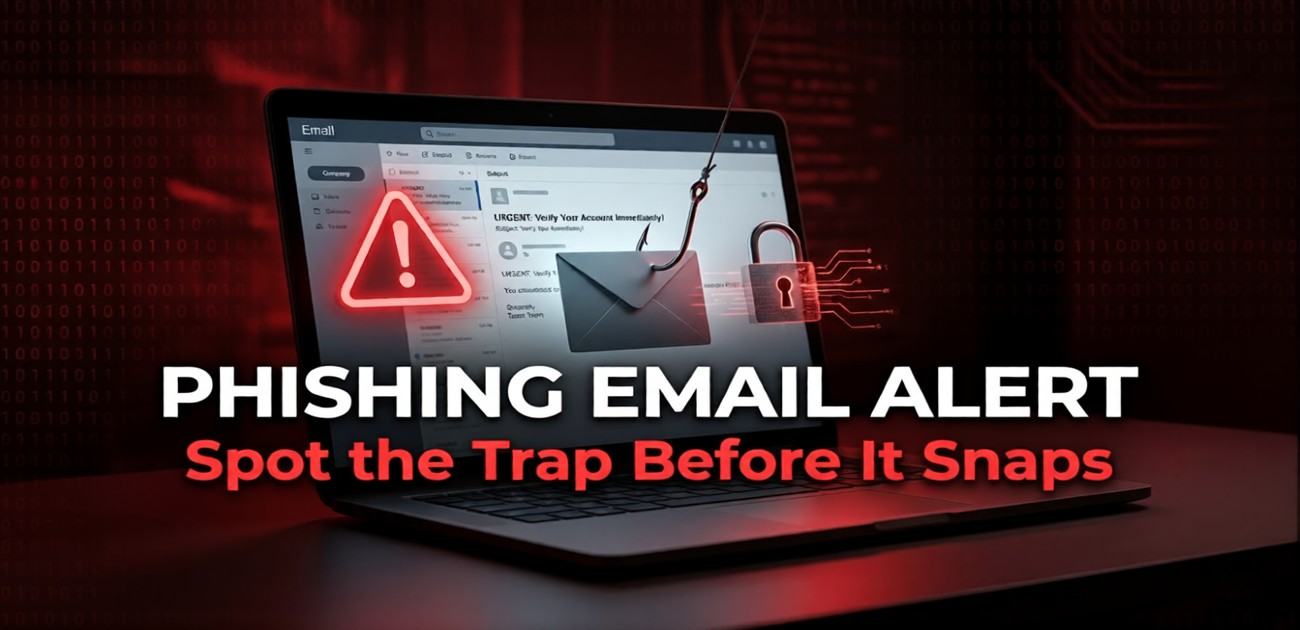
CyberUpdates365 Security Alert: You receive an urgent email claiming your bank account is locked. The logo looks real, the sender email looks legitimate, but if you click the link, your money is gone. If you are wondering what is a phishing email example, this guide shows you exactly how to spot the trap before it snaps.
By Uday Patil, Cybersecurity Analyst | Last Updated: August 27, 2026
Every single day, cybercriminals send over 3.4 billion malicious emails worldwide. But as spam filters get smarter, hackers are ditching the obvious “Nigerian Prince” scams for highly targeted, psychologically manipulative attacks.
If you have ever stared at a suspicious message in your inbox and wondered, “what is a phishing email example in the real world?”, you are not alone. Phishing relies entirely on human error. To protect your digital life, you must learn to recognize the red flags that software firewalls miss.
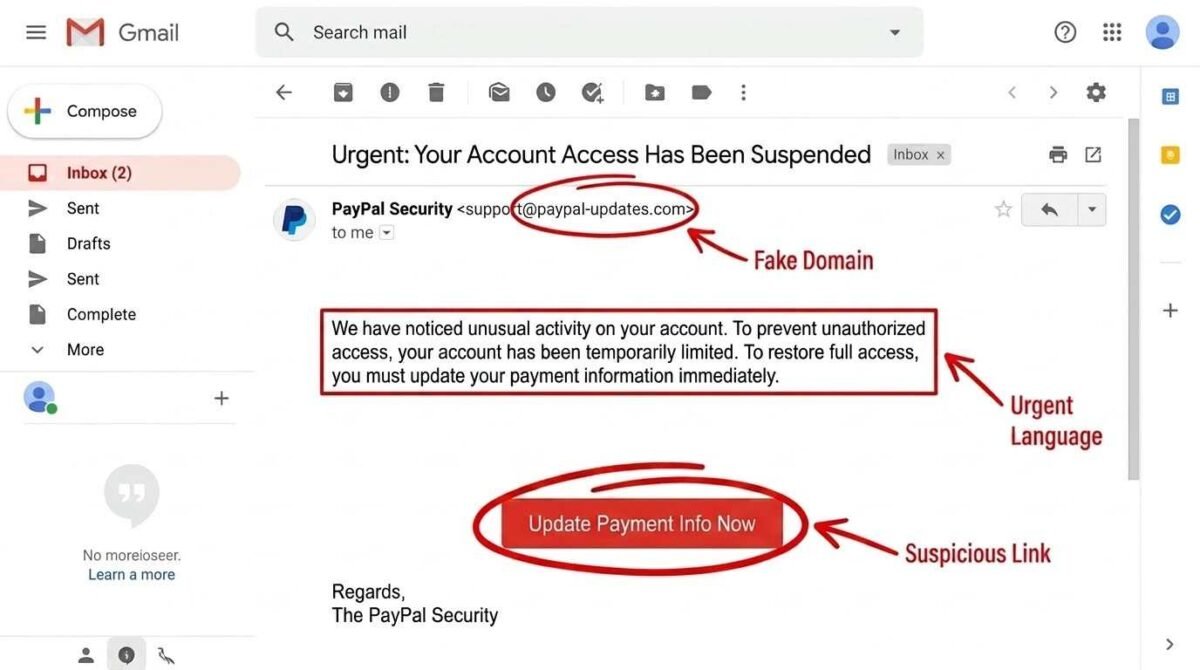
1. The Urgent “Account Suspended” Alert
The most common and effective phishing email example relies on creating a sense of panic. Scammers know that if you are scared, you won’t double-check the sender’s details.
The Scenario: You receive an email from “PayPal” or “Netflix” stating that your billing information has expired and your account will be deleted within 24 hours.
The Trap: A large, red “Update Payment Info” button that directs you to a fake website cloned to look exactly like the real one.
The Red Flag: Check the sender’s email address. It might say “PayPal Support,” but the actual address will be something random like support@paypal-secure-update123.com.
2. The Fake Invoice or Receipt
This tactic targets both consumers and businesses by exploiting our natural curiosity and fear of being overcharged.
The Scenario: You receive a receipt from “Apple” or “Amazon” for a $900 MacBook or a large gift card purchase that you never made. The email includes a PDF attachment or a link to “Cancel this Order.”
Action Step: Never open a PDF invoice from an unverified source. These files often contain malicious scripts (malware). If you suspect fraud, manually log into your actual account to check your purchase history.
3. The “CEO” or Boss Request (Spear Phishing)
When asking what is a phishing email example in a corporate environment, Spear Phishing is the ultimate threat. These emails are highly personalized.
The Scenario: You receive an email from your company’s CEO or your direct manager. They claim they are in a meeting, cannot talk on the phone, and need you to urgently buy $500 worth of iTunes gift cards for a “client presentation.”
This tactic bypasses standard technical security, which is why modern companies are shifting toward Agentic SOC defenses to monitor internal behaviors.
For our foundational small business defense framework, review our comprehensive 2026 Small Business & Consumer Cyber Security Defense Vault.
4. The Fake Job Offer / Recruitment Scam
The Scenario: You receive an email or LinkedIn message offering a high-paying remote job with minimal interview. They ask you to pay for “equipment” or provide your SSN and bank details for “direct deposit setup” before you’ve even signed an official offer letter.
This scam preys on job seekers. Legitimate companies will never ask you to pay for your own setup or demand social security numbers via unsolicited emails. This is exactly what is a phishing email example designed to steal your identity rather than just your passwords.
5. The Fake Package Delivery Notification
The Scenario: A text or email claims your USPS/FedEx/Amazon package couldn’t be delivered due to an “address issue” or “unpaid customs fee.” It asks you to click a link and pay a small fee ($1-3) to reschedule—designed to harvest your credit card details.
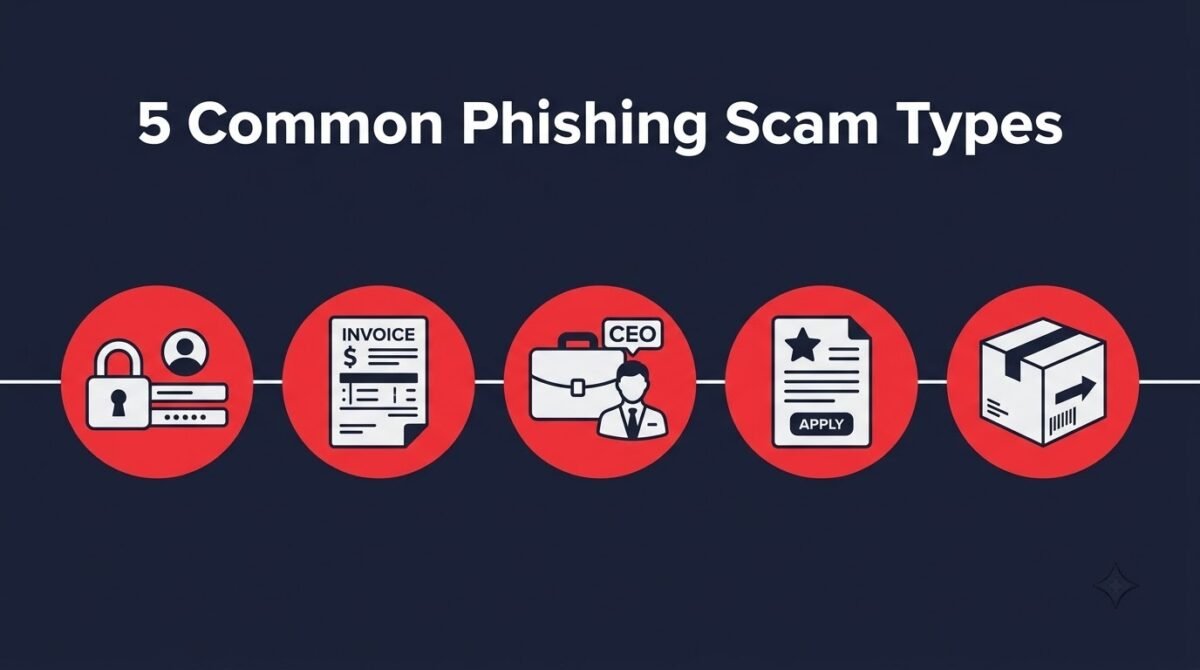
Phishing Scam Comparison Matrix
Here is a quick breakdown of the most common threats and what cybercriminals are actually after:
The top 5 most common phishing attacks targeting consumers and businesses today.
| Scam Type | Red Flag | What They Want |
|---|---|---|
| Account Suspended | Urgency + fake domain | Login credentials |
| Fake Invoice | Unexpected purchase | Click malicious PDF |
| CEO Request | Personalized + urgent | Gift cards/wire transfer |
| Fake Job Offer | Too-good salary | SSN/bank details |
| Package Delivery | Small fee request | Card details |
What to Do If You Click a Phishing Link
If you accidentally clicked a malicious link or provided your password, follow these immediate incident response steps recommended by cybersecurity experts:
Disconnect: Turn off your Wi-Fi or unplug your ethernet cable immediately to stop malware from spreading or communicating with the hacker’s server.
Change Passwords: Using a different, safe device, immediately change the password for the compromised account.
Enable 2FA: Turn on Two-Factor Authentication. Note that advanced hackers are bypassing SMS codes; learn how to protect your phone in our 2026 Guide to Preventing SIM Swapping.
For official government guidelines on recognizing phishing patterns, you can reference the resources provided by CISA.
How to Report a Phishing Email
Once you know what is a phishing email example, taking a moment to report it helps authorities track down cybercriminals and improves spam filters for everyone:
Gmail/Outlook: Click “Report Phishing” in the three-dot menu next to the email.
Forward to APWG: Forward the malicious email to reportphishing@apwg.org (Anti-Phishing Working Group).
Report to FTC: File a report at reportfraud.ftc.gov.
Report to FBI IC3: File an internet crime complaint at ic3.gov.
Frequently Asked Questions (FAQ)
How do I check if a link is safe before clicking?
Hover your mouse over the link (without clicking) to see the actual URL in your browser’s status bar at the bottom left. On a mobile device, long-press the link to preview the destination before it opens.
What should I do if I already entered my password on a phishing site?
Immediately change that password on the real website, enable Two-Factor Authentication (2FA), and check your account’s recent login activity for unauthorized access or new devices.
Can I get hacked just by opening an email?
Generally, no. Modern email providers (like Gmail) block malicious code from executing just by opening an email. The danger lies in clicking links or downloading attachments.
Verdict & Next Steps
Phishing remains the number one entry point for data breaches and identity theft. Understanding what is a phishing email example is your strongest defense against modern social engineering. Always verify the sender’s actual email address, hover over links, and remember: legitimate organizations will never demand your password or gift cards. For more insights on how scammers are using technology against consumers, read our breakdown of AI Voice Cloning Scams. Stay skeptical to stay secure.