
Experiencing a Hostinger null-route DDoS attack can instantly take your website offline without warning. In this real-world case study, we document the exact troubleshooting and mitigation steps we took after our own publication was impacted by upstream IP blackholing, providing site owners with a verified recovery blueprint.
What Happened: A Real-World Case Study
Our website, CyberUpdates365, recently went offline without warning. As a cybersecurity publication, we treated this as an opportunity to document the entire incident transparently — both for accountability and to help other site owners facing the same issue.
Here’s a breakdown of the timeline and troubleshooting process we followed, along with the fixes that ultimately resolved it.
Step 1: Confirming the Outage Was Real
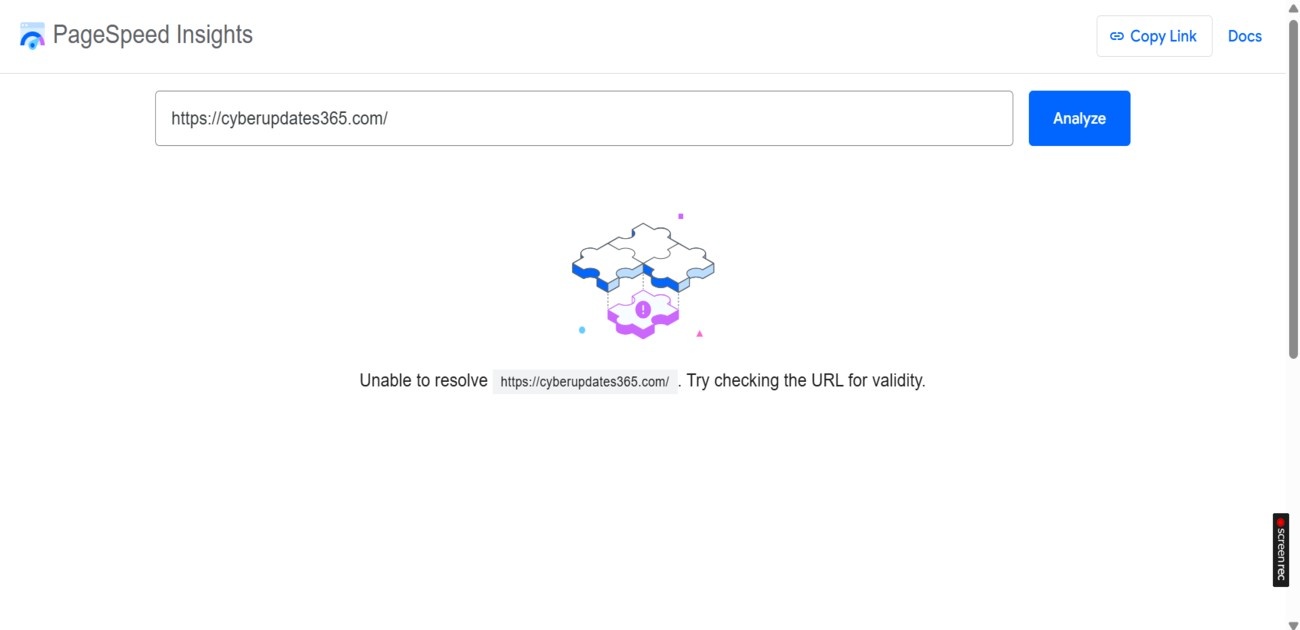
The first sign of trouble was an “Unable to resolve” error while testing our site on Google PageSpeed Insights. Rather than assume the tool was glitching, we verified the outage independently using a third-party checker:
- Tool used: downforeveryoneorjustme.com
- Result: “It’s not just you — cyberupdates365.com is down.”
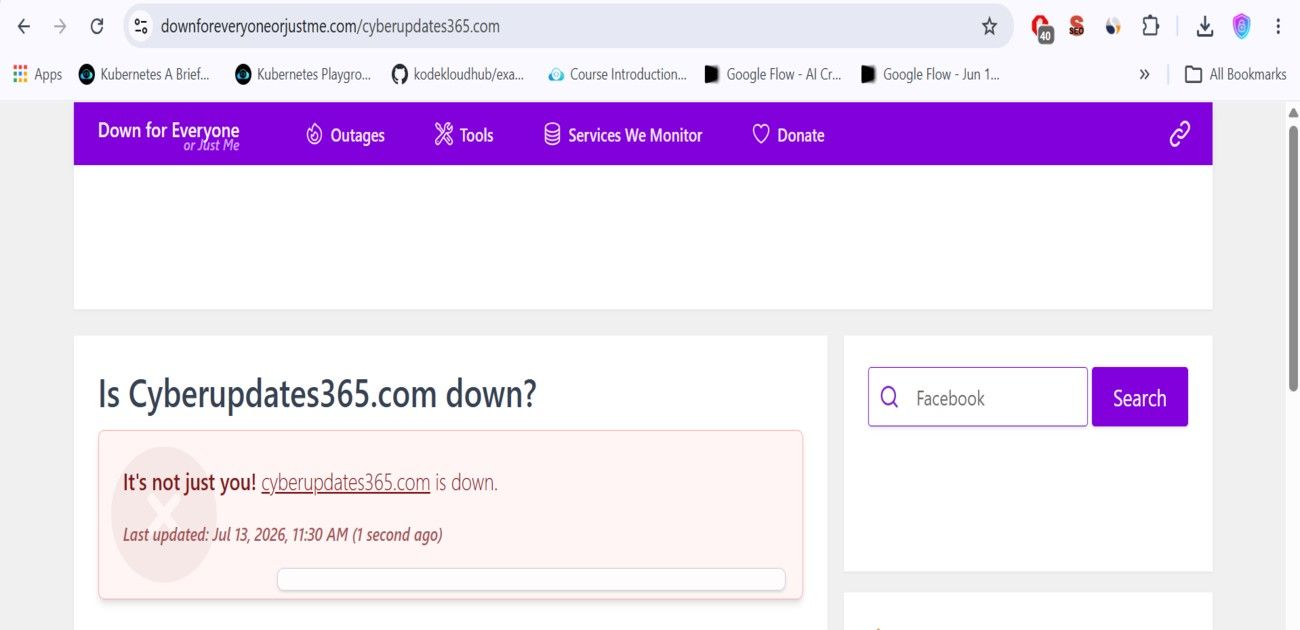
Lesson: Never rely on a single tool. Always cross-check with an independent, third-party status checker to rule out local network or browser-specific issues.
Step 2: Ruling Out the Obvious Causes
Before contacting hosting support, we methodically ruled out common causes:
- Hosting account status: Verified via hPanel — account was active, not suspended.
- Resource limits: CPU, RAM, PHP workers, storage, and inodes were all within normal limits.
- WordPress admin access: wp-admin was reachable (though slow), which ruled out a broken WordPress install or database corruption.
- Error logs: Reviewed the site’s
error_logfile for fatal PHP errors. We found some chronic, low-severity issues, but nothing that explained a full outage. - DNS & Cloudflare configuration: Exported our DNS zone file and confirmed our domain was correctly proxied through Cloudflare.
At this point, every configuration check came back clean — which meant the issue was happening upstream, at the hosting provider’s infrastructure level.
Step 3: The Real Cause — A DDoS Attack and IP Null-Routing
After escalating the issue, the Hostinger Customer Success team stepped in and provided exceptional guidance. They were incredibly fast in identifying the root cause and walked us through the exact network-level issues transparently. If you ever face similar hosting issues, we highly recommend checking out the official Hostinger Help Center, which is packed with detailed troubleshooting guides and immediate support options.
Upon reviewing our server logs, the Hostinger team confirmed the following:
“The DDoS attack is currently targeting the shared IP address assigned to the server. On a shared hosting environment, multiple accounts share the same entry point. When an attack reaches a scale that threatens the stability of the entire server node, our system triggers a null-route on that IP to protect all hosted websites and the underlying infrastructure.”
Hostinger Null-Route: What Is It and Why Does It Happen?
A null-route (also called a “blackhole route”) is an emergency network-level defense. When a server’s incoming traffic is overwhelmed by a DDoS attack, the hosting provider’s upstream network can temporarily discard all traffic to that IP address — good and bad — rather than let the attack take down the entire server node.
This explains a critical point that surprised us: even with Cloudflare’s proxy correctly configured, our site still went down. The attack wasn’t necessarily targeting our domain specifically — it was targeting the shared server IP itself. This shared infrastructure vulnerability is the primary trigger for a Hostinger null-route incident during massive volumetric attacks.
Step 4: The Fix — Locking Down the Origin Server
Once the null-route was lifted and the site came back online, our hosting provider recommended two additional hardening steps to reduce the chance of this happening again. This strict network-level verification concept closely aligns with the enterprise strategies discussed in our recent guide on Why Zero Trust Architecture is Compulsory for Fortune 500 Companies in 2026.
Fix 1: Enable Cloudflare Authenticated Origin Pulls
This ensures that only genuine traffic from Cloudflare’s network can reach your origin server — blocking anyone who tries to bypass Cloudflare and hit your server’s IP directly.
- Log in to your Cloudflare dashboard and select your domain.
- Go to SSL/TLS > Origin Server.
- Enable “Authenticated Origin Pulls”.
Fix 2: Restrict Server Access to Cloudflare IP Ranges
To ensure non-Cloudflare traffic cannot hit your shared IP directly, enforce strict IP filters in your .htaccess configuration:
- Enable Cloudflare IP Whitelist: Add
Require ip 173.245.48.0/20andRequire ip 103.21.244.0/22within an Apache<RequireAll>block. - Verify Current Proxies: Always pull updated network ranges directly from official Cloudflare network advisories before locking origin headers.
Cloudflare’s IP ranges occasionally change, so always pull the current list from cloudflare.com/ips before applying this rule.
What This Means for Site Owners on Shared Hosting
This incident highlights a limitation that many site owners don’t realize until they experience it: on shared hosting, your website’s uptime is partly tied to your “neighbors” on the same server IP.
If You Want to Reduce This Risk
- Dedicated IP hosting: Plans that offer a dedicated IP address isolate you from shared-IP collateral damage.
- VPS or Cloud hosting: Offers more control over server-level firewall rules and typically includes more robust DDoS mitigation.
- Keep Cloudflare fully proxied: Always confirm your DNS records show a proxied (orange cloud) status.
- Enable Authenticated Origin Pulls: As detailed above — this is free and takes under two minutes to set up.
Key Takeaways
- A “site down” error doesn’t always mean your website’s configuration is broken — check third-party status tools first.
- Cloudflare protects your domain’s traffic path, but it cannot prevent a Hostinger null-route triggered by attacks targeting a shared server IP directly.
- Communicate transparently with your audience during downtime — it builds trust rather than eroding it.
Reported by CyberUpdates365 Desk
Delivering the latest insights on enterprise security, federal AI directives, and the future of IT infrastructure. Follow us for daily updates on how technology is reshaping the corporate landscape.