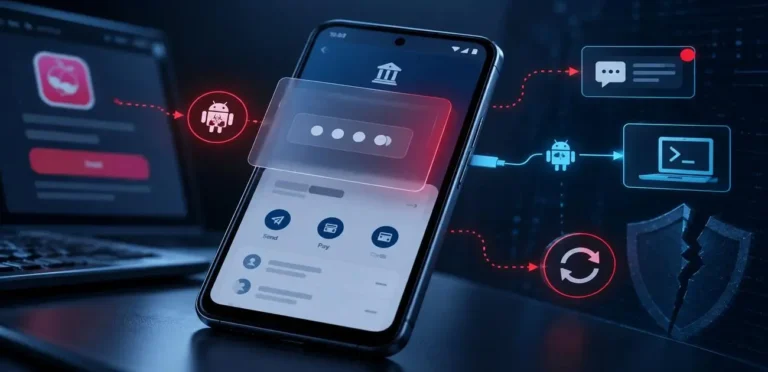
An expert-level guide to locking down your iPhone or Android and taking back control of your digital footprint in 2026.
EXPERT INSIGHT
Most major data breaches in 2026 do not happen because of complex hacking algorithms. They happen because users leave default settings enabled on their mobile devices. This 5-step smartphone security audit is designed for everyday users to plug the most common data leaks before they are exploited.
Look at the device in your hand. Your smartphone knows more about you than your closest friends. It tracks your location, monitors your spending habits, listens to your environment, and holds the keys to your entire financial life. Yet, most users have never performed a formal smartphone security audit.
As cybersecurity engineers analyze the threat landscape in June 2026, one thing is abundantly clear: Cybercriminals and data brokers are actively exploiting the broad permissions we blindly grant to third-party applications.
If you haven’t reviewed your privacy settings recently, your phone is likely leaking sensitive data. It is time to lock down your device. Follow this expert-level audit to secure your digital life.
TABLE OF CONTENTS
- Step 1: Terminate Background Location Tracking
- Step 2: Revoke Microphone and Camera Access
- Step 3: The “Silent App” Purge
- Step 4: Lock Screen Notification Blinding
- Step 5: Disable System-Level Ad Tracking
- Related Articles
STEP 1: TERMINATE BACKGROUND LOCATION TRACKING

The most severe privacy violation happening on your phone right now is background location tracking. Weather apps, discount shopping apps, and social media platforms constantly ping your GPS coordinates, building a terrifyingly accurate map of your daily routine and home address.
The Fix: Navigate to your privacy settings. Do not turn off location entirely, as maps require it. Instead, change the permission for every non-essential app from “Always Allow” to “While Using the App” or “Ask Every Time”. If a calculator or a basic flashlight app asks for your location, delete it immediately.
STEP 2: REVOKE MICROPHONE AND CAMERA ACCESS
Have you ever talked about a product out loud and seen an ad for it 10 minutes later? While tech giants deny active eavesdropping, the sheer number of apps with microphone access is a massive security risk. Malicious apps can use these permissions to record audio snippets without your explicit consent.
The Fix: Go into your app permissions manager. Strip microphone and camera access from every app except the ones that absolutely need it to function (like WhatsApp, Zoom, or your native Phone app). Social media and shopping apps do not need 24/7 microphone access.
STEP 3: THE “SILENT APP” PURGE

We all have them: apps we downloaded for a single vacation three years ago and never opened again. In the cybersecurity community, these are known as “Silent Apps”. Because they are never opened, they are never updated. They sit on your phone with outdated, vulnerable code, serving as a perfect backdoor for hackers.
The Fix: Perform a ruthless purge. Scroll through your app drawer. If you haven’t used an app in the last 6 months, delete it. You can always re-download it later if needed. Less code on your phone means a smaller attack surface for hackers to target.
STEP 4: LOCK SCREEN NOTIFICATION BLINDING
Imagine leaving your phone on a table at a cafe. A text message arrives containing your Two-Factor Authentication (2FA) code for your bank. The code lights up on your lock screen for anyone to read. A hacker sitting nearby who is trying to breach your account just got the final piece of the puzzle without even touching your device.
The Fix: Change your notification settings to “Hide Content on Lock Screen”. You will still see that you received a message, but the actual text will remain hidden until you unlock the phone with your face or fingerprint.
STEP 5: DISABLE SYSTEM-LEVEL AD TRACKING
Both iOS and Android have built-in systems that track your behavior across different apps to serve you targeted advertisements. While this is primarily for marketing, it builds a centralized profile of your digital behavior that can be compromised in a data breach.
The Fix: On iOS, go to Settings > Privacy > Tracking, and turn off “Allow Apps to Request to Track”. On Android, go to Settings > Google > Ads, and select “Delete advertising ID” or “Opt out of Ads Personalization”.
RELATED ARTICLES
- The 2026 Public WiFi Security Threat: How Hackers Steal Data
- AI Voice Cloning Scams: The Ultimate 2026 Guide to Protecting Your Family
- Password Security Guide: Bulletproofing Your Accounts
CONCLUSION
Taking 15 minutes to perform a comprehensive smartphone security audit is the best investment you can make in your personal privacy this year. By turning off background tracking, revoking unnecessary permissions, and purging old apps, you are effectively closing the doors that data brokers and cybercriminals use to exploit your device.
Take Action Today
Don’t wait until your identity is compromised. Share this essential 5-step smartphone audit with your family group chat and ensure everyone’s devices are locked down!
Authored by the CyberUpdates365 Security Team
Protect Your Devices: Read our definitive guide and complete your Device Security Audit 2026 to secure your smartphones and OS against zero-click threats.