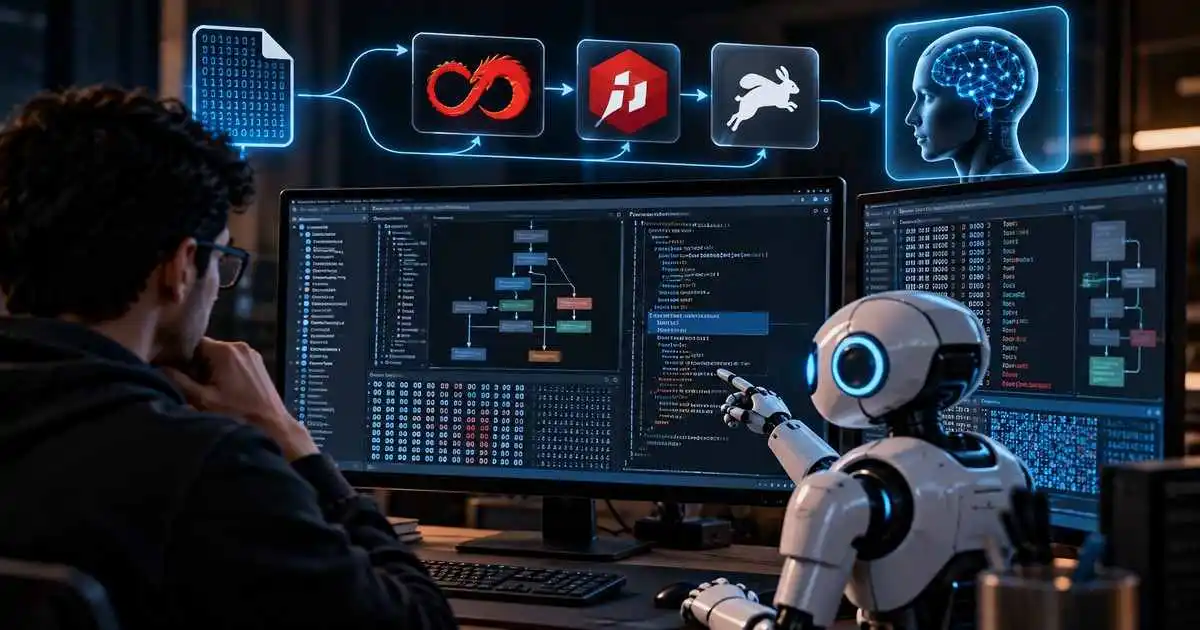
Reverse Engineer Anything tool, also known as REA, is an open-source framework that connects AI coding agents to professional reverse-engineering tools such as Ghidra, IDA Pro and Hopper.
The project is designed to let researchers inspect software without source code, trace how features work and collect evidence that an AI agent can use to explain or recreate behavior.
REA does not replace a disassembler or decompiler. Instead, it acts as a bridge between coding agents and analysis engines, exposing reverse-engineering capabilities through command-line workflows and Model Context Protocol, or MCP.
The tool currently supports analysis across native binaries, JavaScript and Electron applications, .NET assemblies, websites and selected runtime activity.
For broader coverage of AI-assisted security tools and agentic workflows, see our AI-Era Threats and Agentic Security Guide.
Key takeaway: REA gives AI agents structured access to reverse-engineering tools and evidence, but it does not automatically recover original source code or guarantee that every target can be fully reconstructed.
What Is the Reverse Engineer Anything Tool?
REA is an open-source reverse-engineering framework built specifically for AI coding agents.
Its goal is to let an agent investigate an application, follow relevant code paths and return evidence-backed findings instead of relying on guesses.
The project describes its workflow in three stages:
- Decompile
- Understand
- Recreate
The agent first inspects the target, then follows code relationships and finally uses the gathered evidence to help rebuild similar functionality in another project.
REA Connects AI Agents to Ghidra, IDA and Hopper
For native binary analysis, REA can work with professional reverse-engineering engines including:
- Ghidra
- IDA Pro
- Hopper
The underlying analysis engine remains responsible for disassembly and decompilation.
REA provides a standardized interface that lets an AI agent request data such as:
- Pseudocode
- Assembly instructions
- Strings
- Symbols
- Function calls
- Cross references
- Call graphs
The agent can then use those results to reason about how an application or feature works.
MCP Lets Coding Agents Drive the Investigation
REA uses Model Context Protocol to expose reverse-engineering capabilities to compatible agents.
Supported setups include coding agents such as:
- Claude Code
- Cursor
- Codex
- Gemini CLI
- Grok Build
Other clients capable of connecting to local MCP servers can also be configured manually.
This allows the agent to move from a natural-language question to tool calls, evidence gathering and follow-up analysis without the researcher manually switching between each analysis utility.
Native Binary Analysis Goes Beyond Simple String Search
Traditional first-pass binary analysis often begins with strings and imported functions.
REA can go further by helping agents connect those clues to specific procedures and code paths.
A typical investigation may involve:
- Opening a binary
- Inspecting basic metadata
- Searching strings and symbols
- Finding references to interesting functions
- Following callers and callees
- Building a call graph
- Decompiling targeted routines
- Collecting evidence for the final explanation
REA Also Supports JavaScript and Electron Apps
REA is not limited to native executables.
For JavaScript and Electron applications, the project can inspect modules, imports, source maps, routes and communication between Electron processes.
This is useful because many modern desktop applications combine JavaScript interfaces with native components and background processes.
REA can help an agent connect behavior across renderer, preload and main-process boundaries.
.NET Inspection Does Not Require a Native Analysis Engine
Static .NET analysis is another supported workflow.
REA can expose information including:
- Assembly metadata
- Intermediate language instructions
- Declared dependencies
- Native interop references
According to the project documentation, static JavaScript and .NET inspection can be performed without requiring Ghidra, IDA or Hopper.
Analysis Runs Locally
One of REA’s important design choices is local analysis.
The software under investigation is analyzed on the researcher’s own machine rather than being uploaded to a hosted reverse-engineering service.
This can be useful when working with proprietary applications, sensitive binaries or large software packages.
However, local analysis does not automatically mean every piece of analysis data stays local.
The AI agent still receives REA’s results, and those results remain subject to the model provider’s data handling policies.
Static and Runtime Analysis Have Different Risks
Researchers should distinguish between static inspection and runtime capture.
Static JavaScript and .NET workflows inspect files without executing the target application.
Runtime capture, by contrast, may launch or interact with a target using the current user’s permissions.
This distinction is especially important when investigating suspicious or potentially malicious software.
Untrusted binaries should be analyzed in an appropriately isolated environment.
REA Does Not Claim to Recover Original Source Code
The project’s documentation explicitly avoids claiming that REA can perfectly reconstruct original source code.
Decompilation produces approximations based on compiled behavior.
Important context such as original variable names, comments, build configuration and development intent may be missing.
REA’s value comes from connecting inspectable evidence to explanations rather than pretending the original project can always be recreated exactly.
Evidence Is Central to the Workflow
A major part of REA’s design is keeping evidence attached to conclusions.
Instead of having an AI agent simply state how a function works, REA can provide the underlying pseudocode, call relationships, references and other supporting artifacts.
This makes the findings easier for a human researcher to verify.
It also reduces the risk of an AI model inventing unsupported implementation details.
REA Can Help Recreate Features
After understanding how a feature works, a coding agent can use its normal code-generation abilities to build an equivalent feature adapted to another software stack.
For example, a researcher could ask an agent to inspect a search function inside an application and then implement a similar workflow using TypeScript and SQLite.
The reverse-engineering portion provides the evidence, while the agent’s regular development tools handle implementation.
Project Demonstrations Show Evidence-Based Reconstruction
The REA project includes demonstrations showing how its evidence model can be used to validate reconstructed behavior.
One case study involving DX-Ball recovered a sound-positioning calculation and compared the recreated implementation against the original compiled function.
The project reports thousands of matching tests and byte-level validation for that example.
These are project demonstrations rather than proof that every application can be reverse engineered to the same degree.
Setup Uses Node.js and npm
REA can be configured through its setup workflow after Node.js and npm are available.
The project currently recommends:
npx rea-agents setupThe setup process detects supported coding agents, shows planned configuration changes and asks the user to approve them.
REA can then register its MCP integration and configure access to supported analysis engines.
Native Analysis Requires an Analysis Provider
Deep native binary inspection still requires an underlying reverse-engineering engine.
REA can connect to an existing installation of Ghidra, IDA or Hopper.
The tool does not eliminate the need for those engines.
Instead, it standardizes how the AI agent interacts with them.
CLI Workflows Are Available Too
Researchers do not need to perform every investigation through a chat interface.
REA also provides terminal commands for analysis, search, functions, references and traces.
This makes the framework useful for automated or scripted workflows in addition to interactive AI-agent sessions.
Why This Matters for Security Researchers
Reverse engineering traditionally requires significant manual movement between tools.
A researcher may inspect strings in one interface, follow references in another, write notes separately and then manually correlate findings.
Agent-driven tooling can automate some of that repetitive navigation.
This may help analysts spend more time validating behavior and less time performing mechanical tool operations.
Potential Malware Analysis Use Cases
REA could also be useful in controlled malware-analysis workflows.
Possible uses include:
- Finding suspicious functions
- Tracing configuration handling
- Locating command-and-control logic
- Understanding encryption routines
- Mapping persistence behavior
- Comparing malware versions
Security researchers should still use isolated environments and follow established malware-handling procedures.
AI Reverse Engineering Still Requires Human Review
AI can accelerate navigation and explanation, but reverse engineering remains an evidence-driven discipline.
Decompilers can produce ambiguous output, and an agent may misunderstand program behavior if the available evidence is incomplete.
Human review remains important when findings are used for:
- Security advisories
- Vulnerability disclosure
- Malware attribution
- Incident response
- Compatibility work
- Legal or compliance decisions
Authorization Still Matters
Reverse engineering may be restricted by software licenses, local laws or contractual terms depending on the target and jurisdiction.
Researchers should only analyze software they are authorized to inspect and should understand applicable legal or contractual restrictions.
The existence of an automated reverse-engineering workflow does not remove those obligations.
Frequently Asked Questions
What is the Reverse Engineer Anything tool?
REA is an open-source framework that connects AI coding agents to reverse-engineering tools and workflows for inspecting software without its original source code.
Does REA replace Ghidra or IDA?
No. REA acts as an agent interface to tools such as Ghidra, IDA Pro and Hopper rather than replacing their disassembly and decompilation engines.
Which AI coding agents can use REA?
The project supports integrations including Claude Code, Cursor, Codex, Gemini CLI and Grok Build, with manual MCP configuration available for other compatible clients.
What types of software can REA inspect?
The project supports native binaries, JavaScript and Electron applications, .NET assemblies, websites and selected runtime workflows.
Does REA upload applications to the cloud?
REA performs analysis locally, but the AI agent receives the analysis results, which remain subject to the chosen model provider’s data policies.
Can REA recover original source code?
No. The project explicitly states that it does not claim to recover original source code or automatically clone an application.
Can REA analyze malware?
It can support reverse-engineering workflows useful for malware analysis, but suspicious software should be handled inside properly isolated environments.
Is REA open source?
Yes. The project is publicly available on GitHub under an open-source license.
Final Takeaway
The Reverse Engineer Anything tool represents a practical example of AI agents moving beyond code generation and into structured software analysis.
By connecting agents to Ghidra, IDA, Hopper and other inspection workflows, REA can automate parts of reverse engineering while preserving the evidence needed for researchers to validate its conclusions.
The tool does not eliminate the need for reverse-engineering expertise, human review or authorization.
Its real value is in giving AI agents a repeatable way to move from a question about software behavior to inspectable code, evidence and testable conclusions.
Stay Updated on AI Security Tools
AI agents are rapidly becoming part of vulnerability research, malware analysis and software-security workflows.
Follow CyberUpdates365 for verified cybersecurity tools, AI security research, reverse-engineering developments and practical technical guidance.
Primary Source
REA Official GitHub Repository:
Reverse Engineer Anything — Official Repository