CyberUpdates365 Threat Intelligence Desk: Incident analysis regarding the massive wave of support-themed phishing and credential harvesting campaigns.
By Uday Patil, Cybersecurity Analyst
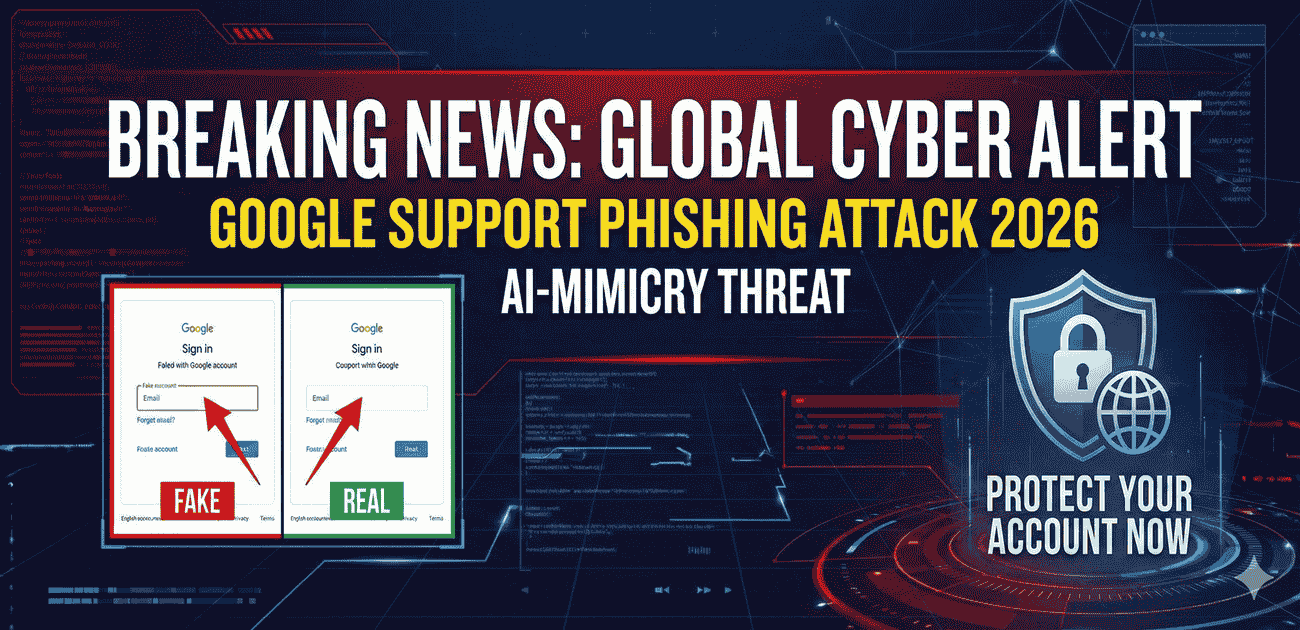
Global cybersecurity agencies have issued an urgent microsoft google security alert identity theft 2026 warning following a massive spike in account hijackings. In early 2026, hackers have deployed highly sophisticated AI-driven tools to perfectly mimic official Google communications. This coordinated effort aims to deceive users into surrendering their credentials and session tokens, effectively bypassing traditional security measures.
As our digital lives become increasingly centralized around a single login, this Google Support Phishing Alert serves as a critical warning. Understanding the mechanics of these attacks is no longer optional; it is a necessity for anyone managing a Google Workspace or a personal Gmail account in today’s volatile threat landscape.
The 2026 Evolution: Anatomy of the Phishing Attack
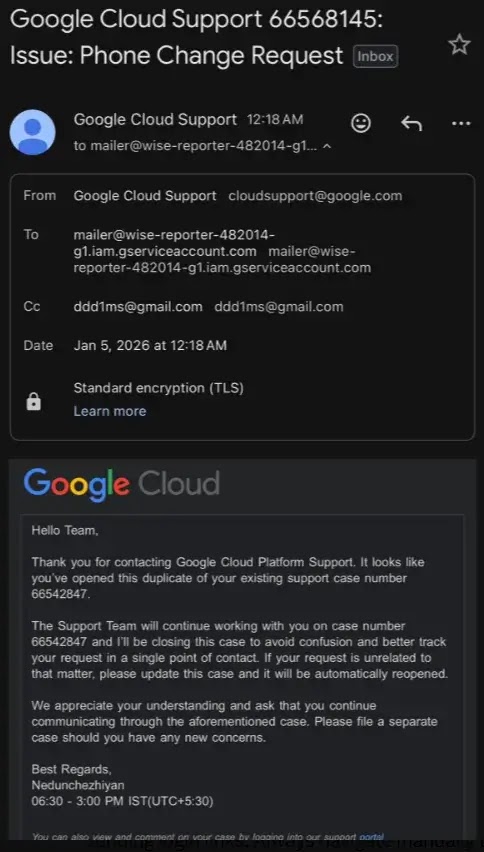
The current wave of attacks is distinct from previous years due to the precision of the mimicry. Hackers are no longer sending generic, broken-English emails. Instead, they utilize advanced HTML templates that mirror Google’s exact CSS styling, font families, and brand colors. By exploiting the “trust factor” associated with official tech support, they create a false sense of security.
Psychological Triggers in Play
The primary driver of success in these campaigns is the “Urgency Trigger.” Most victims report receiving emails with subject lines regarding unauthorized access or immediate account suspension. This Google Support Phishing Alert confirms that criminals are counting on the “Panic Reflex” to prevent users from checking the sender’s actual email address before clicking the malicious link.
MUST READ: Check our previous guide to ensure all your digital devices are secure.
Technical Insights into the Google Support Phishing Alert
Modern attackers have moved beyond simple password theft. In 2026, we are seeing a rise in Adversary-in-the-Middle (AiTM) attacks. When a user interacts with a fake Google Support page, the attacker’s server acts as a proxy, capturing the login credentials and the 2FA (Two-Factor Authentication) code in real-time.
Even more concerning is the theft of Session Cookies. By stealing the session token, a hacker can bypass future 2FA prompts entirely. This specific detail in our Google Support Phishing Alert highlights why simply changing your password after an attack may not be enough to evict an intruder from your account.
Global Security Guide: Defeating Phishing Attacks
To protect your digital ecosystem, follow these mandatory safety protocols:
- Domain Root Verification: Always ensure the URL in your browser address bar is exactly
https://accounts.google.com. Any other spelling or domain extension is a fraud. - Enable Passkeys: As emphasized in this Google Support Phishing Alert, Passkeys are the most secure defense as they are cryptographically tied to your physical device.
- Independent Access: Never click links in a security email. Instead, type
myaccount.google.comdirectly into your browser to check for real notifications.
Quick Check: Official vs. Fraudulent Emails
| Indicator | Real Google Email | Phishing Scam |
|---|---|---|
| From Address | @google.com or @accounts.google.com | @gmail.com or third-party domains |
| Link Target | accounts.google.com | IP addresses or shortened URLs |
| Tone | Informational and Neutral | High Pressure and Threatening |
Urgent Action for Victims
If you believe you have fallen victim to the scam mentioned in this Google Support Phishing Alert, report the incident immediately to the official National Cyber Crime Reporting Portal. Change your passwords and sign out of all active web sessions across all devices instantly.
Help others stay safe by sharing this 2026 security alert with your professional network.
Enterprise Architecture Reference: This investigative defense guide is part of our authoritative organizational security series. For integrated zero-trust frameworks, commercial software benchmarks ($47.50 CPC sector standards), and complete threat prevention roadmaps, explore our central 2026 Small Business & Consumer Cyber Security Defense Vault.
Looking for a complete list of this year’s cyber attacks? Check out our ultimate timeline of recent major data breaches 2026.