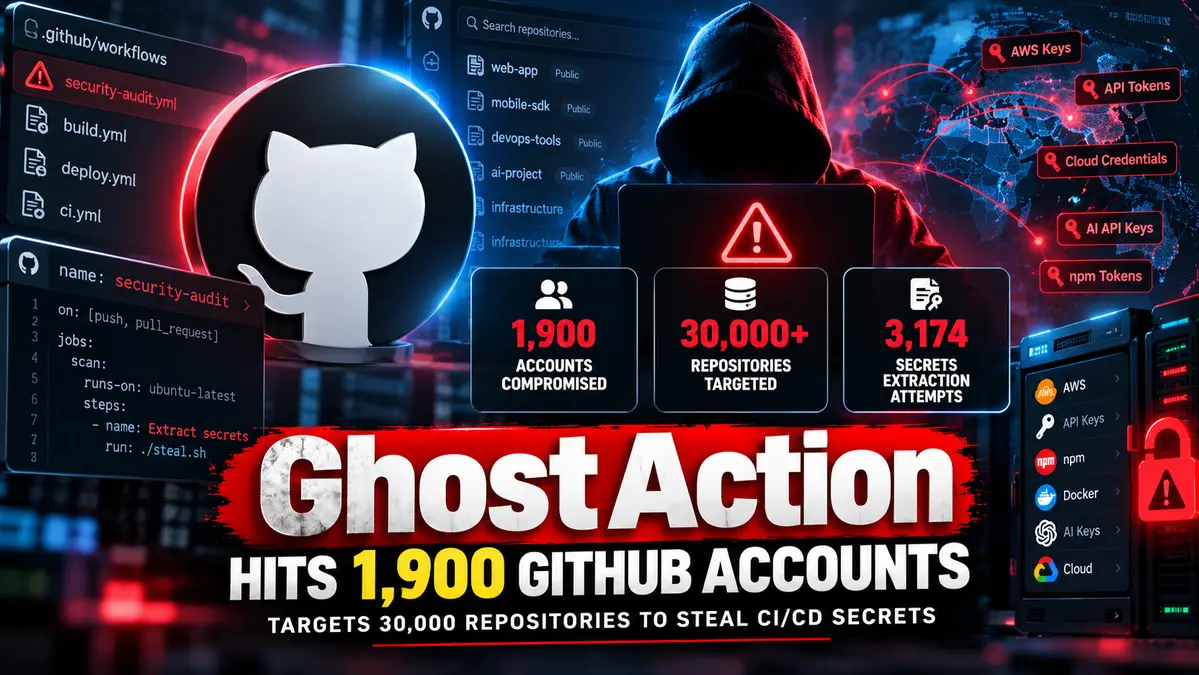
A GhostAction GitHub attack compromised about 1,900 developer accounts and targeted more than 30,000 repositories in a rapidly expanding credential-theft campaign aimed at stealing CI/CD secrets, cloud credentials, package registry tokens and AI API keys.
GitGuardian said the largest spike occurred between October 8 and 9, 2026, when attackers pushed malicious GitHub Actions workflows across tens of thousands of repositories.
According to GitGuardian’s updated GhostAction analysis, the campaign targeted more than 30,000 repositories across roughly 3,000 users and organizations and resulted from the compromise of about 1,900 GitHub accounts.
The attackers attempted to extract 3,174 secrets from public repositories’ CI environments.
For broader coverage of software supply chain threats and enterprise vulnerability exposure, see our CVE and Vulnerability Exploits 2026 Hub.
Key Takeaway
The GhostAction campaign is a developer-infrastructure supply chain attack that abuses compromised GitHub accounts to plant malicious GitHub Actions workflows inside legitimate repositories.
The workflows search build environments, source code and Git history for sensitive credentials, including cloud API keys, package registry tokens and AI service secrets, before sending discovered data to attacker-controlled infrastructure.
GitGuardian estimates that roughly 1,900 GitHub accounts were compromised in the latest wave and more than 30,000 repositories were targeted.
GhostAction GitHub Attack Expands to 30,000 Repositories
The latest GhostAction wave accelerated sharply between October 8 and 9.
GitGuardian’s dataset shows:
- 30,000+ repositories targeted
- 3,000 users and organizations affected by targeting
- About 1,900 compromised GitHub accounts
- 3,174 secrets targeted for extraction
Additional waves were observed on October 10 and 12.
However, GitGuardian says GitHub began preventing the malicious workflow from executing starting October 9, limiting the ability of later waves to extract secrets.
Attackers Abuse Legitimate GitHub Accounts
GhostAction does not rely on exploiting a vulnerability in GitHub itself.
Instead, the campaign abuses legitimate developer accounts after attackers obtain valid credentials or Personal Access Tokens.
Researchers say stolen access can originate from:
- Infostealer logs
- Credential dumps
- Previously leaked GitHub tokens
- Compromised maintainer accounts
Once the attacker gains write access, malicious GitHub Actions workflow files are pushed directly into trusted repositories.
Malicious Workflows Masquerade as Security Checks
The attacker-controlled workflows use names designed to look legitimate.
Examples observed by researchers include:
security-audit.ymlgithub_actions_security.yml
These names can make the files appear like routine repository security automation rather than credential-stealing payloads.
When the workflow runs, it scans the repository environment for secrets and attempts to exfiltrate them.
GhostAction Searches Source Code and Git History
The latest GhostAction payload evolved beyond simply reading CI/CD environment secrets.
GitGuardian observed new versions scanning the entire Git history for exposed credentials.
This matters because a secret that was deleted from the current branch may still exist in an older commit.
The payload includes patterns designed to identify credentials such as:
- AWS access keys
- GitHub tokens
- GitLab tokens
- Cloud API credentials
- AI provider API keys
- Package registry credentials
AWS Credential Pairing Became More Aggressive
One updated GhostAction variant captures additional context around discovered AWS access key IDs.
The goal is to locate the matching AWS secret access key near the same location in source code or commit history.
This turns a single leaked identifier into a potentially usable credential pair.
Later payload variants improved this context-retrieval logic further.
What Secrets Does GhostAction Target?
The campaign is designed to harvest credentials that can provide access far beyond a single GitHub repository.
Researchers observed targeting of:
- GitHub Personal Access Tokens
- GitLab tokens
- AWS credentials
- Cloud API keys
- npm publishing tokens
- PyPI credentials
- Docker Hub credentials
- AI provider API keys
- Other CI/CD secrets
A stolen CI secret can therefore become the starting point for a larger cloud or software supply chain compromise.
Why CI/CD Secrets Are So Valuable
Modern development pipelines frequently hold credentials with access to production systems, package registries and cloud infrastructure.
A malicious workflow executing inside a legitimate repository may inherit access to secrets configured for that repository or environment.
GitHub’s own security guidance warns that credentials exposed during workflow execution should be treated as compromised and rotated immediately.
The default GITHUB_TOKEN is short-lived, but Personal Access Tokens, cloud credentials and third-party API keys may remain valid until manually revoked or expired.
GhostAction Is a Supply Chain Attack, Not Just Account Theft
The campaign becomes especially dangerous because compromised GitHub accounts are used to modify trusted repositories.
This creates a software supply chain risk.
Attackers can abuse trusted developer identities to:
- Insert malicious workflows
- Steal CI/CD credentials
- Reach package registries
- Access downstream cloud systems
- Potentially compromise additional repositories
The attack therefore extends beyond the initial GitHub account compromise.
Some Victims Were Compromised Before
GitGuardian found that a subset of accounts hit during the latest GhostAction wave had already appeared in earlier campaign waves.
This suggests that attackers may be attempting to reuse credentials or secrets that victims failed to rotate after earlier compromises.
That is a critical operational lesson: deleting a malicious workflow does not neutralize credentials that were already stolen.
GitHub Started Blocking Malicious Workflows
GitGuardian says GitHub began preventing the malicious GhostAction workflows from running on October 9.
That meant later waves observed on October 10 and 12 could still push workflow files but were unable to extract secrets through the same execution path.
GitHub has also introduced broader safeguards against malicious Actions workflows.
Earlier in 2026, GitHub announced that certain potentially malicious workflows in public repositories can be held for manual approval before execution.
GitHub Actions Security Controls Are Increasing
GitHub has continued strengthening its Actions ecosystem against supply chain attacks.
On October 14, GitHub introduced workflow dependency lockfiles in public preview for GitHub Enterprise Cloud.
Workflow lockfiles allow organizations to pin Actions dependencies to exact commits so a later tag or branch change does not silently execute different code.
GitHub notes that lockfiles do not prove a dependency is safe, but they reduce the risk of unexpected dependency changes after review.
Related GitHub Supply Chain Risks
GhostAction fits a broader pattern of attacks targeting trusted developer identities, build pipelines and repository secrets.
CyberUpdates365 previously covered how GitHub supply chain attacks exploit maintainer accounts, leaked secrets and CI/CD trust, including repository hijacking, credential scraping and malicious dependency risks.
The new GhostAction campaign provides a real-world example of those same risks being abused at much larger scale.
Why Deleting the Workflow Is Not Enough
If a malicious workflow executed successfully, removing the YAML file is only the first step.
Any secret available to that workflow may already have been copied by the attacker.
GitHub’s incident-response documentation recommends treating potentially exposed credentials as compromised.
Organizations should revoke or rotate affected credentials rather than assuming the threat ends after repository cleanup.
What GitHub Administrators Should Check Immediately
Organizations should investigate repositories for unexpected workflow changes and credential use.
Review:
.github/workflows/for unfamiliar YAML files- Recent commits made by maintainers
- GitHub audit logs
- Secret scanning alerts
- Unexpected Actions runs
- Personal Access Token activity
- Cloud provider authentication logs
- Package registry publishing events
Any unexplained workflow introduced by a normally trusted developer account should be investigated carefully.
Rotate Exposed Secrets Immediately
If a suspicious workflow executed, security teams should prioritize credential rotation.
Potentially affected credentials can include:
- GitHub PATs
- AWS access keys
- Azure or GCP credentials
- npm tokens
- PyPI tokens
- Docker Hub credentials
- AI API keys
- Database credentials
GitHub explicitly recommends immediate rotation or replacement for credentials that may have been exposed during a workflow run.
Use Least-Privilege GitHub Actions Permissions
GitHub recommends limiting workflow permissions to the minimum required.
Organizations should configure the default GITHUB_TOKEN permission level to read-only where possible and grant additional permissions only to individual jobs that need them.
This reduces the damage a compromised workflow can cause.
Reduce Reliance on Long-Lived Tokens
Long-lived credentials increase supply chain risk because a stolen secret may remain usable long after the original workflow finishes.
Where supported, teams should move toward short-lived identity mechanisms such as OIDC-based trusted publishing and workload identity federation.
GitHub and npm have expanded trusted publishing options specifically to reduce the need to store persistent publishing tokens inside CI/CD environments.
Enable Secret Scanning and Push Protection
GitHub’s secret scanning tools can help identify credentials committed to repositories.
Organizations should enable:
- Secret scanning
- Push protection
- Repository rulesets
- Branch protection
- Mandatory multi-factor authentication
- Audit-log monitoring
Secret scanning should include historical commits because GhostAction specifically searches Git history for credentials that may no longer appear in the current source tree.
Review Compromised Maintainer Accounts
Because GhostAction relies heavily on trusted contributor access, maintainers should review their own account security.
Recommended steps include:
- Revoke unused Personal Access Tokens
- Replace broad PATs with fine-grained alternatives
- Review SSH keys
- Review OAuth applications
- Review active sessions
- Enable phishing-resistant MFA or passkeys
- Investigate infostealer exposure on developer workstations
No GitHub Platform Vulnerability Has Been Reported
There is no evidence that GhostAction relies on a vulnerability in GitHub’s core platform.
The attack abuses valid compromised credentials and repository write access.
That distinction matters because simply patching software does not stop credential-driven supply chain attacks.
Identity protection, token hygiene and repository monitoring are central to the defense.
Frequently Asked Questions
What is the GhostAction GitHub attack?
GhostAction is a supply chain credential-theft campaign that compromises legitimate GitHub accounts and inserts malicious GitHub Actions workflows into repositories to steal secrets.
How many GitHub accounts were compromised?
GitGuardian estimates that about 1,900 GitHub accounts were compromised in the latest campaign wave.
How many repositories were targeted?
More than 30,000 repositories across approximately 3,000 users and organizations were targeted.
How many secrets did attackers try to steal?
Researchers observed attempts to extract 3,174 secrets from public repositories’ CI environments.
What credentials does GhostAction target?
The campaign targets GitHub tokens, cloud credentials, npm and PyPI tokens, Docker Hub credentials, AI API keys and other CI/CD secrets.
Does GhostAction exploit a GitHub vulnerability?
No GitHub software vulnerability has been reported as the cause. Attackers use compromised legitimate credentials and write access to modify repositories.
What should organizations do if a malicious workflow ran?
Remove the malicious workflow, review audit logs, investigate the affected account and immediately rotate every credential that may have been accessible to the workflow.
Is the campaign still active?
Researchers observed additional waves after the major October 8–9 spike. GitGuardian says GitHub began preventing the malicious workflow from running starting October 9, limiting secret extraction in later waves.
Final Takeaway
The GhostAction GitHub attack demonstrates how stolen developer credentials can become a large-scale software supply chain threat.
About 1,900 GitHub accounts were compromised, more than 30,000 repositories were targeted and attackers attempted to extract 3,174 secrets from CI environments.
The campaign abuses trusted maintainer access to insert malicious Actions workflows that search environment variables, source code and Git history for valuable credentials.
Organizations that suspect exposure should treat potentially accessible secrets as compromised, rotate them immediately and investigate repository and cloud activity for follow-on abuse.