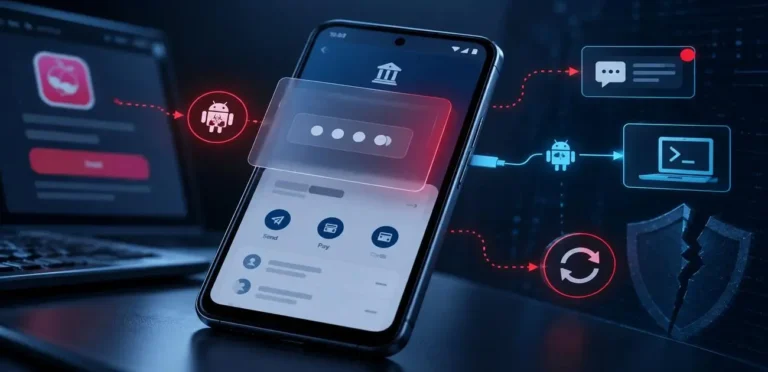
An expert guide to understanding the “Bluebugging” epidemic and how to lock down your wireless connections in 2026.
CRITICAL EXPERT WARNING
Leaving your smartphone’s Bluetooth turned “ON” while walking through a mall or airport in 2026 is a massive security risk. If you haven’t done a Bluetooth Security Audit recently, threat actors can use a sophisticated technique called “Bluebugging” to silently connect to your device, steal your photos, and read your banking OTPs.
You probably consider yourself a security-conscious person. You likely have a strong password and avoid connecting to strange public WiFi networks. Furthermore, you probably never click on suspicious email links. But what about that little blue icon at the top of your screen?
Welcome to the era of Bluebugging. As cybersecurity analysts review the major personal data breaches of mid-2026, a disturbing pattern has emerged. Interestingly, hackers are no longer relying entirely on internet-based attacks. Rather, they are exploiting the “Always-On” culture of modern Bluetooth devices.
Therefore, you are actively leaving a wireless backdoor open to your digital life if you do not secure your device immediately.
TABLE OF CONTENTS
- How Bluebugging Actually Works
- The Danger of “Always-On” Bluetooth
- Step 1: The Device Discovery Audit
- Step 2: The Ruthless Unpairing Process
- Related Security Guides
HOW BLUEBUGGING ACTUALLY WORKS
Imagine you are sitting in a crowded airport lounge, waiting for your flight. Your phone’s Bluetooth is on because you were just using your wireless earbuds. Suddenly, a hacker sitting just 30 feet away uses specialized software to scan for “discoverable” devices.
Consequently, the hacker identifies your phone and forces a pairing request that bypasses your screen. Once connected, they achieve a “Bluebugged” state. Ultimately, this means they have total backdoor access to your device. They can secretly download your photos, read your text messages (including 2FA codes), and even make premium-rate phone calls without you ever noticing.
THE DANGER OF “ALWAYS-ON” BLUETOOTH

Why is Bluebugging becoming so common in 2026? Because we connect our phones to everything. From smartwatches and car stereos to wireless speakers and fitness trackers, we have trained ourselves to simply leave Bluetooth on 24/7.
When your Bluetooth is active, it constantly broadcasts a signal looking for familiar devices. If a hacker intercepts this signal using a high-gain antenna, they can spoof a trusted device (like pretending to be your car). As a result, your phone hands over its data freely, assuming it is talking to a safe accessory.
START YOUR BLUETOOTH SECURITY AUDIT
To protect your digital footprint from these proximity attacks, you must aggressively manage your wireless settings. Accordingly, follow these two expert steps today.
STEP 1: THE DEVICE DISCOVERY AUDIT
The golden rule of wireless security in 2026 is simple: If you are not actively using a Bluetooth accessory, turn the radio off completely.
First, go to your phone’s Settings and open the Bluetooth menu. Next, verify your device’s visibility status. If your phone is set to “Discoverable to everyone,” you must change this immediately. Instead, set it to “Hidden” or “Only discoverable when the Bluetooth menu is open.” Generally, this single setting stops 90% of automated Bluebugging scanners in public spaces.
STEP 2: THE RUTHLESS UNPAIRING PROCESS

For the accessories you must keep (like your daily earbuds or smartwatch), you absolutely need to audit your paired list. Over the years, you have likely connected to dozens of rental cars, hotel speakers, and friends’ devices. Unfortunately, each of these saved connections is a massive security flaw.
The Fix: Scroll through your list of “Paired Devices.” Afterwards, click the “i” or settings gear next to any device you haven’t used in the last 30 days and select “Forget This Device.” Consequently, this ensures that hackers cannot spoof old, forgotten devices to trick your phone into a silent connection.
RELATED SECURITY Guides
- The 2026 Browser Security Audit: Is Your Chrome Extension Spying On You?
- The 2026 Smartphone Security Audit: 5 Hidden Settings Leaking Your Privacy
- The 2026 Public WiFi Security Threat: How Hackers Steal Data
CONCLUSION
In the modern cyber landscape, convenience is the enemy of security. An “always-on” Bluetooth connection is a massive attack surface. Therefore, by performing a rigorous Bluetooth Security Audit and minimizing your paired devices, you are effectively shutting down one of the most prominent hacking avenues of 2026.
Protect Your Network
Do you have a friend who leaves their Bluetooth on 24/7? Send them this guide immediately before their phone gets bluebugged at the mall!
Authored by the CyberUpdates365 Security Team
Protect Your Devices: Read our definitive guide and complete your Device Security Audit 2026 to secure your smartphones and OS against zero-click threats.