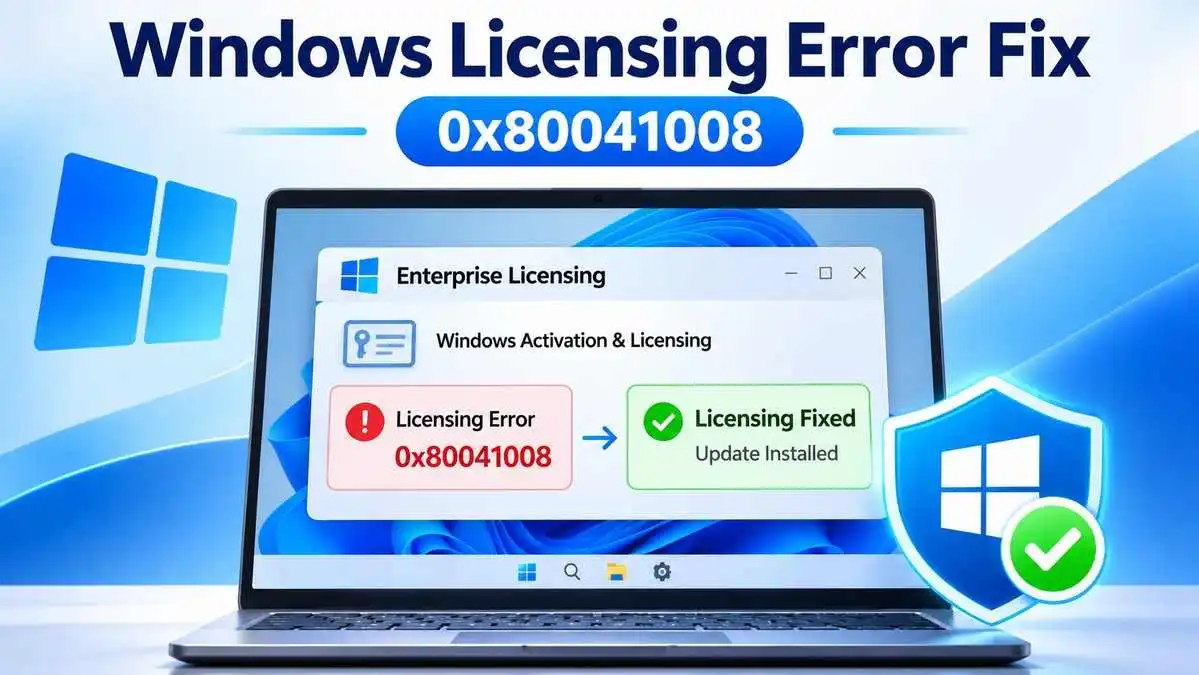
Microsoft has released emergency out-of-band Windows updates to fix a licensing and activation problem that disrupted certain enterprise administration tasks after the November 2026 Patch Tuesday security updates.
The fixes, released on November 13, 2026, address error 0x80041008, which can appear when administrators use the Software Licensing Management Tool (SLMGR) to install product keys, configure Key Management Service (KMS) activation, or automate licensing operations.
Microsoft says the issue primarily affected a limited number of enterprise devices. Computers that were already activated remained activated, and existing KMS configurations generally continued working when no further SLMGR commands were necessary.
The updates are optional, non-security releases. They resolve a Windows servicing regression rather than a newly disclosed cybersecurity vulnerability.
Key Facts: Microsoft Windows Licensing Fix
- Initial update: November 10, 2026, Windows security updates.
- Emergency fix released: November 13, 2026.
- Reported error: 0x80041008, Invalid parameter.
- Affected tool: Software Licensing Management Tool (SLMGR).
- Primary impact: Enterprise activation, KMS configuration, product-key installation, and automated licensing workflows.
- Resolution: Install the appropriate November 13 out-of-band update for the affected Windows release.
- Already activated devices: Microsoft says they remained activated.
Why Windows Licensing Commands Started Failing
The problem appeared after Microsoft’s November 10 security updates. Some administrators found that licensing commands which previously worked could fail with error 0x80041008.
Microsoft identifies the failure as an invalid-parameter error involving certain licensing operations. Its documentation specifically references commands such as:
slmgr.vbs /skms-domain— used when configuring KMS discovery.slmgr.vbs /ipk— used to install a Windows product key.
These examples identify operations affected by the problem. They are not repair commands and should not be executed without a legitimate administrative purpose and the correct environment-specific parameters.
SLMGR is a Windows command-line licensing utility. Enterprise IT teams can use it as part of operating-system deployment, product-key management, and volume-activation processes.
When an automated deployment depends on one of the affected commands, the failure can interrupt a machine’s activation workflow even when other parts of Windows continue operating normally.
Microsoft has documented the symptom and supplied a fix, but its public release notes do not provide a detailed technical root-cause analysis. It would therefore be inaccurate to attribute the issue to a particular Windows component or code change without additional evidence.
Which Windows Versions Receive the Emergency Fix?
Microsoft published separate cumulative packages for affected Windows releases. Administrators must select the update that matches the operating-system version installed on their devices.
| Windows version | Out-of-band update | Release date |
|---|---|---|
| Windows 11 version 23H2 | KB5136483 | November 13, 2026 |
| Windows Server 2025 | KB5136489 | November 13, 2026 |
| Windows Server 2022 | KB5136487 | November 13, 2026 |
| Windows Server 2019 and Windows 10 Enterprise LTSC 2019 | KB5136490 | November 13, 2026 |
| Windows 10 version 22H2 devices covered by ESU and Windows 10 Enterprise LTSC 2021 | KB5136493 | November 13, 2026 |
The listed packages are cumulative and include improvements from the relevant November security updates, along with the licensing correction.
This table covers the releases identified in Microsoft’s November 13 announcement. It should not be interpreted as confirmation that every Windows edition or every device experienced the error.
Does the Licensing Error Deactivate Windows?
For most users, the distinction between activation status and licensing administration is important.
Microsoft specifically states that devices already activated before the issue remained activated. It also says systems with an existing KMS client key and suitable KMS configuration are not expected to be affected if they do not need to run the problematic SLMGR commands.
The principal concern is therefore not mass deactivation of Windows computers. It is the failure of certain administrative operations when organizations attempt to configure or manage activation.
For example, a newly deployed enterprise workstation that requires additional KMS configuration could encounter an activation error. An existing workstation with working activation and no pending licensing changes may experience no disruption.
Microsoft also notes that successfully KMS-activated devices typically remain activated for up to 180 days following activation, subject to the normal KMS renewal process.
How to Fix Windows Licensing Error 0x80041008
Microsoft’s documented resolution is to install a Windows update released on or after November 13, 2026 that includes the correction for the affected operating system.
Step 1: Identify the Windows Version
Open the Start menu, type winver, and review the Windows version and OS build displayed.
On managed devices, administrators can also use their standard endpoint-management inventory to confirm the exact operating-system release.
Do not select an update based only on the words Windows 10, Windows 11, or Windows Server. The edition and version must match Microsoft’s release notes.
Step 2: Check Whether the Licensing Error Applies
Review the failing activation task, command output, deployment logs, and recorded error code.
The November issue specifically concerns error 0x80041008 during affected SLMGR licensing operations. A different activation error may require a different investigation.
If the computer is already activated and normal administrative workflows are functioning, Microsoft does not indicate that every device needs an immediate emergency deployment.
Step 3: Obtain the Correct Microsoft Update
For Windows 11 version 23H2, Microsoft provides KB5136483 through Windows Update under:
Settings > Windows Update > Advanced options > Optional updates
The standalone package is also available from the Microsoft Update Catalog.
For Windows Server 2025, Windows Server 2022, Windows Server 2019, and the applicable Windows 10 releases, Microsoft’s announcement identifies the Update Catalog as the distribution channel for these optional out-of-band packages.
Administrators can start with the Microsoft Update Catalog and search for the KB number matching their operating system.
Step 4: Review Prerequisites Before Installation
Consult the release notes for the chosen update before deploying it. Requirements can include earlier cumulative updates, servicing stack updates, and version-specific installation instructions.
For some newer Windows Server packages, Microsoft also documents checkpoint cumulative-update requirements. Skipping required packages or installing them in the wrong order can interfere with installation.
In managed environments, test the update on representative systems and follow normal change-control procedures before broad deployment.
Step 5: Confirm the Fix
After installation and any required restart, verify the installed update and repeat the legitimate licensing task that previously failed.
Confirm that the relevant command no longer returns error 0x80041008 and that the endpoint’s activation state is appropriate.
If the error continues, review the installed OS build, package prerequisites, deployment logs, and Microsoft’s current release-health information before attempting further changes.
Why This Matters for Enterprise IT Teams
For organizations deploying large numbers of Windows computers, activation is often part of a broader automated provisioning process.
An administrator may prepare an operating-system image, configure a device for organizational activation, install approved software, apply endpoint-management policies, and perform validation before the device reaches an employee.
If the activation stage fails, the provisioning process may require investigation or manual intervention. The operational consequences depend on how the organization has designed its workflow.
The incident also illustrates why testing cumulative updates against production-specific administrative scripts matters. A patch can install successfully while exposing an issue in a particular management operation.
CyberUpdates365 has previously covered separate Windows servicing problems, including the Windows 11 localhost connection issue and a Windows 11 enterprise desktop issue. Those incidents are distinct from the November 2026 licensing failure and should not be treated as the same defect.
Is This a Cybersecurity Vulnerability?
No new exploitable security vulnerability is identified in Microsoft’s public announcement about this licensing error.
The reported issue concerns Windows activation and licensing management after a security update. Microsoft’s out-of-band packages contain a non-security reliability fix while incorporating previously released updates.
There is no evidence in the cited Microsoft documentation that this specific error resulted from malware, a cyberattack, stolen product keys, or unauthorized access to enterprise systems.
Organizations should avoid describing an activation failure as a security breach without evidence of a separate security incident.
Confirmed Facts and Remaining Unknowns
What Microsoft Has Confirmed
- Certain Windows licensing and activation operations failed after the November 2026 security updates.
- Error 0x80041008 could occur when using affected SLMGR commands.
- Enterprise automation and KMS configuration tasks were the main affected scenarios.
- Previously activated devices remained activated.
- November 13 out-of-band updates provide the documented resolution.
What Remains Unclear
- The detailed internal software defect responsible for the failures.
- The total number of enterprise devices that encountered the error.
- How many organizations experienced interruptions to deployment or licensing workflows.
These unknowns should not be replaced with estimates or assumptions presented as confirmed facts.
CyberUpdates365 Analysis
The November 2026 incident is a reminder that patch management must consider operational reliability as well as security coverage.
Organizations need timely security updates, but they also depend on Windows management tools for deployment, licensing, and configuration. Validating those workflows on representative devices can identify compatibility problems before updates reach larger fleets.
Microsoft’s out-of-band response gives affected administrators a targeted resolution without requiring them to treat this licensing problem as a security compromise.
The practical approach is to identify devices experiencing the documented error, install the appropriate supported package, verify recovery, and continue monitoring Microsoft’s release-health guidance.
Frequently Asked Questions
What is Windows licensing error 0x80041008?
It is an invalid-parameter error that Microsoft documented in certain Windows activation and licensing operations using SLMGR after the November 2026 security updates.
Which update fixes Windows 11 licensing error 0x80041008?
For Windows 11 version 23H2, Microsoft identifies KB5136483, released November 13, 2026, as an update containing the correction.
Does the error affect every Windows computer?
No. Microsoft describes a limited enterprise impact, primarily involving organizations using SLMGR commands or automated activation and licensing processes.
Will an already activated Windows device lose activation?
Microsoft says devices that were already activated remained activated. The affected operations mainly concern additional licensing and activation management tasks.
Is the November 13 update a security patch?
It is an optional, non-security out-of-band update that resolves the licensing problem. The cumulative package also includes previously released security improvements.
Final Takeaway
Microsoft has addressed Windows licensing error 0x80041008 through emergency updates released on November 13, 2026.
The issue primarily affected enterprise licensing management rather than ordinary Windows use. Administrators experiencing the documented failure should select the correct cumulative update for their Windows release, check Microsoft’s installation prerequisites, and verify that their licensing workflows operate normally afterward.
For unaffected systems, the incident does not establish a general loss of Windows activation or a newly discovered cybersecurity threat.