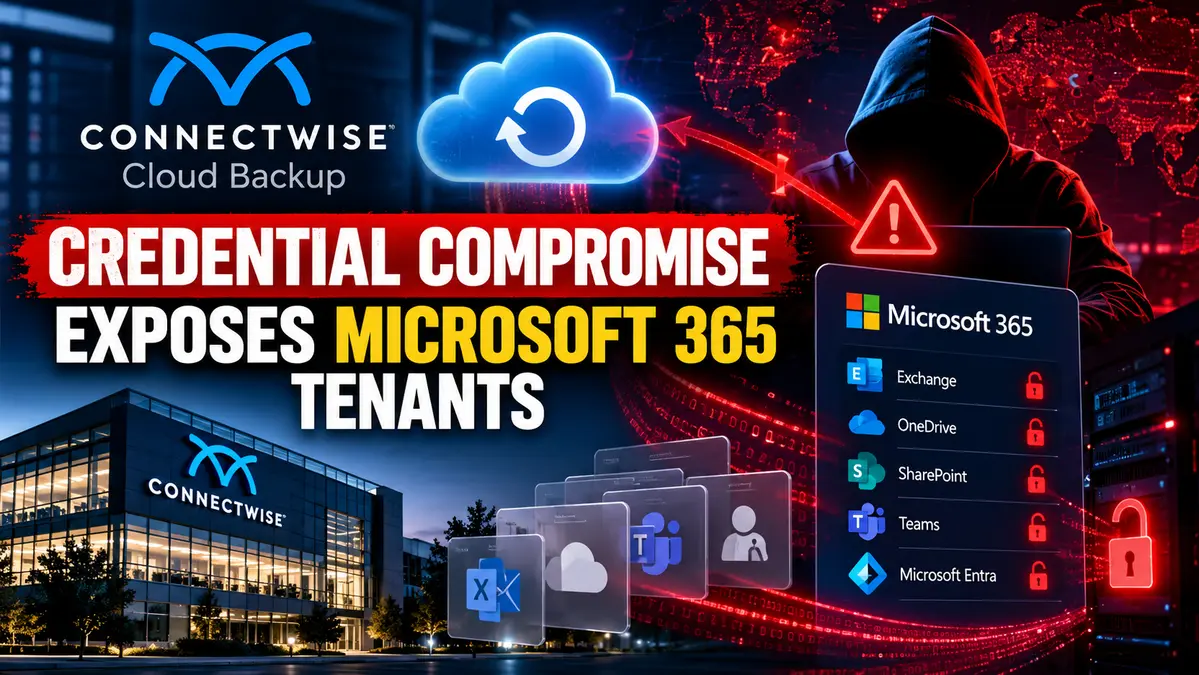
The ConnectWise credential compromise allowed attackers to abuse a trusted Cloud Backup application identity and gain unauthorized access to Microsoft 365 customer tenants.
The incident involves ConnectWise Cloud Backup, formerly SkyKick, and a compromised Microsoft 365 application credential that attackers used to request Microsoft Graph access tokens inside customer environments.
Because the application was already trusted by customers, attackers could potentially inherit permissions previously granted to the legitimate backup service, including access to Exchange, OneDrive, SharePoint, Microsoft Teams and directory data.
ConnectWise has confirmed unauthorized access involving Cloud Backup application identities and has temporarily shut off application access while investigation and remediation continue.
For broader guidance on reducing implicit trust in privileged cloud applications and service identities, see our Zero Trust Architecture Guide 2026.
Key Technical Findings
- A Microsoft 365 application credential associated with ConnectWise Cloud Backup was compromised.
- The credential was used to authenticate as a trusted application inside customer Microsoft 365 tenants.
- Attackers could obtain Microsoft Graph access tokens carrying permissions already granted to the application.
- Suspicious authentication activity was observed from
144.172.64[.]128. - In at least one tenant, a separate ConnectWise application obtained Global Administrator privileges and added credentials to other trusted applications.
- ConnectWise has disabled Cloud Backup application access while remediation continues.
How the ConnectWise Credential Compromise Worked
The important part of this incident is that attackers did not need to begin by compromising individual Microsoft 365 users.
Instead, they abused a credential belonging to an application that customers had already trusted.
That changes the attack model significantly.
A normal user account is limited by that user’s permissions and session controls. A trusted cloud application can hold broad Microsoft Graph permissions across mailboxes, files, collaboration platforms and directory data.
Attackers Authenticated as the Trusted Cloud Backup Application
Huntress observed suspicious authentication tied to the ConnectWise Cloud Backup application from:
144.172.64[.]128The application involved is associated with:
506e08f9-6e9a-4da4-942b-a099a03644aeThe observed activity used application authentication rather than a normal interactive user sign-in.
This matters because password resets and normal user-session revocation do not automatically remove access obtained through a separate service principal credential.
Attack Chain Analysis
1. Vendor Application Credential Is Compromised
The attacker first obtains a credential capable of authenticating as the ConnectWise Cloud Backup application.
The exact method used to obtain that credential has not been publicly disclosed.
2. Customer Tenants Are Targeted
The attacker uses the trusted application identity to authenticate against customer Microsoft 365 tenants where ConnectWise Cloud Backup already has consent.
Huntress observed tenants being accessed within seconds of one another, which is consistent with automated rather than manual activity.
3. Microsoft Graph Tokens Are Requested
Once the application authentication succeeds, Microsoft Entra can issue Microsoft Graph tokens based on the permissions already granted to the legitimate service.
4. Existing Permissions Become Attacker Permissions
The attacker does not need to request each permission again.
The access token can inherit the privileges already approved for the ConnectWise application.
Depending on configuration, those permissions may allow access to:
- Exchange mailboxes
- OneDrive files
- SharePoint content
- Microsoft Teams data
- Microsoft Entra directory information
5. Secondary Application Abuse Can Create Persistence
Huntress documented a more serious sequence in at least one tenant involving another ConnectWise application:
ConnectWise Cloud Management - MS TeamsApplication ID:
24205314-2b89-4e07-a2a4-579e898a5640The application reportedly assigned itself the Global Administrator role and then added new client secrets to other trusted applications.
This is important because those newly created credentials may continue working even after the original Cloud Backup credential is disabled.
Why Application Credentials Are High-Impact Targets
Cloud applications often need broad access to perform backup, migration, management or security functions.
That creates a different type of trust relationship than a normal user account.
If attackers obtain an application secret or certificate, they may be able to authenticate directly as the application without interacting with user MFA at all.
This is why identity security must include service principals, OAuth permissions and application credentials, not only users.
User MFA Does Not Directly Stop This Attack
This incident should not be described as an MFA bypass.
The attackers were not defeating a user’s MFA challenge.
They were authenticating using an application identity that had its own trusted credentials.
That means stronger user passwords or MFA alone would not prevent this specific access path.
Unauthorized Tenant Access Was Confirmed
Huntress initially reported 162 confirmed unauthorized tenant sign-ins as of October 16.
Later reporting placed the number at 173 partner and customer tenants.
That number should be interpreted carefully.
It represents confirmed unauthorized application sign-ins, not confirmed data theft from every affected tenant.
A successful sign-in proves that access occurred. It does not automatically prove that mailbox content, OneDrive files or SharePoint data were exfiltrated in every environment.
A Separate ConnectWise Application Became Global Administrator
One of the most concerning findings involved a different ConnectWise application inside one partner tenant.
The application obtained Global Administrator privileges and was then used in activity that added client secrets to other trusted applications.
Huntress observed activity using:
Python-urllib/3.12to modify additional application identities.
Adding a secret to an already trusted application creates a new credential that can authenticate using that application’s existing permissions.
Why MSPs Need to Treat This as a Cross-Tenant Risk
Managed service providers often use cloud applications across multiple customer tenants.
That makes a compromised application identity especially sensitive.
If an attacker successfully plants credentials into another privileged application, access may become independent of the original compromised credential.
The actual blast radius depends on how the application is configured, what permissions it holds and which customer tenants have consented to it.
Password Spraying Was Also Observed
Huntress observed password-spray activity from the same infrastructure against several law firm tenants.
The activity included scripted OAuth2 authentication attempts.
However, Huntress did not report successful user sign-ins from those password-spray attempts in its telemetry.
That distinction is important and should not be turned into a confirmed user-account compromise claim.
ConnectWise Disabled Cloud Backup Application Access
ConnectWise confirmed unauthorized access involving Cloud Backup application identities and temporarily shut off application access.
This interrupts Cloud Backup operations while the company investigates the incident and remediates affected credentials.
ConnectWise says existing backup archives remain available and will be accessible again after service restoration.
No Confirmed Backup Archive Theft So Far
ConnectWise says it currently has no indication that Cloud Backup partner archive data was compromised.
This should not be confused with saying that customer Microsoft 365 tenants were not accessed.
Those are two separate issues:
- Unauthorized application access to Microsoft 365 tenants
- Possible access to ConnectWise-hosted backup archives
The first has been documented. The second is not currently confirmed.
Detection and Investigation
Organizations potentially affected by the ConnectWise credential compromise should focus on service principal and application activity rather than relying only on ordinary user sign-in logs.
Check Service Principal Sign-In Logs
In Microsoft Entra Admin Center, review:
Monitoring → Sign-in logs → Service principal sign-insThis is more relevant than the default user sign-in view for application-authentication incidents.
Filter for the ConnectWise Cloud Backup Application
Search for:
506e08f9-6e9a-4da4-942b-a099a03644aeLook for Suspicious Source IP Activity
Review sign-ins associated with:
144.172.64[.]128Treat this as an investigation indicator rather than proof of compromise by itself.
Review Suspicious User Agents
Reported user agents include:
Python-urllib/3.12
python-requests/2.31
curl/7.88.1
These strings are not malicious by themselves.
They become more meaningful when correlated with unusual application sign-ins, role assignments or credential changes.
Audit Directory Role Changes
Look for unexpected events such as:
- Global Administrator assignment
- Exchange Administrator assignment
- Service principals added to privileged roles
- Unexpected role changes involving ConnectWise or SkyKick applications
Audit Application Credential Changes
Review Microsoft Entra audit activity for:
- New client secrets
- New certificates
- Application credential updates
- Changes to trusted service principals
Pay particular attention to credentials added from October 13 onward.
Applications Administrators Should Review
- Cloud Backup:
506e08f9-6e9a-4da4-942b-a099a03644ae - Cloud Management:
2399d300-6fca-4e6a-a686-399fefe75b83 - Cloud Management – MS Teams:
24205314-2b89-4e07-a2a4-579e898a5640 - Cloud Management – Exchange Online:
b78f6a77-d4e5-46fb-87e5-d1648bd02519 - Cloud Management – MS Graph:
0de14c77-b9b0-4137-9360-34878a929827 - Cloud Management – Partner Center:
412dcf96-176d-4b3a-a1b0-4981ad66971e - Cloud Management – SharePoint Online:
b2b55f5b-7758-4719-8d8f-88ae172e6bdb
Older environments may still show some of these applications under legacy SkyKick naming.
What Administrators Should Do Now
- Disable the affected ConnectWise Cloud Backup application.
- Review other ConnectWise and SkyKick service principals.
- Audit recently added secrets and certificates.
- Review privileged directory role assignments.
- Investigate suspicious Microsoft Graph activity.
- Review service principal sign-ins for the reported IP address.
- Confirm whether secondary application credentials were created.
- Do not re-enable the application until ConnectWise confirms credential remediation.
Remediation Verification
This is not a conventional patching incident, so remediation must be verified through Microsoft Entra identity state.
Step 1: Confirm the Service Principal Is Disabled
Verify that the affected application can no longer perform new sign-ins.
Step 2: Recheck Service Principal Logs
After disabling the application, confirm that no new unauthorized authentication events appear.
Step 3: Audit Other Application Credentials
Check privileged applications for unexpected client secrets or certificates.
This is important because disabling the original application does not remove credentials that may already have been planted elsewhere.
Step 4: Verify Privileged Roles
Confirm that ConnectWise or SkyKick service principals do not hold unexpected directory roles.
Step 5: Wait for Vendor Remediation Confirmation
Do not restore application access only because suspicious activity has stopped.
Wait for ConnectWise to confirm that affected vendor credentials have been rotated or otherwise remediated.
Confirmed vs Unconfirmed
Confirmed
- Unauthorized access involving ConnectWise Cloud Backup application identities occurred.
- A compromised application credential was used to authenticate to customer Microsoft 365 tenants.
- Microsoft Graph tokens were obtained through legitimate application permissions.
144.172.64[.]128is associated with suspicious authentication activity.- ConnectWise disabled Cloud Backup application access.
- In at least one tenant, another ConnectWise application obtained Global Administrator privileges and added credentials to other applications.
Currently Unconfirmed
- The identity of the attacker
- How the original vendor application credential was obtained
- The final number of affected tenants
- Whether data was exfiltrated from every accessed tenant
- Whether all ConnectWise Cloud Management identities were compromised
- Whether ConnectWise-hosted backup archives were accessed
CyberUpdates365 Analysis
The main security lesson from this incident is that trusted cloud applications can become privileged attack paths when their application credentials are compromised.
An attacker does not need to compromise every customer account individually if a multitenant application already has broad consent.
This changes incident response priorities.
Password resets, MFA enforcement and normal user-session revocation remain important, but they do not solve an application-identity compromise by themselves.
Defenders must also investigate service principals, OAuth permissions, privileged directory roles and application credentials.
The creation of secondary client secrets is particularly significant because it can turn a temporary vendor-credential incident into persistent access inside a customer’s identity environment.
How This Relates to OAuth Application Abuse
CyberUpdates365 previously examined OAuth application abuse in Microsoft Entra environments.
The mechanisms are different.
CoPhish relies on users being tricked into granting or exposing OAuth access, while the ConnectWise incident involves credentials belonging to an application that was already trusted.
Both cases reinforce the same defensive principle: application identities should be monitored with the same seriousness as privileged human accounts.
Research Evidence
- Affected service: ConnectWise Cloud Backup, formerly SkyKick Backup
- Primary application ID:
506e08f9-6e9a-4da4-942b-a099a03644ae - Suspicious IP:
144.172.64[.]128 - Observed user agents:
Python-urllib/3.12,python-requests/2.31,curl/7.88.1 - Attack type: Compromised vendor application credential / service principal abuse
- Identity platform: Microsoft Entra ID
- Cloud API: Microsoft Graph
- CVE: None disclosed
- Named threat actor: Not publicly identified
- Vendor response: Cloud Backup application access disabled
Frequently Asked Questions
What happened to ConnectWise Cloud Backup?
A credential associated with the ConnectWise Cloud Backup Microsoft 365 application was compromised and used to authenticate to customer tenants.
Were Microsoft 365 passwords stolen?
The primary documented compromise involved an application credential rather than individual user passwords.
Does MFA prevent this attack?
User MFA does not directly prevent authentication performed using a compromised application credential.
What data could attackers access?
Access depends on permissions already granted to the ConnectWise application and may include Exchange, OneDrive, SharePoint, Teams and directory information.
Was Cloud Backup archive data stolen?
ConnectWise says it currently has no indication that partner Cloud Backup archive data was compromised.
Should administrators delete the application?
Current guidance favors disabling affected applications while investigation and remediation continue rather than deleting them immediately.
Is there a CVE?
No CVE has been disclosed for this incident.
Is the attacker known?
No named threat actor has been publicly attributed at this time.
Final Takeaway
The ConnectWise incident shows how much risk can exist inside trusted cloud application identities.
Once attackers gain a valid application credential, they may be able to use existing Microsoft 365 permissions without compromising each user separately.
Organizations using ConnectWise Cloud Backup should review service principal sign-ins, privileged application roles and recently added application credentials while the vendor investigation continues.
If your organization uses ConnectWise or legacy SkyKick applications, verify the application identities in Microsoft Entra now rather than waiting for a user-account alert.