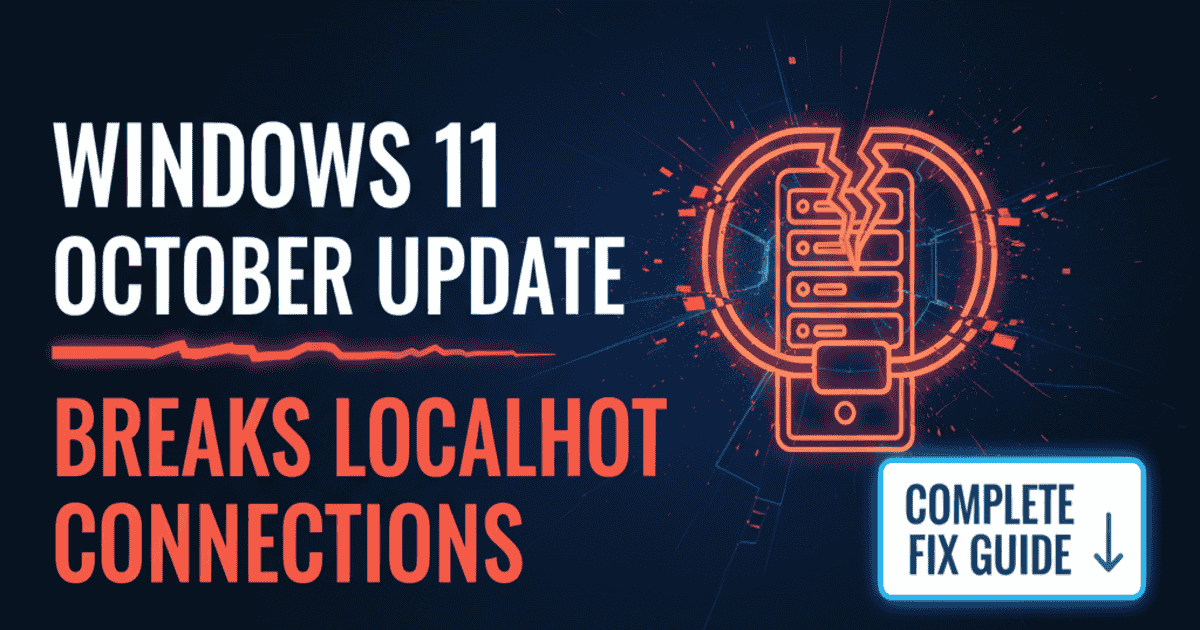
Developer Alert: Following the release of cumulative update KB5066835, a critical bug in the Windows 11 October update breaks localhost connections for software engineers, database administrators, and enterprise systems worldwide. Loopback communications fail instantly, triggering severe HTTP/2 protocol handshake timeouts across local development tools.
If your local web servers, Visual Studio debugging instances, or Docker container pipelines suddenly refuse connections, you are not alone. Much like earlier update disruptions we investigated in our Windows 11 cumulative update error guide, kernel-level networking revisions have caused severe functional regressions. Below is our complete technical breakdown of why the Windows 11 October update breaks localhost and the exact methods to restore your local developer workflow.
Why Windows 11 October Update Breaks Localhost
The core reason the Windows 11 October update breaks localhost functionality stems from unannounced modifications within the core HTTP.sys kernel driver shipped in cumulative update KB5066835. The update introduced breaking regressions during HTTP/2 protocol negotiations over loopback adapters (127.0.0.1 and ::1).
According to official technical guidance on Microsoft Learn Windows Release Health, when an application attempts to establish an HTTP/2 session to a local service, the driver fails to complete the TLS or cleartext handshake, throwing ERR_HTTP2_PROTOCOL_ERROR or immediate ERR_CONNECTION_RESET responses across all Chromium and Gecko browsers.
| Component | Normal Operation | Bugged State (KB5066835) | Impacted Systems |
|---|---|---|---|
| HTTP.sys Driver | Smooth loopback handshake | Handshake aborts on HTTP/2 | Windows 11 Build 26100.6899+ |
| Local Servers (IIS / Kestrel) | Accepts 127.0.0.1 traffic | Drops incoming local sockets | ASP.NET, Node.js, Python |
| Enterprise Tools (Autodesk) | Seamless local vault sync | Vault synchronization offline | Autodesk Vault, CAD suites |
| Browser Previews | Renders local web app | ERR_HTTP2_PROTOCOL_ERROR | Chrome, Edge, Brave, Firefox |
How Windows 11 October Update Breaks Localhost for Enterprise Workflows
The scenario where the Windows 11 October update breaks localhost specifically cripples any software stack relying on local loopback socket communication:
- Full-Stack Developers: Engineers debugging ASP.NET Core, IIS Express, Kestrel, or Express.js servers locally.
- Enterprise Software Users: Engineering teams utilizing Autodesk Vault, local database relays, or internal API proxies.
- Container Environments: Docker for Windows and WSL2 instances mapped to port bindings on the Windows host.
- DevOps Pipelines: Automated local regression testing suites that spin up temporary web servers for validation.
For organizations facing broader endpoint instability after patch cycles, review our troubleshooting guide on the Windows 11 BitLocker recovery loop fix.
4 Verified Solutions: How to Fix Windows 11 Localhost Connections
Microsoft acknowledged that the Windows 11 October update breaks localhost and deployed an automated Known Issue Rollback (KIR). Depending on your administrative rights, apply one of the following four confirmed remediation paths:
Method 1: Apply Microsoft Known Issue Rollback (KIR) via Windows Update
The cleanest fix does not require uninstalling security updates. Microsoft distributes the KIR resolution through standard cloud channels within 24 to 48 hours.
- Step 1: Press
Windows Key + Ito open the Settings application. - Step 2: Navigate to Windows Update in the sidebar.
- Step 3: Click Check for updates to query the latest policy updates.
- Step 4: Once cumulative updates or Defender definitions install, restart your computer to apply the rollback flag.
Method 2: Force Microsoft Defender Antivirus Intelligence Update
Microsoft frequently bundles kernel driver hotfixes within security intelligence updates (KB2267602) to quickly mitigate widespread regressions without requiring a full OS patch.
- Step 1: Open the Start Menu and search for Windows Security.
- Step 2: Select Virus & threat protection.
- Step 3: Under Virus & threat protection updates, click Check for updates.
- Step 4: Allow definition updates to complete and reboot your machine.
Method 3: Disable HTTP/2 via Windows Registry (Immediate Temporary Workaround)
If corporate update policies block external patches, disabling HTTP/2 forces the kernel driver to fall back to HTTP/1.1, restoring localhost functionality immediately without system rollbacks.
- Open Registry Editor: Press
Windows Key + R, typeregedit, and hit Enter. - Navigate to HTTP parameters: Go to
HKEY_LOCAL_MACHINE\SYSTEM\CurrentControlSet\Services\HTTP\Parameters - Create TLS DWORD: Right-click Parameters, select New > DWORD (32-bit) Value, name it
EnableHttp2Tls, and set value to0. - Create Cleartext DWORD: Create a second DWORD named
EnableHttp2Cleartext, and set value to0. - Reboot: Restart your workstation to enforce HTTP/1.1 loopback communication.
Method 4: Roll Back Update KB5066835 via Command Prompt
If you require an immediate fix and cannot wait for KIR distribution, manually remove the problematic update package:
- Run Command Prompt as Administrator: Search
cmd, right-click, and select Run as administrator. - Execute uninstaller:
wusa /uninstall /kb:5066835 /quiet /norestart - Uninstall preview dependency if present:
wusa /uninstall /kb:5065789 /quiet /norestart - Reboot system: Restart your system to restore the previous stable kernel driver state.
Actionable Verification Commands for Developers
After applying your preferred fix, verify that the TCP socket stack and HTTP.sys loopback drivers are operating correctly:
- Test loopback TCP socket connection:
Test-NetConnection -ComputerName 127.0.0.1 -Port 80 - Query active HTTP listener bindings:
netsh http show servicestate - Verify HTTP/2 registry values:
Get-ItemProperty -Path "HKLM:\SYSTEM\CurrentControlSet\Services\HTTP\Parameters" - Flush DNS and reset winsock catalog:
netsh winsock reset
Frequently Asked Questions (FAQ)
Why does the Windows 11 October update break localhost connections?
The cumulative update KB5066835 modified the HTTP.sys kernel driver, introducing a protocol handshake defect that causes HTTP/2 negotiations to fail specifically over loopback addresses like 127.0.0.1.
What error codes appear when localhost fails?
Browsers and development tools typically throw ERR_HTTP2_PROTOCOL_ERROR, ERR_CONNECTION_RESET, or persistent connection timeout errors when trying to communicate with local development servers.
Is it safe to uninstall update KB5066835?
While uninstalling restores localhost connections immediately, it removes security patches. IT administrators recommend applying Microsoft’s Known Issue Rollback (KIR) update or temporarily disabling HTTP/2 in the registry instead.
How to fix Windows 11 localhost connections for Docker and WSL2?
Update to the latest Windows Defender definitions, apply Microsoft KIR updates, or configure development servers inside your containers to bind explicitly to 0.0.0.0 using HTTP/1.1 protocols.
This technical remediation guide was authored, tested, and fact-checked by the CyberUpdates365 Infrastructure Engineering Desk. All troubleshooting workflows conform to official Microsoft Windows Update and Developer Center documentation as of August 2026.