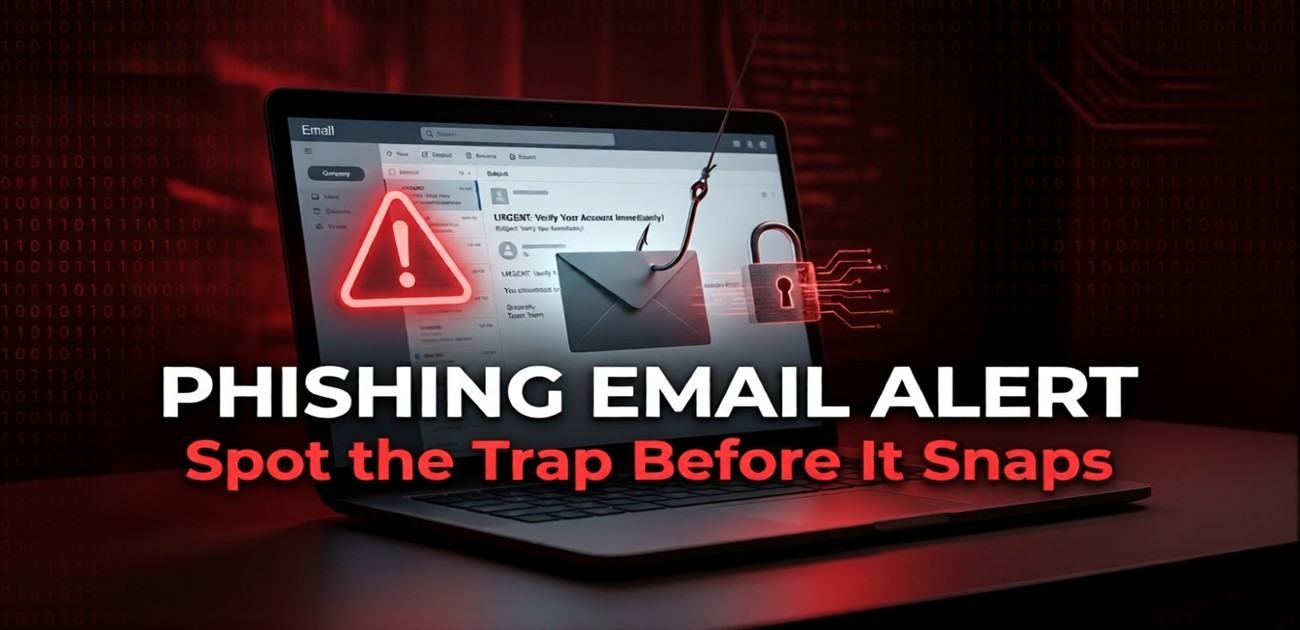
An urgent email says your bank account is locked and asks you to sign in through a link. It may be phishing: a message designed to trick you into revealing information, sending money or opening harmful content. Clicking does not automatically mean your money is gone; what you entered, downloaded or approved determines the next steps.
By Uday Patil, Cybersecurity Analyst | Last Reviewed: October 26, 2026
The five scenarios below are illustrative examples of common phishing patterns, not verified copies of five specific incidents. Names, prices and wording are examples. The FTC’s phishing guidance includes an actual example and explains why unexpected account, invoice and payment messages deserve independent verification.
Do not decide from the logo or sender display name alone. Open the organization’s known app or website yourself, or call a trusted number. Layered account and device protections matter alongside recognizing suspicious messages.
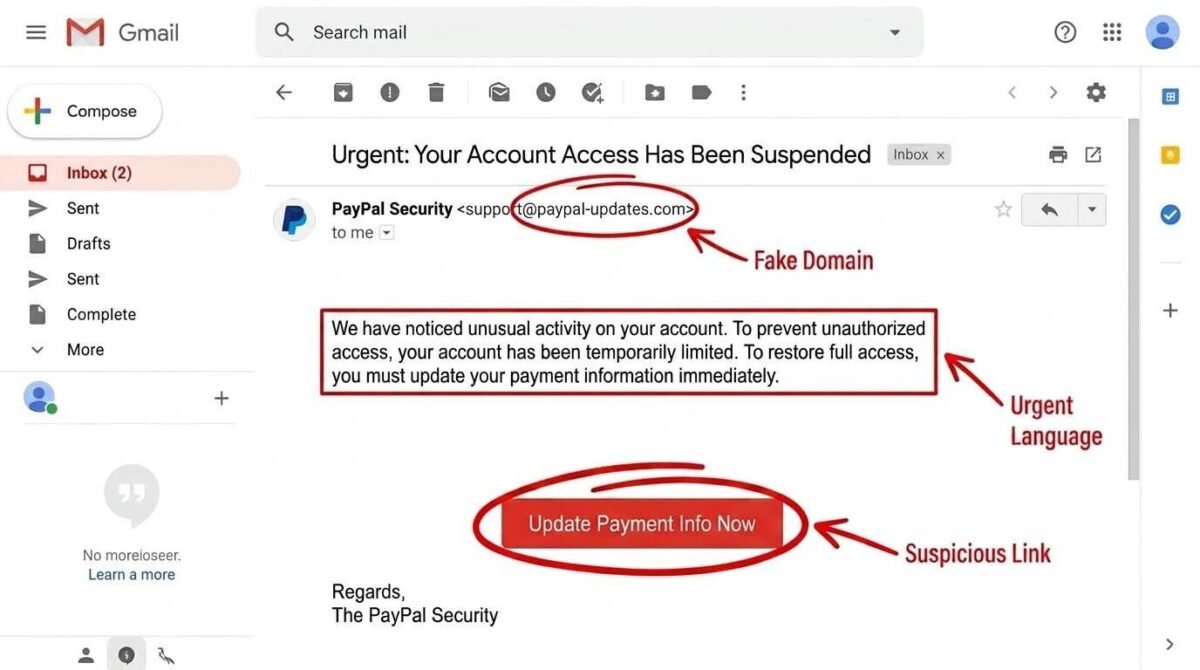
1. The Urgent “Account Suspended” Alert
Urgency is a common pressure tactic. A threat to close an account can make a recipient act before checking the request.
The Scenario: You receive an email from “PayPal” or “Netflix” stating that your billing information has expired and your account will be deleted within 24 hours.
The Trap: A large, red “Update Payment Info” button that directs you to a fake website cloned to look exactly like the real one.
The Red Flag: A sender display name can be forged, and legitimate mailboxes can also be compromised. An illustrative suspicious sender is support@account-update.example; this is a non-operational example address. Verify the request through a known channel.
2. The Fake Invoice or Receipt
This tactic targets both consumers and businesses by exploiting our natural curiosity and fear of being overcharged.
The Scenario: You receive a receipt from “Apple” or “Amazon” for a $900 MacBook or a large gift card purchase that you never made. The email includes a PDF attachment or a link to “Cancel this Order.”
Action Step: Do not open an unexpected invoice attachment until you verify it independently. A PDF may contain misleading links or other harmful content; its file type alone does not establish whether it is safe. Check purchases through the real account, not a cancellation link in the message.
3. The “CEO” or Boss Request (Spear Phishing)
A targeted message can impersonate a manager and request an unusual payment or sensitive information.
The Scenario: You receive an email from your company’s CEO or your direct manager. They claim they are in a meeting, cannot talk on the phone, and need you to urgently buy $500 worth of iTunes gift cards for a “client presentation.”
Verify unusual payment requests through a known phone number or established approval process. Technical controls help, but no monitoring product guarantees detection. For related monitoring concepts, see Agentic SOC defenses.
For our foundational small business defense framework, review our comprehensive 2026 Small Business & Consumer Cyber Security Defense Vault.
4. The Fake Job Offer / Recruitment Scam
The Scenario: You receive an email or LinkedIn message offering a high-paying remote job with minimal interview. They ask you to pay for “equipment” or provide your SSN and bank details for “direct deposit setup” before you’ve even signed an official offer letter.
An unsolicited request for upfront payment or sensitive identity information is a warning sign. Verify the recruiter through the employer’s official website and confirm the onboarding process before sharing documents or banking details.
5. The Fake Package Delivery Notification
The Scenario: A text or email claims your USPS/FedEx/Amazon package couldn’t be delivered due to an “address issue” or “unpaid customs fee.” It asks you to click a link and pay a small fee ($1-3) to reschedule—designed to harvest your credit card details.
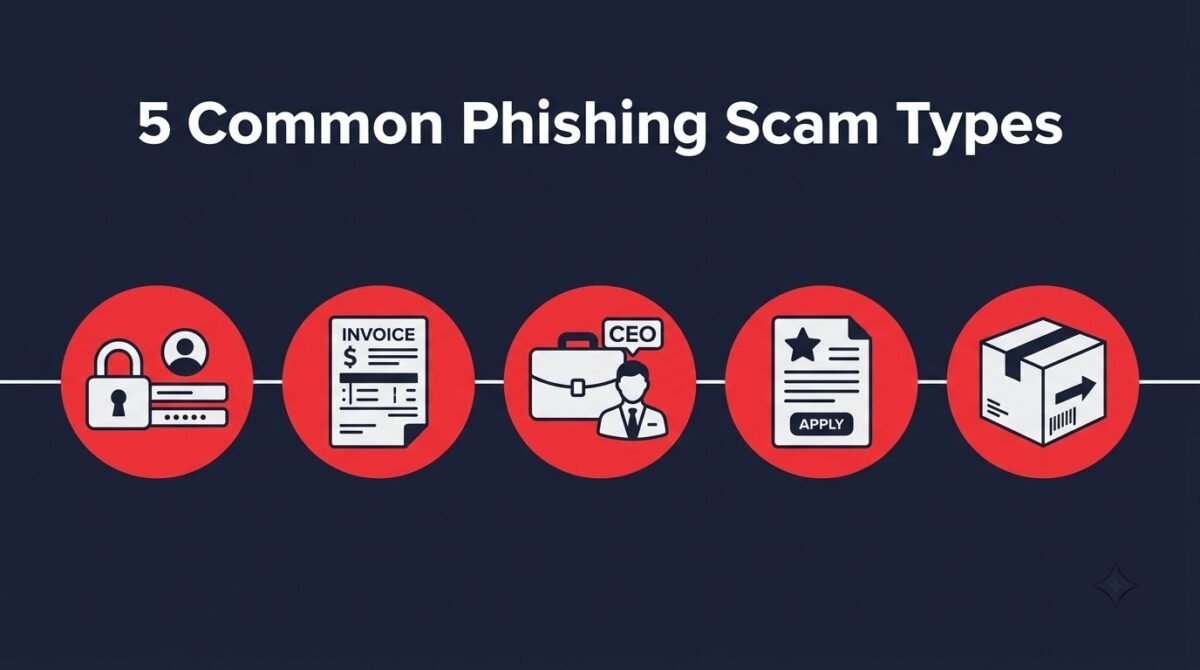
Phishing Scam Comparison Matrix
Here is a comparison of the five patterns and the information or actions a scammer may seek:
| Scam Type | Red Flag | What They Want |
|---|---|---|
| Account Suspended | Urgency + fake domain | Login credentials |
| Fake Invoice | Unexpected purchase | Payment, credentials or malware delivery |
| CEO Request | Personalized + urgent | Gift cards/wire transfer |
| Fake Job Offer | Too-good salary | SSN/bank details |
| Package Delivery | Small fee request | Card details |
What to Do If You Click a Phishing Link
Your response depends on what happened. Do not assume that every click infected a device, or that closing the page reverses information already submitted.
Clicked only: Close the suspicious page and do not continue interacting with it. Review whether anything downloaded or whether you approved a permission. On a work device, report the message and what happened to IT.
Entered a password or approved a login: From a trusted device, open the real service, change the affected password and any reused passwords, review active sessions and recovery settings, and revoke unfamiliar access where available. Enable MFA. See our SIM-swapping guide for risks associated with phone-number-based recovery.
Downloaded or ran a suspicious file: If you suspect malware, stop using the device for sensitive activity and follow your IT incident-response process. On a personal device, update security software and run a scan. Isolate a device when compromise is suspected or IT directs it; a click alone is not proof of infection.
Shared payment or identity information: Contact the bank or payment provider through a known channel promptly. For US identity-theft recovery steps tailored to the information exposed, use IdentityTheft.gov.
For official government guidelines on recognizing phishing patterns, you can reference the resources provided by CISA.
How to Report a Phishing Email
Reporting a suspicious message helps your provider or security team investigate it.
Gmail/Outlook: Use your email provider’s phishing-reporting control; its location varies by app and version. On a work account, also follow your organization’s reporting process.
Forward to APWG: Forward the malicious email to reportphishing@apwg.org (Anti-Phishing Working Group).
Report to FTC: File a report at reportfraud.ftc.gov.
Report to FBI IC3: File an internet crime complaint at ic3.gov.
Frequently Asked Questions (FAQ)
How do I check if a link is safe before clicking?
Inspect the destination without opening it where your email app supports that, but a plausible address does not prove safety. For an unexpected account request, use the service’s known app or type its known address yourself instead of following the message link.
What should I do if I already entered my password on a phishing site?
Open the real service from a trusted device, change the compromised password and any reused passwords, review sessions and recovery settings, and enable MFA. Report a work-account incident to IT.
Can I get hacked just by opening an email?
Opening a message alone does not establish that an account or device was compromised. Malicious links and attachments are common risks, and software vulnerabilities can also matter. Keep your email software and operating system updated, and investigate any credentials, files or permissions involved.
Verdict & Next Steps
Verify unexpected account and payment requests through a separate trusted channel. Use account protections, keep software updated and choose recovery actions based on what was actually exposed. For another form of impersonation, see our AI Voice Cloning Scams guide.
Editorial update, October 26, 2026: labelled the scenarios as illustrative, removed unsupported prevalence and automatic-loss claims, and clarified response steps for different exposures.