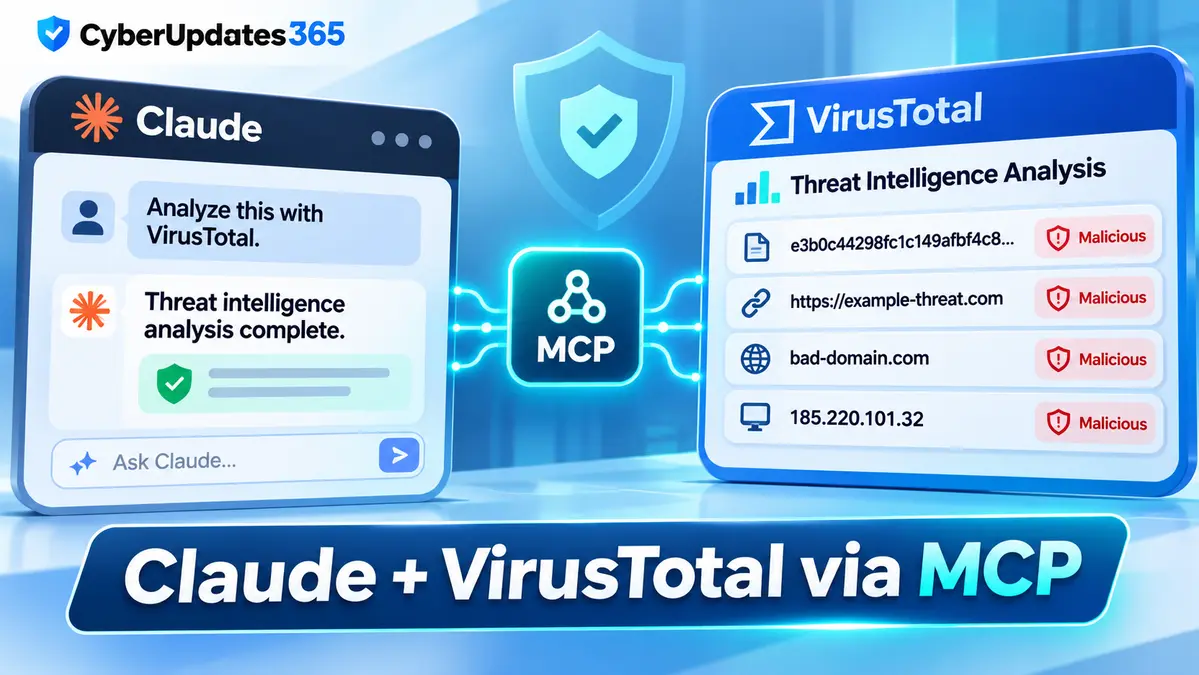
Claude Code users can now bring VirusTotal threat intelligence into their AI-assisted security investigations through an official Model Context Protocol (MCP) connector. The integration makes it possible to retrieve existing security reports for suspicious file hashes, URLs, domains and IP addresses without constantly switching between an AI assistant and a separate threat intelligence website.
The capability is designed for analysts, developers and security teams who need evidence about potentially malicious indicators. Instead of relying on Claude’s general knowledge, users can request information from VirusTotal’s intelligence service and review the returned findings, analysis dates and source references.
VirusTotal provides the connector through its VirusTotal AI (VTAI) service. The official Claude Code plugin supports browser-based authentication and does not require users to provide a personal VirusTotal API key.
However, there is an important limitation: VirusTotal reports are evidence for investigation, not a guarantee that a file or website is safe. A missing report or zero detections must not be treated as security approval.
Key Facts About the Claude VirusTotal Integration
- Technology: Model Context Protocol (MCP).
- Provider: VirusTotal AI (VTAI).
- Documented client: Claude Code, through an official plugin or manual MCP connection.
- Supported intelligence: Existing reports for files, URLs, domains and IP addresses.
- Authentication: Browser-based OAuth with a VTAI account.
- API key: A personal VirusTotal API key is not required for the OAuth connection.
- Free reporting quota: 60 queries per 60 seconds and 1,000 queries per UTC day, subject to the published limits.
- Current plugin behavior: Version 0.1.6 performs report lookups without automatically uploading local files.
- Security limitation: A clean or unavailable report does not establish that an indicator is harmless.
How VirusTotal Threat Intelligence Works With Claude
VirusTotal is widely used to investigate suspicious files and network indicators. Its reporting service brings together security analysis and detection findings that can help researchers understand whether an indicator has been associated with malicious activity.
Traditionally, analysts may manually copy a file hash or network indicator into VirusTotal, open the results and interpret the available evidence.
The MCP connection introduces a more conversational workflow. A compatible AI client can request an existing VirusTotal report and use its contents to help explain the findings.
For example, an analyst investigating a suspicious download could ask Claude Code to retrieve the VirusTotal report for its SHA-256 hash and summarize what the report shows.
The workflow may help the analyst understand which detections exist, how recent the analysis is, and what further investigation might be necessary.
It does not mean Claude independently executes every malware-analysis technique or replaces the security products that generated the underlying findings.
What Can Claude Code Check Through VirusTotal?
The official VirusTotal MCP server documents several report-retrieval functions.
| Indicator | Supported function | Investigation purpose |
|---|---|---|
| File hash | get_file_report | Retrieve existing intelligence about a file identified by its hash. |
| URL | get_url_report | Review available findings for a particular web address. |
| Domain | get_domain_report | Investigate a domain and its available security context. |
| IP address | get_ip_report | Examine intelligence associated with an IPv4 or IPv6 address. |
These functions are particularly useful when investigating phishing indicators, unfamiliar downloads, suspicious infrastructure or indicators collected during incident response.
However, report retrieval must be distinguished from submitting new material for analysis. An existing report lookup does not itself authorize a file upload, URL submission or network reanalysis.
How to Connect VirusTotal to Claude Code
VirusTotal maintains an official Claude Code plugin that provides the MCP connection and an accompanying threat intelligence skill.
According to the current GitHub documentation, the plugin requires Claude Code version 2.1.283 or later.
Step 1: Install the Official Plugin
Open the Claude Code terminal and add the official VirusTotal plugin marketplace using the following command:
claude plugin marketplace add VirusTotal/virustotal-mcp
Then install the plugin:
claude plugin install virustotal@virustotal
These commands use the official VirusTotal GitHub repository as the plugin source.
Step 2: Authenticate the Connection
Start a new Claude Code session or reload installed plugins using /reload-plugins.
Next, open /mcp and complete the VirusTotal authentication process in your browser.
Users sign in to VTAI and approve the requested permissions. The official plugin already contains the remote MCP connection, so administrators should not add a duplicate manual server entry.
Step 3: Run a Safe Test Query
After authentication, users can request an existing domain report. For example:
- Use VirusTotal to get the domain report for virustotal.com. Show the analysis date, available findings, coverage and report link.
This example checks a known domain without submitting a suspicious file or requesting fresh analysis.
Users should inspect the actual MCP tool result, not simply assume a successful connection because Claude produced a response.
Alternative: Connect the MCP Server Manually
VirusTotal also documents a manual remote MCP connection for users who do not want to install the plugin skill:
claude mcp add --transport http virustotal https://ai.virustotal.com/mcp
After registering the server, open Claude Code, use /mcp, and complete authentication.
Administrators should choose either the official plugin or the manual connection rather than configuring both unnecessarily.
Important Update: VirusTotal Plugin 0.1.6 Changes Local File Handling
One technical detail requires special attention because older installation guides describe different file-upload behavior.
VirusTotal’s current Claude Code documentation says plugin version 0.1.6 no longer includes the local upload hook or bundled scripts present in earlier versions.
The latest plugin can work with the hash of an authorized local file and retrieve an existing VirusTotal report without transferring the original file bytes.
That distinction matters for privacy and incident response. A file hash is an identifier derived from the file, while uploading the file means transmitting its actual contents to another service.
The current plugin does not automatically turn a local path into an uploaded attachment. The remote MCP server cannot directly read a user’s local filesystem.
VirusTotal documents a separate submission mechanism for publicly accessible HTTPS attachments when the user explicitly authorizes submission. That is not the same as native Claude attachment support or automatic local file scanning.
Organizations using older plugin versions should review the current migration instructions rather than assuming that previously documented upload hooks still exist.
Can Claude Automatically Determine Whether a File Is Malware?
No AI-generated interpretation should be treated as a definitive malware verdict.
VirusTotal reports can contain useful signals, but a report’s meaning depends on several factors:
- How recently the indicator was analyzed.
- Which security engines or analysis methods contributed results.
- Whether the file or URL has sufficient intelligence coverage.
- Whether the suspicious content has changed since the earlier analysis.
- Whether the analyst has additional endpoint, network or incident context.
A file with no recorded detections could still be harmful. It may be new, previously unseen, insufficiently analyzed or outside the coverage of the available detection methods.
Similarly, a missing report does not prove that a file is harmless or malicious. It establishes only that the requested report was unavailable through that lookup.
For security operations teams, Claude’s value is in explaining and organizing evidence while allowing trained analysts to make the final decision.
Privacy Risks: What Happens When Data Is Submitted?
Privacy is one of the most important considerations when connecting an AI assistant to a threat intelligence service.
VirusTotal warns that standard submissions are shared with its security community and partners. Consequently, confidential information must not be submitted without appropriate authorization.
Examples of sensitive material include:
- Internal company documents and proprietary source code.
- Credentials, authentication tokens and private keys.
- Personal data or confidential customer files.
- Private investigation records.
- URLs containing passwords, session tokens or sensitive query parameters.
Even an ordinary URL lookup can disclose the complete address, including query parameters and fragments, to the intelligence service.
When an investigation only needs domain-level information, a domain report may reduce unnecessary disclosure compared with submitting a complete sensitive URL.
The connector should therefore be configured with organizational policies, appropriate user permissions and clear rules for when submissions are authorized.
VirusTotal MCP Free Usage Limits
VirusTotal’s published VTAI limits distinguish report queries from new file contributions.
| Operation | Published free limit |
|---|---|
| Report queries | 60 per 60 seconds |
| Daily report queries | 1,000 per UTC day |
| New file contribution attempts | 20 per 60 seconds |
| Daily new file contribution attempts | 500 per UTC day |
The report quota is shared across applicable connections associated with the same OAuth account. Repeated lookups, cached reports and queries for unknown indicators can still count against the allowance.
New-file contributions have separate limitations and sharing requirements. The existence of a free allowance is not permission to upload confidential or third-party material.
Organizations planning automated workflows should review the current service documentation and implement quota-aware request handling rather than repeatedly querying the same indicator.
Why This Matters for Security Operations Centers
Security operations center (SOC) analysts frequently investigate alerts involving suspicious domains, malicious links, unfamiliar executables and network connections.
Each investigation may require information from several sources, including endpoint logs, network telemetry, historical incident records and threat intelligence reports.
The Claude VirusTotal integration can reduce some of the manual work involved in retrieving and explaining an indicator’s existing reputation data.
For example, an analyst investigating a suspicious email could extract its destination domain and ask for the available VirusTotal evidence before deciding what additional checks are necessary.
In a separate incident involving an unfamiliar executable, the analyst could calculate the file’s hash and request its existing report without uploading the file itself.
CyberUpdates365 previously covered a case in which Claude Code reportedly helped identify a hidden cryptocurrency miner on a Mac. That incident involved a different investigation and should not be interpreted as proof of the new VirusTotal connector’s performance.
For broader coverage of defensive AI applications, automation risks and agent permissions, read our AI Cyber Threats and Agentic Security Guide.
AI Agent Security Still Requires Human Oversight
Connecting an AI assistant to an external security service introduces new capabilities, but it also creates additional access and data-handling responsibilities.
Organizations should ensure that the assistant cannot silently submit sensitive files or request fresh analysis without an authorized user action.
Administrators should also review which MCP tools are available, how their permissions are granted, and whether access remains necessary after an investigation ends.
There are broader security lessons for development teams. CyberUpdates365 previously examined how malicious agent instruction files could manipulate Codex and Claude Code. That research concerns a separate prompt-injection risk, but it reinforces the need to treat untrusted inputs carefully.
VirusTotal’s MCP connection should be part of a controlled investigation workflow, not an unrestricted license for an AI agent to open files, upload evidence or make final incident-response decisions.
Confirmed Capabilities and Remaining Limitations
Confirmed by Official Documentation
- VirusTotal provides an official MCP server for compatible AI clients.
- Claude Code has documented plugin and manual connection options.
- The connector supports existing reports for file hashes, URLs, domains and IP addresses.
- Browser OAuth can be used without a personal VirusTotal API key.
- Plugin version 0.1.6 does not include the earlier local upload hook.
- Report queries and file submissions have different operational and privacy requirements.
Not Established by the Documentation
- That all hosted Claude chat workflows support the same functions as Claude Code.
- That every local file attachment can be submitted natively through Claude.
- That a VirusTotal report is a definitive guarantee of file or URL safety.
- That the integration independently prevents malware infections or replaces a SOC analyst.
CyberUpdates365 Analysis
The significance of the VirusTotal connector is not that Claude has become a standalone antivirus engine. It is that an AI-assisted workflow can retrieve external security evidence in a structured, repeatable way.
For analysts, that can make routine investigation steps easier to explain and document. For organizations, the benefit depends on correct integration, trustworthy evidence, permission controls and clear human accountability.
The removal of automatic local-file transfer behavior in the newer plugin is also significant. It highlights the difference between consulting existing intelligence and transmitting actual files to a shared analysis service.
Security teams evaluating the integration should test their supported client, verify tool permissions, establish submission policies and ensure analysts can inspect original VirusTotal findings rather than relying solely on an AI-generated summary.
Frequently Asked Questions
Does Claude support VirusTotal threat intelligence?
Yes. VirusTotal officially documents an MCP connector and a Claude Code plugin for existing file-hash, URL, domain and IP intelligence reports. Support for every hosted Claude interface should not be assumed from the Claude Code documentation.
Does the Claude VirusTotal integration require an API key?
No personal VirusTotal API key is required when using the documented VTAI browser OAuth connection. Users still need to authenticate and authorize the connection.
Can Claude Code scan files automatically with VirusTotal?
The current official plugin can obtain an authorized local file’s hash and retrieve an existing report. Version 0.1.6 does not automatically upload local files or provide native attachment transfer.
Is VirusTotal MCP free?
VirusTotal publishes a free VTAI allowance of 60 report queries per 60 seconds and 1,000 per UTC day, subject to service limits and account-sharing rules.
Are files submitted to VirusTotal confidential?
Standard submissions are shared with the security community and partners. Organizations should not submit sensitive documents, proprietary code or personal information without authorization.
Does zero antivirus detection mean a file is safe?
No. Zero detections or an unavailable report cannot prove that a file or URL is harmless. Further investigation and contextual evidence may be needed.
Final Takeaway
The official VirusTotal MCP connector gives Claude Code users a way to bring existing threat intelligence reports directly into AI-assisted investigations.
Security teams can use it to review suspicious file hashes, URLs, domains and IP addresses while retaining access to underlying report information.
However, the integration should be deployed carefully. Users must distinguish report queries from submissions, follow the latest plugin documentation, protect confidential data and remember that AI summaries do not replace expert security analysis.