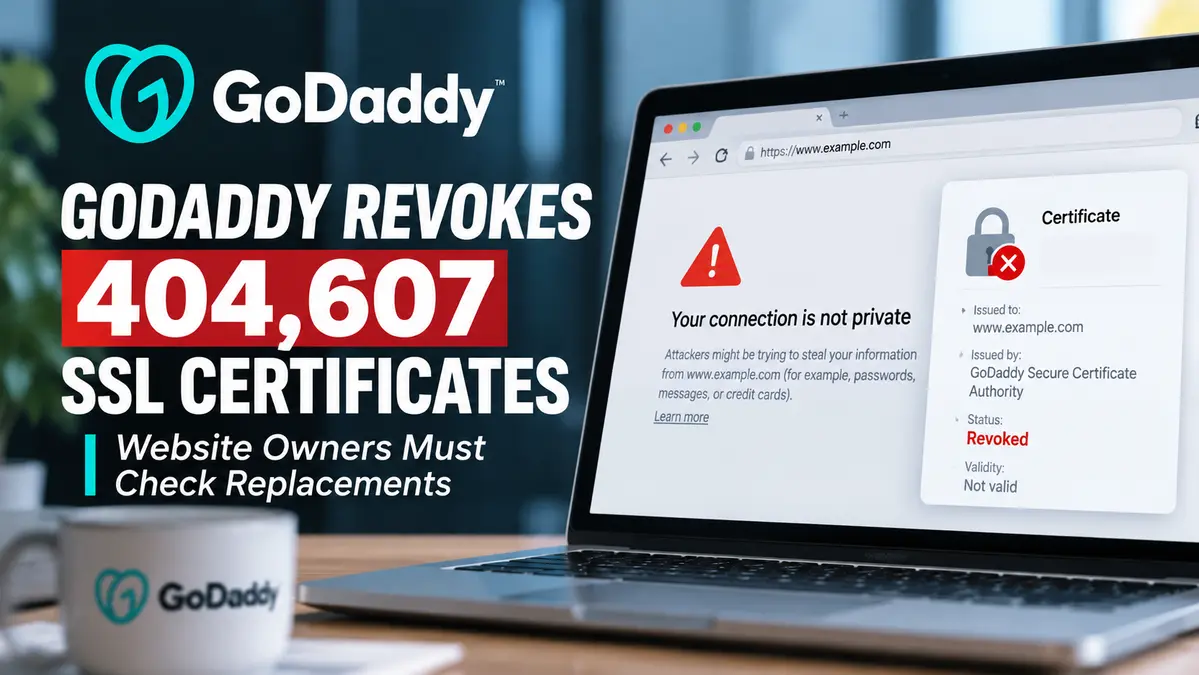
A GoDaddy SSL certificate revocation affecting 404,607 certificates has raised concerns about website availability after the certificate authority discovered that issued certificates did not conform to its published certificate policies.
GoDaddy and its Starfield certificate authority identified discrepancies involving certificate policy object identifiers and Certification Practice Statement references. The company began replacing affected certificates and subsequently confirmed that the incorrectly issued certificates were revoked on October 21, 2026.
Website owners who have not installed their replacement certificates may encounter browser security warnings or connection problems, even when GoDaddy has already reissued a valid certificate in their account.
The incident is significant because of its scale and the operational pressure created by mass certificate replacement. However, it is not a confirmed hacking incident, private-key compromise or failure of TLS encryption.
GoDaddy’s public compliance disclosures also show that the company failed to revoke all affected certificates by the original October 18 deadline, creating a separate certificate authority compliance concern.
For more coverage of enterprise security issues and operational remediation, see our CVE Vulnerabilities and Enterprise Security Hub.
Key Findings From GoDaddy’s Certificate Revocation
- Total affected: 404,607 SSL/TLS subscriber certificates.
- Certificate authorities: GoDaddy and Starfield certificate hierarchies.
- Root issue: Certificate policy information in issued certificates did not match the published CP/CPS profiles.
- Original detection: A third-party report identified the discrepancies.
- Certificate types: Domain Validation, Organization Validation and Extended Validation certificates.
- Subscriber outreach: GoDaddy began contacting affected customers on October 14.
- Missed deadline: October 18 at 23:45 UTC.
- Revoked by deadline: 170,566 certificates, according to GoDaddy’s delayed-revocation report.
- Later progress: 227,422 certificates had been revoked by October 19 at 05:29 UTC.
- Customer notice: GoDaddy states affected certificates were revoked on October 21.
- Primary customer action: Confirm that a valid replacement certificate is installed and being served by the website.
- Security distinction: No confirmed private-key theft or TLS cryptographic compromise is established by the incident reports.
GoDaddy SSL Certificate Revocation: What Happened?
The incident began when a third party reported inconsistencies between the certificate profiles documented in Starfield’s public TLS Certificate Policy and Certification Practice Statement and the information included in certificates that had already been issued.
A CP/CPS explains the rules and operational practices a certificate authority follows when issuing and managing certificates.
These documents are an important part of the public trust framework used by browsers and operating systems.
GoDaddy confirmed that certain issued certificates contained Certificate Policy information that did not match the corresponding documented certificate profiles.
The discrepancies involved CA-specific policy object identifiers, commonly called OIDs, and CPS URI policy qualifiers.
After verifying the initial report, GoDaddy suspended certificate issuance while investigating the affected profiles.
Its review uncovered additional inconsistencies across the Starfield R1 hierarchy.
The company corrected the published CP/CPS documentation and resumed issuance.
Further examination then identified similar profile discrepancies involving the older Starfield G2 hierarchy, which was no longer actively issuing new certificates.
The resulting affected population reached 404,607 certificates.
GoDaddy initiated a mass revocation and replacement procedure because certificates issued outside their applicable policy requirements cannot simply remain trusted until their normal expiration dates.
Which GoDaddy and Starfield Certificates Were Affected?
The published Mozilla certificate authority incident report provides a breakdown of affected certificates across eight certificate populations.
| Certificate population | Affected certificates |
|---|---|
| Starfield R1 DV | 208,896 |
| Starfield G2 DV | 187,159 |
| Starfield G2 OV | 2,134 |
| Starfield G2 EV | 199 |
| Starfield R1 OV | 928 |
| Starfield R1 EV | 109 |
| GoDaddy R1 OV | 4,041 |
| GoDaddy R1 EV | 1,141 |
| Total | 404,607 |
Domain Validation certificates account for most of the affected population.
The Starfield R1 DV and Starfield G2 DV groups alone account for 396,055 affected certificates.
However, the total number of certificates should not be treated as the number of websites that suffered downtime.
One organization can operate multiple certificates, and GoDaddy has not published a verified count of websites that became inaccessible because replacement certificates were not installed.
What Is a CP/CPS Certificate Profile Bug?
A publicly trusted certificate authority must follow the applicable CA/Browser Forum Baseline Requirements and its published certification policies.
The Certificate Policy describes the rules under which certificates are issued.
The Certification Practice Statement explains how the authority implements those rules operationally.
Certificate profiles define properties that issued certificates are expected to contain.
A certificate may include an extension containing policy identifiers that indicate the rules under which the certificate was issued.
These identifiers are known as object identifiers, or OIDs.
A certificate may also contain a CPS URI qualifier pointing to the issuing authority’s published practice documentation.
In this incident, the corresponding information in a large group of issued certificates did not conform to the profiles specified in the applicable GoDaddy and Starfield documentation.
This is primarily a certificate issuance compliance problem.
The original reports do not establish that private keys were stolen, attackers forged certificates or TLS encryption itself was defeated.
Nevertheless, the rules governing certificate issuance are essential to the reliability of the public certificate ecosystem.
When a certificate authority discovers that its issued certificates do not meet those rules, revocation may become mandatory.
Why GoDaddy Had to Revoke 404,607 Certificates
Certificate revocation marks a certificate as no longer valid before its original expiration date.
Browsers and other TLS clients may use revocation information, certificate policies and trust-store controls when deciding whether to accept a certificate.
GoDaddy’s delayed-revocation disclosure cites Section 4.9.1.1 of the CA/Browser Forum TLS Baseline Requirements.
For the stated policy violation, the company identified an applicable 24-hour revocation requirement with a five-day outside limit for the affected certificates, subject to the stated exceptions.
The prescribed revocation reason was superseded.
GoDaddy therefore needed to replace certificates while withdrawing the nonconforming versions.
Replacing large numbers of certificates is operationally difficult because certificate authority issuance and customer installation are different steps.
GoDaddy can generate a replacement, but a customer operating a separately managed web server, reverse proxy or application delivery system may still need to install it.
This creates a period during which the certificate authority is trying to satisfy revocation requirements while customers are working to prevent website interruption.
GoDaddy Missed the October 18 Revocation Deadline
GoDaddy began contacting affected subscribers on October 14, 2026.
Its outreach included customers managing substantial certificate inventories and organizations operating government, financial and healthcare-related services.
The company coordinated certificate replacement through emails, text messages, phone calls and dedicated customer-support teams.
However, the mass revocation was not completed by the October 18 deadline.
GoDaddy reported that 170,566 certificates had been revoked when the deadline passed at 23:45 UTC.
By October 19 at 05:29 UTC, that number had increased to 227,422.
The delayed completion constituted an additional compliance issue separate from the original certificate-profile discrepancies.
GoDaddy’s later customer guidance states that the incorrectly issued certificates were revoked on October 21.
The preliminary public disclosures do not yet establish the final root cause of the policy-profile mismatch or every preventive control that will result from the investigation.
What Happens If Your Website Uses a Revoked GoDaddy Certificate?
A revoked certificate may no longer satisfy the trust requirements of browsers, operating systems or other TLS clients.
Depending on the client and its revocation behavior, visitors could encounter certificate security warnings or connection failures.
This can affect public websites, administrative portals, APIs, webhooks and other services relying on TLS certificates.
However, not every browser checks certificate revocation identically, and a revoked certificate does not guarantee that every visitor sees the same error.
GoDaddy specifically warns that affected websites may become inaccessible until their replacement certificates are installed.
A website can also remain configured to present its revoked certificate even though a new certificate has already been generated in the customer’s GoDaddy account.
This is why administrators need to verify the certificate actually presented during a TLS handshake.
Checking only whether a new certificate exists in the account does not prove that the production service has been fixed.
How to Check Whether Your GoDaddy Certificate Needs Replacement
GoDaddy has published a customer procedure for checking affected SSL certificates.
1. Open Your GoDaddy SSL Certificate Dashboard
Sign in to the GoDaddy account that manages your certificates.
Navigate to the product page and select the SSL Certificates management section.
Choose each relevant certificate and review the notice displayed for that certificate.
GoDaddy provides different messages depending on the required action.
2. Check for an Installation Warning
The account may indicate that a newly issued certificate is available but the domain still uses the old certificate.
In that case, download and install the replacement.
Another warning indicates that GoDaddy could not reach the website to verify the certificate being served.
That does not necessarily mean the certificate is safe. It means automated verification could not be completed.
Customers may also see a message directing them to replace and install the certificate.
If GoDaddy shows that no action is needed, verify the correct domain and certificate were selected before closing the task.
3. Use GoDaddy’s Certificate Status Check
GoDaddy also provides a certificate status tool for customers who are unsure whether their installed certificate needs attention.
The official Help Center links to that service from its CP/CPS certificate-profile guidance.
Administrators should use the link provided by GoDaddy or navigate directly from their authenticated account rather than trusting unsolicited messages containing unfamiliar login links.
How to Verify the Certificate Installed on Your Website
Administrators managing Linux web servers, reverse proxies or Kubernetes ingress endpoints can inspect the certificate presented by the remote service.
Check the Live TLS Certificate With OpenSSL
On a trusted machine with OpenSSL installed, run:
echo | openssl s_client \
  -connect example.com:443 \
  -servername example.com \
  -showcerts 2>/dev/null |
  openssl x509 -noout \
  -subject -issuer -serial -dates -fingerprint -sha256
Replace example.com with the domain you administer.
This displays information including the certificate subject, issuer, serial number, validity dates and SHA-256 fingerprint.
Compare those values with the replacement certificate supplied through the official GoDaddy account.
Important: This command inspects the certificate presented by the server. It does not independently prove that the certificate has not been revoked.
Check the Certificate Chain and Verification Result
Administrators can also inspect the TLS connection using:
openssl s_client \
  -connect example.com:443 \
  -servername example.com \
  -verify_return_error
Review the certificate chain and verification output.
OpenSSL certificate-chain validation does not automatically provide complete online revocation checking without additional configuration.
Therefore, use the GoDaddy status checker and the certificate authority’s official revocation information alongside these server checks.
Account for Load Balancers and Multiple Endpoints
In larger environments, the certificate presented by one hostname or IP address may differ from certificates served by other endpoints.
Check production hostnames, relevant load-balancer listeners, ingress endpoints, reverse proxies and any services terminating TLS independently.
When a CDN terminates TLS, distinguish the certificate presented to visitors from any separate certificate used on the connection between the CDN and the origin server.
Fixing one TLS termination point does not necessarily update every certificate used by an application.
How to Replace a Revoked GoDaddy SSL Certificate
For affected certificates, GoDaddy instructs customers to retrieve and install the newly issued replacement certificate.
The deployment steps depend on where TLS is terminated.
Apache HTTP Server
For a typical Apache HTTPS virtual host, the server configuration references the relevant certificate and private-key files.
After installing the replacement certificate and appropriate chain, validate the configuration:
sudo apachectl configtestWhen the configuration passes validation, reload Apache using the appropriate service-management procedure.
For systems using systemd, that is commonly:
sudo systemctl reload apache2Some distributions name the service httpd instead.
Nginx
For Nginx, update the configured certificate and chain paths as appropriate.
Validate the configuration:
sudo nginx -tThen reload the service:
sudo systemctl reload nginxThese commands are examples for supported Linux deployments. Administrators must follow the actual operating system and application configuration.
Kubernetes and Cloud Load Balancers
For Kubernetes services, determine whether TLS terminates at an Ingress controller, Gateway, service mesh or external cloud load balancer.
Update the relevant secret or certificate resource using a controlled deployment procedure.
For managed cloud services, follow the provider’s certificate import or managed-certificate replacement process.
After deployment, verify the certificate presented from outside the cluster or load balancer.
How to Confirm the Replacement Certificate Is Active
Administrators should complete a post-installation verification rather than relying on a successful configuration reload.
- Correct certificate: Confirm the live certificate serial number or fingerprint matches the replacement.
- Correct hostname: Confirm the certificate covers every required hostname.
- Valid chain: Ensure the required intermediates are installed and the chain validates correctly.
- Revocation: Confirm the live certificate is not among the revoked population using the vendor’s official checker.
- Multiple endpoints: Check separate load balancers, regions, ingress controllers and origins.
- Applications: Test HTTPS websites, API clients, webhooks and other dependent services.
- Monitoring: Watch for new TLS handshake failures and browser certificate errors.
- Renewal process: Confirm automated renewal or certificate deployment will not reinstall the old certificate.
For organizations with large certificate inventories, record the affected certificate identifiers, replacement installation status and validation evidence in a central tracking system.
This makes it easier to identify certificates that were reissued but never deployed.
Were GoDaddy Private Keys or Customer Data Stolen?
The published GoDaddy incident disclosures do not establish private-key compromise, customer database theft or a successful attacker intrusion.
The documented issue concerns differences between the contents of issued certificates and the certificate authority’s published policy profiles.
That is materially different from a breach in which an attacker steals certificate private keys or gains access to a certificate authority’s signing infrastructure.
The available evidence also does not support claims that attackers could decrypt historical HTTPS traffic because of this specific CP/CPS discrepancy.
Security teams should still treat browser warnings and certificate-validation failures seriously.
Those warnings indicate a problem with the connection’s trust evaluation, even when the underlying reason is administrative noncompliance rather than malicious activity.
Confirmed vs Unknown: What the Incident Reports Establish
Confirmed
- GoDaddy identified 404,607 certificates with CP/CPS profile discrepancies.
- A third party initially reported the issue.
- The discrepancies involved Certificate Policy information, including OIDs and CPS URI qualifiers.
- GoDaddy temporarily suspended issuance while correcting affected profiles.
- The company initiated its mass revocation procedure.
- GoDaddy missed the original October 18 mass revocation deadline.
- The company’s customer guidance states the affected certificates were revoked on October 21.
- Customers may need to install replacement certificates to prevent browser warnings or accessibility issues.
Unknown or Not Established
- A verified count of websites that experienced downtime.
- The final detailed root cause of all certificate-profile discrepancies.
- The number of customer organizations affected, as distinct from certificate count.
- That private keys were compromised.
- That hackers exploited the certificate discrepancies.
- That TLS encryption was broken.
- That every website using a GoDaddy certificate is affected.
- That all customers completed replacement installation before revocation.
CyberUpdates365 Analysis
The GoDaddy incident illustrates a less visible but important category of internet security risk: certificate authority compliance failures that can affect website availability without an underlying cyberattack.
Public TLS depends on strict rules governing how certificates are issued, documented, maintained and revoked.
When certificates do not conform to those requirements, a certificate authority may need to replace them even if there is no evidence of stolen cryptographic keys.
The operational consequences can still be substantial.
A company may have a valid replacement certificate available but continue serving the old one because deployment systems were not updated.
For organizations using multiple hosting providers, load balancers or regional endpoints, this risk increases with the number of separate TLS termination points.
The missed revocation deadline adds another lesson.
Certificate authority compliance obligations and customer service continuity are related but sometimes competing operational priorities.
Extending the lifetime of a nonconforming certificate can give administrators more time to replace it, but it may create further compliance problems.
Revoking too quickly without replacement readiness can also disrupt legitimate services.
The most effective defense is maintaining complete certificate inventories and reliable deployment automation before emergencies occur.
Teams should know which provider issued each certificate, where it is installed, how it is renewed and which applications depend on it.
Certificate monitoring should also inspect the real endpoints used by customers rather than relying solely on records in a certificate management dashboard.
The practical lesson is that certificate issuance, revocation and installation must be verified as one continuous operational process.
Research Evidence
- Certificate authority: GoDaddy / Starfield.
- Affected certificates: 404,607.
- Incident type: Subscriber certificate profile noncompliance with published CP/CPS.
- Original discovery: Third-party report.
- Certificate families: GoDaddy and Starfield R1/G2 hierarchies.
- Largest population: Starfield R1 DV, 208,896.
- Second-largest population: Starfield G2 DV, 187,159.
- Customer outreach began: October 14, 2026.
- Revocation deadline: October 18 at 23:45 UTC.
- Revoked at deadline: 170,566.
- October 19 progress: 227,422 revoked by 05:29 UTC.
- Customer notice: Affected certificates revoked October 21.
- Confirmed private-key compromise: Not established.
- Primary customer action: Install and verify replacement certificates.
- Relevant public records: Mozilla Bugzilla 2082703 and 2083191.
Frequently Asked Questions
Why is GoDaddy revoking 404,607 SSL certificates?
GoDaddy identified discrepancies between Certificate Policy information in issued certificates and its published CP/CPS certificate profiles. Those nonconforming certificates required replacement and revocation.
Were GoDaddy SSL certificates hacked?
The published incident reports do not establish a hack, stolen certificate private keys or broken TLS encryption. The documented problem is a certificate issuance compliance failure.
When were the affected certificates revoked?
GoDaddy’s customer guidance states that the incorrectly issued certificates were revoked on October 21, 2026.
Will my GoDaddy-hosted website stop working?
Not necessarily. The impact depends on whether your website serves an affected certificate and whether you installed a valid replacement. Customers with affected installations may encounter browser warnings or connection failures.
How do I know if my certificate is affected?
Check the SSL Certificates section of your GoDaddy account and use the official status checker linked from GoDaddy’s CP/CPS certificate-profile help article.
Can a new certificate exist in GoDaddy without being installed?
Yes. GoDaddy specifically warns that the account may contain an updated certificate while the domain continues serving the old certificate.
Can I verify my server’s certificate using OpenSSL?
Yes. OpenSSL can show the certificate currently presented by your HTTPS endpoint. However, ordinary certificate inspection does not automatically establish whether the certificate has been revoked.
What should DevOps teams do after replacing a certificate?
Verify the live certificate, chain, hostname coverage and revocation status. Then test dependent applications and inspect every relevant TLS termination point.
Final Takeaway
GoDaddy’s revocation of 404,607 SSL/TLS certificates is a major public certificate infrastructure event caused by certificate-profile noncompliance.
The company missed its original revocation deadline and later confirmed that the affected certificates were revoked on October 21.
The incident does not establish that private keys were stolen or that TLS encryption was compromised.
For affected website owners, the immediate concern is whether their production services are still presenting revoked certificates.
Installing and verifying a valid replacement certificate is the key step to prevent avoidable HTTPS warnings and availability problems.
Managing security updates across websites, application servers and enterprise infrastructure?
The GoDaddy certificate revocation shows how an overlooked security dependency can affect production availability. Explore our enterprise vulnerability resource for related patch management and verification guidance.
Read: CVE Vulnerabilities 2026 — Enterprise Security Hub & Fixes →