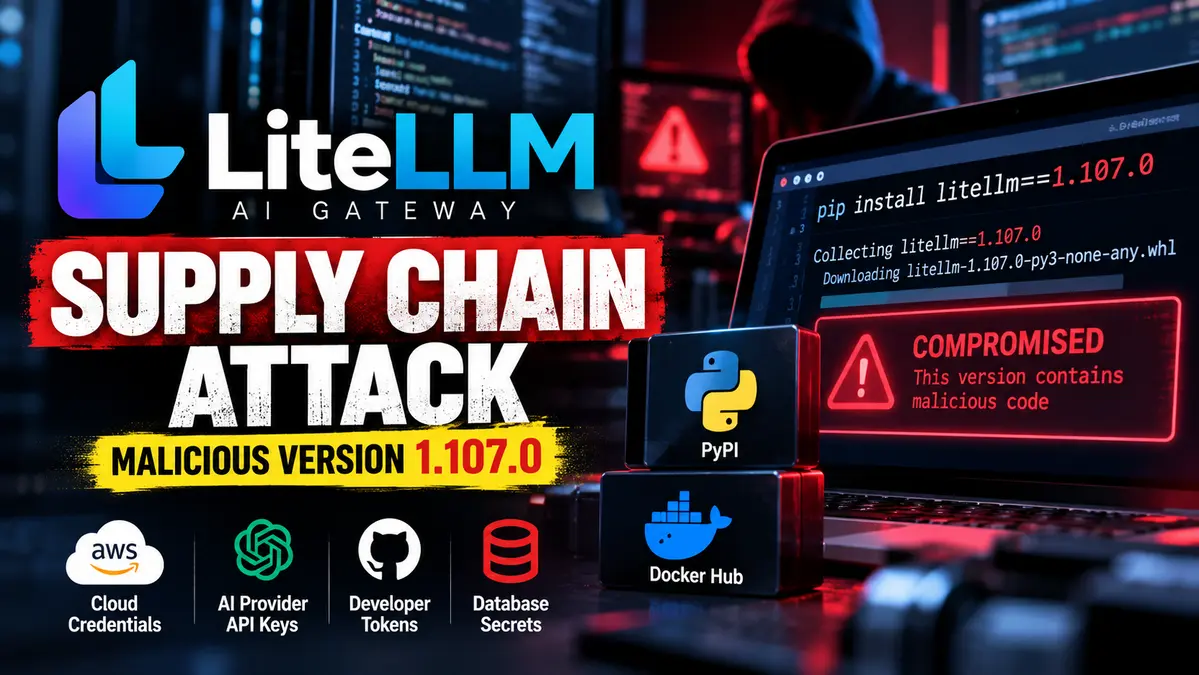
A LiteLLM supply chain attack compromised the popular AI gateway’s release pipeline on October 21, 2026, allowing attackers to distribute credential-stealing malware and remote-code execution capabilities through an official Python package and container images.
The malicious release, litellm==1.107.0, reached PyPI and public container registries after attackers abused GitHub credentials belonging to three LiteLLM engineers. The poisoned artifacts were published through the project’s release infrastructure rather than through an ordinary third-party package impersonation.
LiteLLM has removed the affected artifacts and says the incident is contained, although its investigation into the initial compromise remains ongoing.
The exposure was relatively brief, but its potential impact is serious. LiteLLM installations can handle API keys, cloud credentials, database connections and sensitive configuration used to connect applications to multiple AI providers.
Security teams that installed or executed the affected release should not assume their systems are safe merely because the package has been removed from public registries.
The incident adds another example to the risks covered in our AI Cyber Threats and Agentic Security Guide, particularly the need to protect developer tools, trusted software dependencies and privileged automation.
Key Technical Findings
- Incident date: October 21, 2026.
- Affected Python release:
litellm==1.107.0. - Malicious PyPI artifacts: Seven wheels covering Linux, macOS and Windows platforms.
- Affected container tags:
v1.107.0,latest,main-latestandmain-stable. - PyPI exposure: Approximately 11:39–13:23 UTC.
- Docker Hub exposure: Approximately 11:46–14:20 UTC.
- Developer accounts abused: Three GitHub accounts.
- Primary payload: Credential collection and exfiltration.
- Additional capability: Background execution of remotely supplied Python code.
- Important files:
cook.pth,cook.pyandsitecustomize.py. - Vendor response: Malicious artifacts removed, publishing credentials revoked and release infrastructure restricted.
- Recommended safe version:
litellm==1.106.2while the investigation continues.
How the LiteLLM Supply Chain Attack Compromised the Release Pipeline
The attack targeted a trusted part of LiteLLM’s software development process.
According to the project’s official incident report, the attacker obtained access to GitHub credentials associated with three engineers.
Those credentials allowed the threat actor to interfere with release workflows and manipulate how official software artifacts were built and published.
The attacker first attempted to modify a protected release workflow.
GitHub branch protection initially rejected the unauthorized change because the required pull-request and status-check process had not been satisfied.
However, the attacker possessed credentials associated with a privileged developer account capable of overriding those protections.
The malicious workflow revision was then introduced despite the initial rejection.
Rather than building from the legitimate project source, the compromised workflow referenced an attacker-controlled repository using a name closely resembling the real LiteLLM repository.
The attacker also used another compromised account to satisfy a production approval gate.
These actions enabled the altered pipeline to create and distribute malicious artifacts through trusted publishing infrastructure.
That distinction is central to the incident.
The official GitHub source tag for version 1.107.0 did not contain the malicious files. The dangerous code was present in the distributed release artifacts generated from the attacker-controlled source.
As a result, checking the public source tag alone would not establish that an installed wheel or container image was safe.
LiteLLM 1.107.0 Malware: Which Packages Were Compromised?
LiteLLM identified all seven PyPI wheels for version 1.107.0 as compromised.
The affected wheels supported different platforms and processor architectures, including Linux, macOS and Windows.
The malicious wheel files were publicly available between approximately 11:39 and 13:23 UTC on October 21.
Container images were also affected.
According to LiteLLM, the following public tags pointed to compromised images during the exposure window:
v1.107.0latestmain-latestmain-stable
Docker Hub’s affected tags pointed to a malicious image index between approximately 11:46 and 14:20 UTC.
Compromised images were also distributed through GitHub Container Registry.
LiteLLM subsequently removed or repointed the affected public artifacts and confirmed that customers using its separate private enterprise release registry were not impacted by this release compromise.
The vendor advises users who installed or executed version 1.107.0 during the affected period to treat their environments as compromised.
Earlier explicitly pinned releases were not identified as compromised in this October incident.
Why a Python Startup File Made the Malware Dangerous
One of the most important technical findings involved a Python startup mechanism.
The malicious package contained a file named cook.pth.
Python processes certain .pth files during interpreter initialization, allowing executable import statements inside those files to run automatically.
In this case, the file contained an instruction to import a malicious module named cook.
That meant the attacker-controlled code could execute when Python started, without requiring the application to explicitly import LiteLLM.
The payload also used sitecustomize.py, another mechanism that can execute code during Python interpreter startup.
These mechanisms are legitimate Python features, but placing malicious code inside them creates an unusually broad execution opportunity.
For example, ordinary Python-based administrative commands may initialize the same interpreter environment and trigger the unwanted code.
This is why LiteLLM’s emergency guidance specifically warns affected users not to begin remediation by running another pip install command.
Starting Python inside an infected environment may execute the malicious startup hooks again.
What Credentials Could the Malware Steal?
Independent researchers examining the poisoned package identified a credential collector referred to as privcollect.
The malware was designed to search for valuable authentication material and configuration data.
Reported targets included:
- Cloud access tokens and credentials.
- Developer authentication material and private keys.
- AI provider API keys and related configuration files.
- Browser data associated with Chromium and Firefox.
- Environment variables accessible to the infected process.
- LiteLLM proxy configuration and stored model-provider credentials.
- Database connection secrets and other application authentication material.
The collected information could be packaged into a compressed archive and transmitted to attacker-controlled infrastructure.
Researchers also identified a remote-code execution component capable of retrieving instructions and executing Python code supplied through an external source.
This created a risk beyond the initial credential theft.
An attacker who successfully maintained access could potentially issue additional instructions after the malicious package had already been installed.
The existence of these capabilities does not establish that every infected machine experienced every possible follow-on action.
However, it provides a clear reason to treat affected systems as potentially compromised rather than merely uninstalling the package.
How the Attackers Used GitHub to Support Remote Code Execution
The analyzed malware included a background component that periodically checked an external GitHub repository for configuration information.
The code was designed to retrieve a file named domain.txt from an attacker-controlled repository.
If the file contained a usable destination, the malware could contact an external endpoint and execute Python code received from that location.
Such a design allows an attacker to change later-stage infrastructure without rebuilding the original package.
It also means an infected host may continue presenting risk after the first credential-collection attempt.
The use of GitHub as a configuration source does not mean the GitHub platform itself was compromised.
The attacker was abusing a repository as a place to publish instructions for already infected machines.
Defenders should correlate this behavior with process activity, outbound traffic and other endpoint evidence rather than relying exclusively on a single repository URL.
How Three Compromised GitHub Accounts Defeated Release Controls
LiteLLM’s incident report describes how the attacker moved through several safeguards intended to protect software publication.
One compromised identity had privileges that allowed the attacker to override branch protection and apply changes to the release workflow.
A second identity was used to approve the production release.
Credentials associated with a third developer account were later used to delete workflow records, reducing the amount of release-log evidence available during the investigation.
The attacker-controlled source repository was named to resemble the legitimate project.
Because the modified release workflow consumed that source, the resulting artifacts were published through the project’s normal distribution channels.
LiteLLM had previously strengthened its release pipeline, including private workflows and trusted publishing controls.
The October incident demonstrates that controls can still be undermined when privileged identities and workflow configuration are compromised.
A signed or officially distributed artifact may establish how it was published, but it does not automatically prove that the source used during the build was trustworthy.
Did Exposed GitHub OAuth Tokens Cause the Breach?
LiteLLM’s updated October 21 incident report identifies a suspected path through which the attacker may have acquired the developers’ GitHub credentials.
During its investigation, the company observed circumstances in which Claude Code could include a user’s GitHub CLI OAuth token in a response body.
When those responses were logged, the token could become visible in LiteLLM logs.
The company also identified an unexpected user account in an internal LiteLLM deployment that was reachable from the public internet.
LiteLLM believes the attacker accessed that deployment, obtained GitHub CLI OAuth tokens from its logs and used them to compromise the release workflow.
However, the company had not yet confirmed how the attacker initially accessed that internal deployment.
A recently patched vulnerability was under consideration as a possible entry point, but the vendor had not conclusively established that mechanism.
This investigation should not be presented as proof that Claude Code itself was malicious or that its normal operation automatically exposes every user’s GitHub credentials.
The documented concern involves sensitive tokens appearing in response content and logs within a particular operational environment.
LiteLLM Had Already Faced a Separate Supply Chain Attack in March
The October incident follows an earlier compromise affecting LiteLLM in March 2026.
The previous attack involved malicious releases 1.82.7 and 1.82.8 and was linked by the vendor to a suspected compromise involving its security-scanning and publishing workflow.
LiteLLM subsequently introduced changes intended to strengthen release security.
The October attack targeted a different release, version 1.107.0, and involved a newly documented sequence of stolen developer credentials and release-workflow manipulation.
These incidents should not be combined into one continuous compromise without additional evidence.
The recurrence nevertheless highlights the importance of verifying build provenance and limiting privileged access to package-publishing infrastructure.
How to Check Whether Your LiteLLM Deployment Was Affected
Administrators should first determine whether any Python environment or container executed the malicious artifacts during the exposure period.
The presence of version 1.107.0 in a dependency record should trigger investigation, especially if the environment was installed or started while malicious packages were available.
1. Identify Installed LiteLLM Versions
Inspect software inventories, dependency lockfiles, deployment records and build logs.
For environments confirmed to be safe to inspect using Python, version information can be queried with:
python -m pip show litellmImportant: Do not run this command inside an environment suspected of containing the malicious startup hooks. Python initialization may trigger them again.
For suspected compromises, inspect a filesystem copy offline or use trusted forensic tooling instead.
2. Look for Malicious Python Startup Files
LiteLLM’s advisory identifies these files as important indicators:
litellm-1.107.0.dist-infocook.pthcook.pysitecustomize.py
Finding the malicious files in an affected environment is evidence of exposure.
However, absence of these files does not establish that the system was never compromised.
Container cleanup, temporary-file removal or later package changes can eliminate local artifacts.
3. Review Container Image Digests
For Docker-based deployments, compare image digests recorded in build systems, deployment manifests and registry histories.
LiteLLM identifies the following compromised Docker Hub image index:
sha256:1bbcb1443bc962e45f5aad53fe3d2c30600e0379715fb6c664cdd3ac126c339eContainers that executed this digest should be treated as compromised.
Checking a mutable tag such as latest after the incident is insufficient because that tag may now point to a clean image.
Historical deployment and pull records are needed to establish which digest actually ran.
4. Review Security Telemetry and Credential Use
Investigate unusual Python child processes, unexpected background daemons, suspicious outbound requests and access to developer or cloud credential files.
Review cloud audit logs for activity involving the affected workload’s service identities.
For AWS deployments, LiteLLM specifically advises checking CloudTrail activity involving GetCallerIdentity around the installation time and later use of the role’s credentials outside expected infrastructure.
These events require contextual investigation. A single call to GetCallerIdentity does not by itself establish malicious behavior.
Emergency Remediation for Compromised LiteLLM Environments
LiteLLM recommends treating systems that executed the affected release as compromised.
Organizations should begin containment using trusted administrative access rather than running additional Python commands inside the suspect environment.
1. Isolate Affected Workloads
Restrict outbound network access and remove affected workloads from production service where operationally appropriate.
Preserve relevant logs, image digests and forensic evidence before rebuilding.
2. Remove Malicious Startup Components
LiteLLM’s emergency instructions identify cook.pth, cook.py, sitecustomize.py and corresponding cached Python files as malicious components to remove from affected site-packages.
Perform removal through a trusted offline or isolated process to avoid executing the compromised environment.
The vendor also identifies a detached Python daemon associated with:
/tmp/remote_code_loader.lockRemoving these files is an immediate containment measure, not proof that the host is fully clean.
3. Rebuild From Verified Artifacts
The vendor recommends rebuilding virtual environments and container images from scratch wherever practical.
For the current recovery process, LiteLLM recommends pinning an explicitly safe release such as:
litellm==1.106.2Install or rebuild only from a trusted clean environment after the malicious startup files are removed or the affected system is replaced.
A simple reinstall inside the original compromised environment is not a reliable recovery strategy.
4. Rotate Potentially Exposed Secrets
LiteLLM’s advisory recommends assuming credential exfiltration occurred when version 1.107.0 executed on a machine with outbound internet access.
Security teams should rotate credentials the workload could access, including:
- Cloud instance and task-role credentials where applicable.
- AI model-provider API keys stored in the LiteLLM proxy database.
- LiteLLM master keys and virtual keys.
- Database connection passwords, including those used by
DATABASE_URL. - Environment variables containing secrets.
- Developer access tokens and private keys exposed to the process.
- Other sensitive credentials accessible from the compromised host.
Rotate credentials from a trusted environment and investigate unusual use before and after revocation.
5. Verify the Recovery
After rebuilding, confirm the installed package version and expected image digest.
Review startup paths, running processes and outbound network connections.
Validate that previously exposed credentials have been revoked and that unauthorized access no longer succeeds.
Check whether the compromised workload had access to additional infrastructure that may require separate investigation.
Production service should be restored only after the relevant containment, credential and integrity checks have been completed.
Detection Evidence and Indicators of Compromise
The following indicators are drawn from the LiteLLM vendor advisory and published technical analyses.
- Malicious release:
litellm==1.107.0. - Compromised Docker index:
sha256:1bbcb1443bc962e45f5aad53fe3d2c30600e0379715fb6c664cdd3ac126c339e. - Python startup artifacts:
cook.pth,cook.py,sitecustomize.py. - Background loader marker:
/tmp/remote_code_loader.lock. - Reported exfiltration destination:
litellm[.]dev/healthcheck. - Reported remote configuration: A
domain.txtfile associated with an attacker-controlled GitHub repository. - Compromised source reference: The attacker’s lookalike repository used during the release workflow.
These indicators are useful for triage but should not be treated as a complete detection signature.
Some artifacts can disappear after cleanup, and malicious infrastructure may change during an investigation.
Security teams should correlate file evidence with release history, endpoint telemetry, network activity and credential-access logs.
Confirmed vs Unknown: What the LiteLLM Investigation Establishes
Confirmed or Reported by the Vendor
- The LiteLLM 1.107.0 release pipeline was compromised on October 21.
- Seven malicious PyPI wheels were distributed.
- Multiple public Docker and GHCR image tags were affected.
- Three engineers’ GitHub credentials were abused in the release workflow.
- A privileged credential was used to override branch-protection restrictions.
- The poisoned artifacts were built from attacker-controlled source code.
- The malicious release contained credential-stealing and remote-code execution capabilities.
- The affected public artifacts were removed or replaced.
- The private LiteLLM enterprise release registry was not affected.
Unknown or Still Under Investigation
- The attacker’s confirmed identity and affiliation.
- The full mechanism through which the original GitHub OAuth tokens were obtained.
- Whether a suspected vulnerability in the internal LiteLLM deployment enabled initial access.
- The exact number of downstream organizations that executed the malicious artifacts.
- How many credentials were successfully stolen.
- Whether attackers used all possible remote-execution capabilities on infected hosts.
- The final extent of access to other environments.
- Whether every affected organization has completed remediation.
The incident should not be attributed to a named threat actor or assigned a specific CVE without supporting evidence from the continuing investigation.
CyberUpdates365 Analysis
The most significant feature of this incident is the compromise of trusted software publication controls.
The attackers did not need to convince developers to install an obviously suspicious package from an unfamiliar publisher.
They manipulated a release process that developers already trusted.
That allowed malicious code to arrive under an official version number through normal distribution channels.
The mismatch between the clean GitHub source tag and the compromised release artifacts illustrates a critical supply-chain lesson: source-code review alone cannot verify what a build system actually published.
Organizations need reliable relationships between reviewed source, approved workflows, build provenance and distributed artifacts.
The attack also demonstrates how privileged credentials can undermine otherwise meaningful release safeguards.
Branch protection initially stopped the unauthorized modification. But a compromised identity with sufficient authority allowed the attacker to bypass that barrier.
The second approval identity provided another step in the attack chain.
For AI infrastructure operators, the consequences are especially serious because an AI gateway can hold credentials for multiple model providers, cloud accounts and internal services.
Compromise of one gateway host may therefore create exposure far beyond the gateway’s own application files.
The suspected OAuth-token exposure route raises an additional operational issue: sensitive developer credentials must not become ordinary log content.
Organizations should minimize privileged tokens in tool responses and logs, restrict who can access operational telemetry and monitor unusual use of developer credentials.
Finally, the malicious Python startup hooks show why incident response must account for execution mechanisms outside an application’s normal import path.
Removing the visible dependency does not automatically remove malicious code that may already have executed.
The central lesson is that trustworthy AI infrastructure requires verified builds, protected developer identities, controlled secrets and a recovery plan that treats poisoned dependencies as potential host compromises.
Research Evidence
- Vendor: LiteLLM.
- Incident date: October 21, 2026.
- Current vendor status: Contained; investigation ongoing.
- Compromised version: 1.107.0.
- Malicious PyPI wheels: Seven.
- PyPI exposure: 11:39–13:23 UTC.
- Docker Hub exposure: 11:46–14:20 UTC.
- Affected public Docker tags: v1.107.0, latest, main-latest, main-stable.
- Developer credentials abused: Three GitHub accounts.
- Compromised build source: Attacker-controlled lookalike repository.
- Startup execution mechanism: Python
.pthandsitecustomize.pyfiles. - Primary malicious capabilities: Credential theft and remote Python code execution.
- Recommended recovery release: 1.106.2.
- Private enterprise release affected: No, according to LiteLLM.
- Confirmed victim count: Not publicly established.
- Initial access: Under investigation.
Frequently Asked Questions
What happened in the LiteLLM supply chain attack?
Attackers compromised LiteLLM’s release workflow using stolen developer GitHub credentials and published malicious version 1.107.0 through official package and container distribution channels.
Which LiteLLM version was compromised?
Version 1.107.0 was compromised. LiteLLM reports that earlier releases were safe in this incident and recommends temporarily pinning to version 1.106.2.
Were LiteLLM Docker images affected?
Yes. The vendor identified malicious public images associated with v1.107.0, latest, main-latest and main-stable during the October 21 exposure period.
What could the LiteLLM malware steal?
The malware could collect cloud credentials, developer tokens, private keys, AI-provider credentials, browser data and environment variables accessible to the affected process.
Why is cook.pth important?
The file could cause malicious Python code to execute when the interpreter started, even without an explicit application import of LiteLLM.
Did the attack affect private enterprise customers?
LiteLLM says customers using its separate private enterprise release registry were not affected by this compromised public release.
Can users simply uninstall the affected package?
No. The malware may already have executed and stolen credentials or established further access. LiteLLM recommends containment, removal of malicious startup hooks, clean rebuilding and credential rotation.
How can DevOps teams verify whether they were exposed?
Review installation times, dependency versions, historical Docker image digests, malicious Python startup files and security telemetry. Do not start Python inside a potentially compromised environment during initial inspection.
Final Takeaway
The October 2026 LiteLLM incident demonstrates how stolen developer credentials can turn a trusted software release pipeline into a malware distribution channel.
Attackers published malicious 1.107.0 artifacts through official package and container registries, exposing developers and AI infrastructure operators to credential theft and remote-code execution risks.
The vendor has removed the affected artifacts, but environments that executed them still require investigation and recovery.
Organizations should identify affected deployments, rotate exposed secrets from trusted systems, rebuild compromised environments and verify their software supply-chain controls.
A clean package registry does not automatically mean previously infected AI infrastructure is secure.
Running LiteLLM or other AI services on internet-facing servers?
The poisoned-package incident shows how developer infrastructure can be compromised through trusted releases. Our earlier PoeLLM investigation explains another attack path targeting exposed AI servers and using compromised machines for further malicious activity.
Read: PoeLLM Malware Uses GitHub Poem to Control AI Server Botnet →