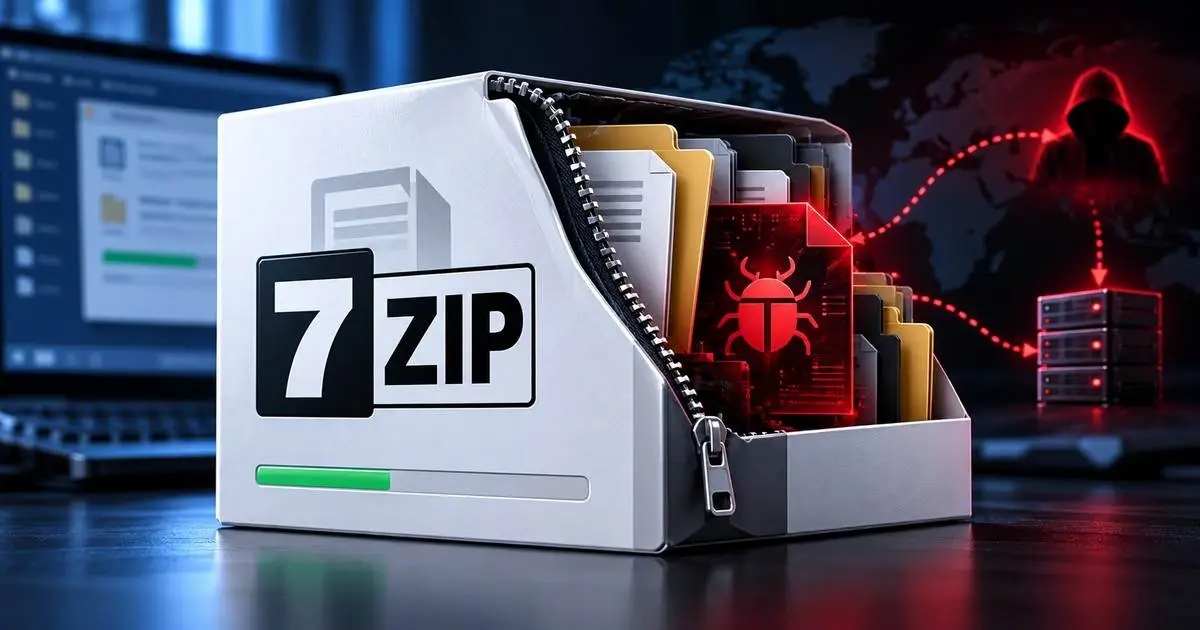
Fake 7-Zip installer malware is being distributed through lookalike download sites, giving victims a working copy of the popular archive utility while quietly installing proxyware on Windows PCs. The campaign used the lookalike domain 7zip[.]com, which can easily be confused with the legitimate 7-Zip website at 7-zip.org.
The attack is effective because the installation does not immediately look suspicious. Users still receive a functional 7-Zip File Manager, but additional components are installed in the background, registered as Windows services and allowed through the firewall. The infected system can then become part of a residential proxy network, allowing third-party traffic to pass through the victim’s IP address.
Malwarebytes documented the malicious installer in February 2026. Infoblox later connected the activity to a broader operation it tracks as Lurking Lizard, identifying more than 230 domains associated with fake software downloads, proxy services and related infrastructure.
For broader endpoint-security guidance, see our Device Security Audit 2026 guide.
How the Fake 7-Zip Installer Works
This campaign does not rely on a vulnerability in the legitimate 7-Zip application. Instead, the attackers use software impersonation: a convincing domain, a signed installer and a functional copy of the software are combined to make the download appear trustworthy.
Malwarebytes found that the package installs a working copy of 7zfm.exe, the familiar 7-Zip File Manager. At the same time, it silently adds three additional components — Uphero.exe, hero.exe and hero.dll — under C:\Windows\SysWOW64\hero\.
Uphero.exe operates as a service manager and update loader, while hero.exe is the main proxy payload. The malware also maintains its own update mechanism, allowing the hidden components to be changed independently of the visible 7-Zip application.
Why Users May Not Notice the Infection
The strongest part of the deception is that the expected software still works. A victim can open 7-Zip, browse archives and extract files without seeing an obvious sign that anything went wrong during installation.
Behind that normal-looking behavior, Malwarebytes observed the malicious components being registered as auto-start Windows services running with SYSTEM privileges. The malware also modifies Windows Firewall rules with netsh, creating network access for its executables.
The installer was also Authenticode-signed with a certificate issued to Jozeal Network Technology Co., Limited. Malwarebytes reported that the certificate was later revoked. A valid-looking digital signature may increase user trust, but it does not prove that the software came from the legitimate 7-Zip project.
What the 7-Zip Malware Does After Installation
The observed payload behaves primarily as proxyware rather than ransomware. Once active, the infected computer can be enrolled into a residential proxy network, allowing third-party internet traffic to be routed through the victim’s connection.
Residential IP addresses are valuable because websites often treat them differently from known datacenter, hosting or VPN addresses. That makes compromised home or office connections useful for scraping, account activity, advertising abuse, fraud and other operations where traffic is intended to look like it came from an ordinary user.
| Component | Observed Role |
|---|---|
7zfm.exe | Working 7-Zip File Manager that makes the installation appear legitimate |
Uphero.exe | Service manager and update loader |
hero.exe | Main residential proxy payload |
hero.dll | Supporting malware library |
Malwarebytes also documented system profiling through Windows APIs and communication with external infrastructure. The malware can gather information about the host and maintain outbound connections required for the proxy service.
Malware Uses Anti-Analysis and Evasion Techniques
The hidden payload includes several checks designed to identify virtual machines and analysis environments. Researchers observed detection logic for VMware, VirtualBox, QEMU and Parallels, along with anti-debugging checks, process enumeration, registry inspection and runtime API resolution.
The malware also uses encrypted communications and DNS-over-HTTPS, which can reduce visibility for defenders who rely heavily on conventional DNS monitoring.
These techniques do not make the infection impossible to detect, but they show that the operators have invested in keeping compromised proxy nodes active while making analysis more difficult.
Lurking Lizard Linked to More Than 230 Domains
Infoblox’s investigation showed that the fake 7-Zip website was only one part of a much broader operation. Researchers identified more than 230 domains connected through DNS records, infrastructure patterns and related indicators.
The actor impersonated software products, VPN services, proxy platforms and other online tools. Infoblox traced related activity back to at least August 2022, suggesting that the fake 7-Zip campaign was one part of a long-running proxy acquisition operation rather than an isolated incident.
The 7zip[.]com domain also had an unusual advantage. Incorrect references to that address had appeared in old forum posts and online discussions for years, giving the domain a degree of historical familiarity after it was acquired by the operators.
Infoblox described this as part of a broader drop-catching strategy, where expired domains are obtained because they already carry backlinks, history or user recognition.
How to Check for the Fake 7-Zip Malware
If 7-Zip was downloaded from 7zip[.]com or another unofficial source, a working archive application should not be treated as proof that the computer is clean.
- Verify the download source: the legitimate project website is
7-zip.org. - Check the filesystem: investigate
C:\Windows\SysWOW64\hero\and look forUphero.exe,hero.exeandhero.dll. - Review Windows services: look for unfamiliar auto-start services associated with these executables.
- Inspect firewall rules: check for unexpected rules allowing the suspicious components to communicate.
- Run an updated security scan: use current antivirus or EDR protection and investigate unusual network activity.
On a business endpoint, simply uninstalling the visible 7-Zip application should not be considered sufficient remediation if the malicious package was executed. Persistence mechanisms, firewall changes and hidden proxy components need to be investigated separately.
Was the Official 7-Zip Website Compromised?
No evidence in the Malwarebytes or Infoblox research indicates that the official 7-Zip project or its legitimate download infrastructure was compromised. The campaign relies on impersonation and a trojanized installer distributed through a lookalike domain.
The legitimate 7-Zip project is available at 7-zip.org, with official downloads provided through its own download page.
That distinction matters: this is a fake 7-Zip installer malware campaign, not a newly discovered vulnerability in the legitimate 7-Zip application.
How Organizations Can Reduce Fake Software Risk
Organizations can reduce this type of exposure by removing unnecessary guesswork from software installation. Frequently used utilities should be distributed through approved software repositories, endpoint-management platforms or trusted package-management workflows rather than asking users to search the web for installers.
DNS filtering, application allowlisting and endpoint monitoring can also help detect or block lookalike-domain campaigns. Defenders should pay particular attention to unexpected SYSTEM services, firewall changes and persistent network processes appearing immediately after software installation.
If an endpoint installed 7-Zip from the fake domain, the practical response is to isolate the system, preserve relevant logs and check specifically for the documented hero components before returning the device to normal use.
Frequently Asked Questions
Is the official 7-Zip software infected with malware?
No. The research describes a trojanized installer distributed through a lookalike website. The legitimate 7-Zip project was not identified as compromised.
What is the official 7-Zip website?
The official website is https://www.7-zip.org/. The malicious campaign used the similar-looking 7zip[.]com domain.
What happens after the fake installer is executed?
The package installs a working 7-Zip File Manager alongside hidden components that establish persistence, modify firewall rules and can turn the Windows machine into a residential proxy node.
Official and Primary Sources
7-Zip — Official Website
7-Zip — Official Download Page
Malwarebytes Threat Intelligence — Fake 7-Zip Downloads Turn PCs Into Proxy Nodes
Infoblox Threat Intelligence — Lurking Lizard Investigation
Cybersecurity News — Original Story Reference